This blogpost offers a guide on upgrading your Nutanix community edition cluster to the latest versions.
-={ The Nutanix and Citrix GURU }=-
This blogpost offers a guide on upgrading your Nutanix community edition cluster to the latest versions.
This little blogpost will explain howto change the CVM memory size in Nutanix Community Edition. I assume you are here because you got an error similar to this:
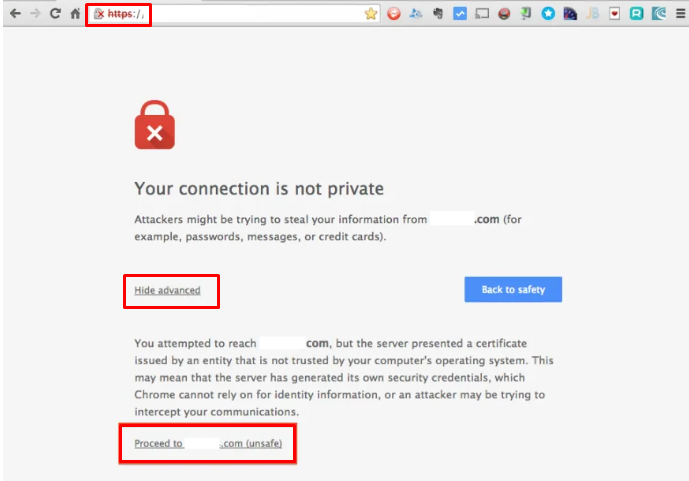
UPDATE FEBRUARI 2024 Looks like Microsoft Edge has blocked/removed this workaround. It is still working in Google Chrome. I getting emails, calls, teams, slack etc etc etc about that they cant access Prism anymore. I even had an email from someone to their internal management saying Nutanix is bad because…
I had the opportunity the play with 2 Nutanix clusters on OVHcloud. In this blogpost I will explain how to set it up and how to do a migration from your on-premises environment to Nutanix on OVHcloud (Migrate to the cloud).
Here’s a powershell script to generate a Let’s Encrypt certificate and upload that certificate to your Nutanix cluster and/or Prism Central. I want my clusters to be available via: The tielenconsultancy.nl domain is avaiable on the internet and internal. The clusters aren’t available via the internet offcourse 😉 So this…
In this blog post I will show you how to change a Nutanix Files standard share to a distributed share. The differences between these types of shares is explaned here: https://portal.nutanix.com/page/documents/kbs/details?targetId=kA00e000000LMXuCAO In my scenario I have configured FSLogix profiles on the standard share \\Files\FSlogix. This share holds arround 240GiB of…
I’m running my Nutanix CE lab on dedicated hardware, but you can also install it virtual in VMware Workstation (for example). In this blog I will explain how to do this. Before we continue there are some requirements: Make clear if you want a 1 node or 3 node cluster;…
Microsoft released a new version of FSLogix (Build 2.9.8361.52326) which has the following in the release notes: Feature: Added the ability to compact the user’s container during the sign-out phase. More info can be read in the Release Notes Now when this all is in place and working, the events…
Quick blog post. The PowerShell script is self explaining 😉
Offcourse I encourage customers to use AHV when using Nutanix, but sometimes customers are stuck using VMWare due to specific requirements or others reasons. Setting up Nutanix on AHV is pretty straightforward but on VMWare it is a bit different. In this blog I will show you how to setup…
Begin typing your search term above and press enter to search. Press ESC to cancel.