Within a default next next finish installation of a Nutanix cluster all physical interfaces are member of virtual switch 0 (vs0). First thing we do is remove the wrong interfaces from the vs0 and create a separate virtual switch (vs1) with the interfaces which are removed from vs0.
Nutanix AHV (Hypervisor) and AOS (CVM) must be in the same subnet and vlan. This means a default configuration has 1 subnet for alle cluster related traffic (management, intra-cluster-traffic, dataprotection, etc). This should be a subnet not being used by others. And it looks like this:
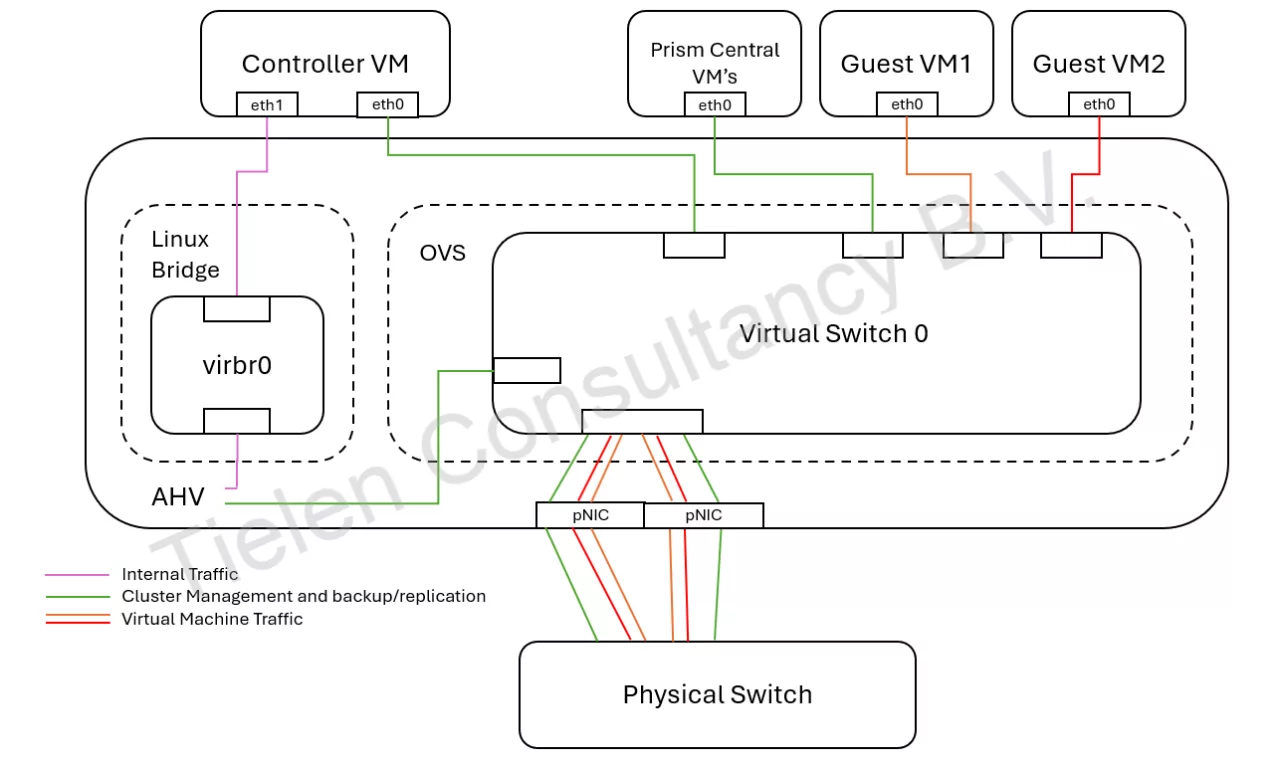
As you can see all traffic will go over the same physical switches and cluster traffic will use the same vlan as management. Not ideal if you have, for example, noisy neighbours. When we have additional interfaces in the nodes we can split the workload (virtual machines) traffic from the cluster traffic. Like this:
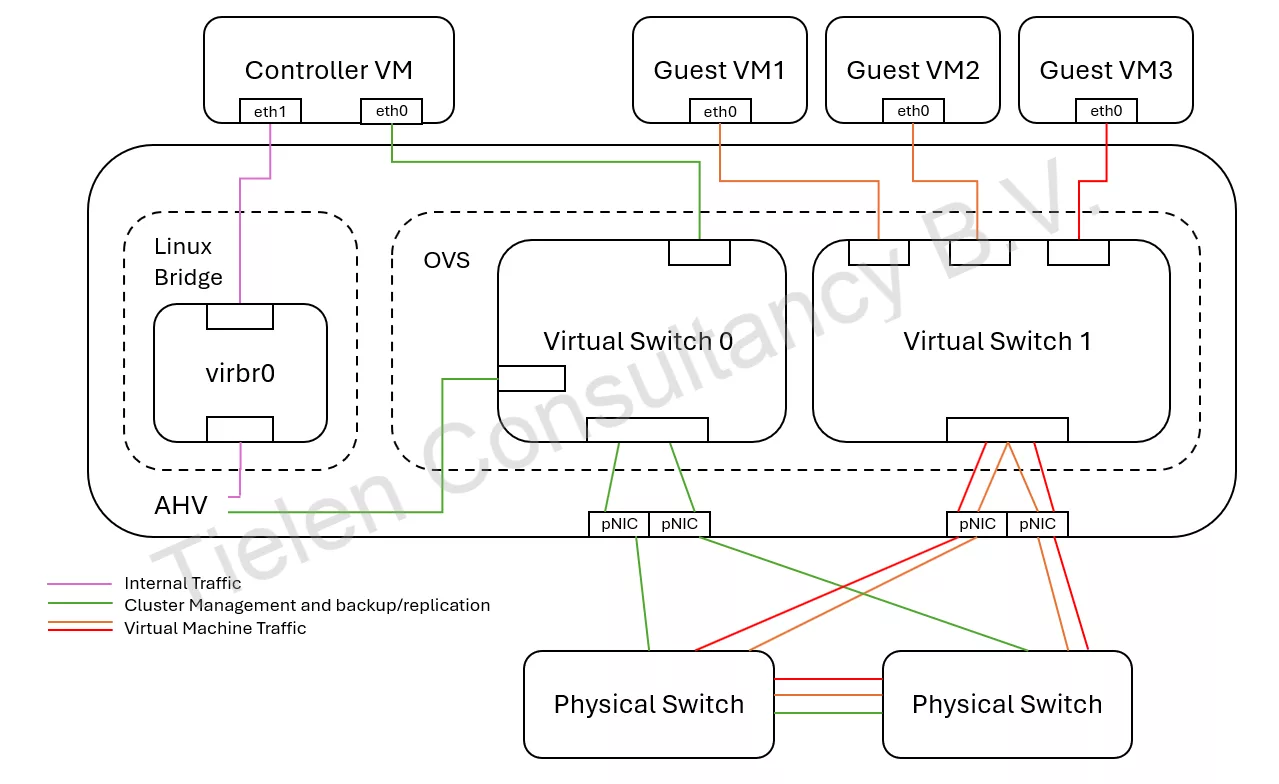
You create this by creating an additional virtual switch with the “not in use” interfaces. Then set the networks/subnets to use the new virtual switch (vs1). In Prism Element it will look like this:
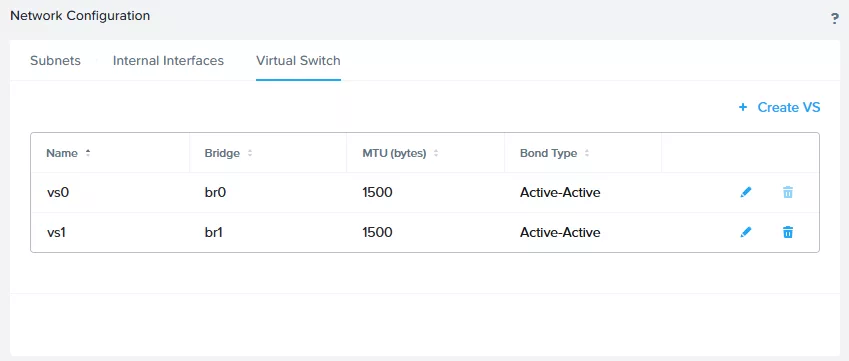
And (for example) for a virtual machine subnet it will look like this:
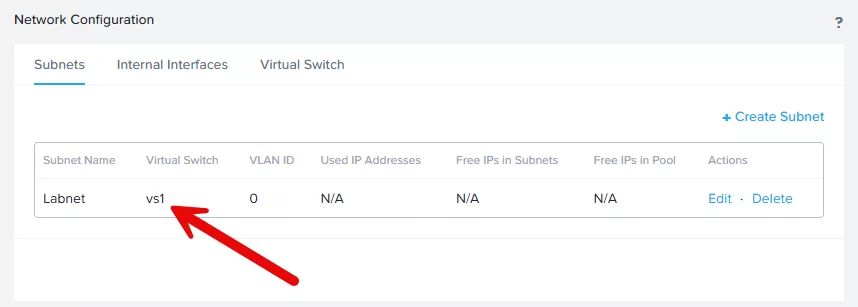
The downside of this setup is that all intra-cluster-traffic, dr traffic, management etc will go over the same vlan/subnet. We can even further split this up by enabling backplane traffic. This mean the intra-cluster-traffic (CVM to CVM to AHV) will use its own subnet and vlan. This is an unrouted and completely standalone vlan. It looks like this:
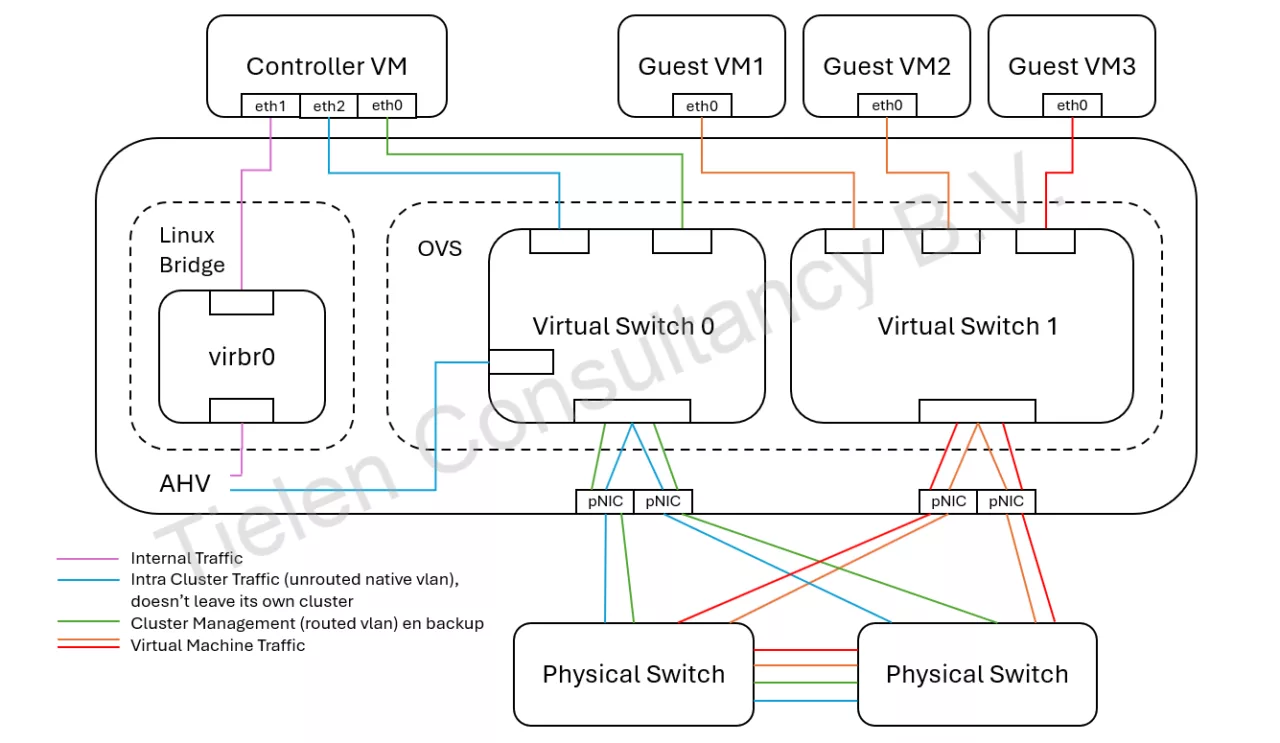
As you can so this wel enable the eth2 interface in the CVM and a separate vlan is used for the intra cluster traffic. This is how you configure that in Prism Element:
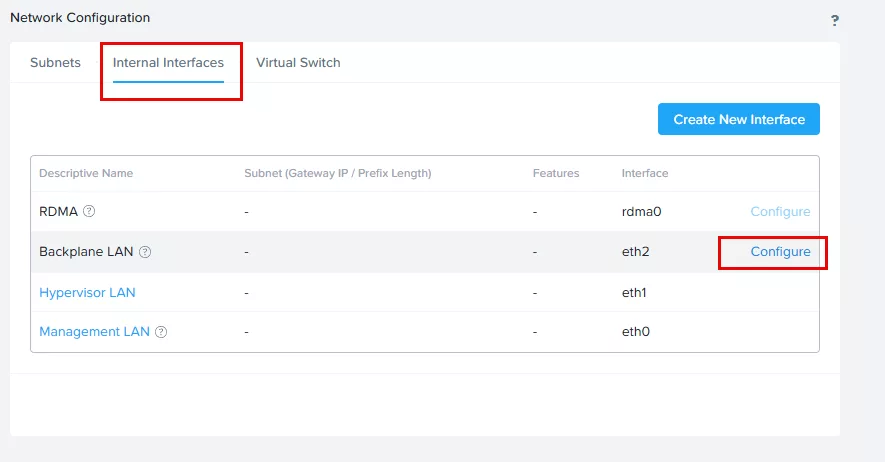
Fill in the information. Keep in mind that this is an isolated, non routable, vlan/subnet.
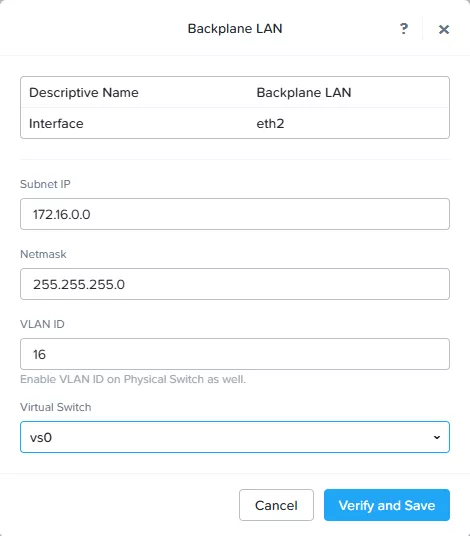
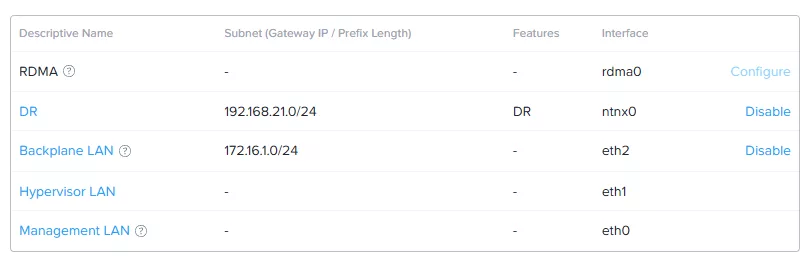
When all is configured DR traffic will still go over the same subnet as where cluster management is located. To split this also we need to create an additional interface in the controller vm. This will make sure als disaster recovery (replication) will follow its own vlan. It will look like this:
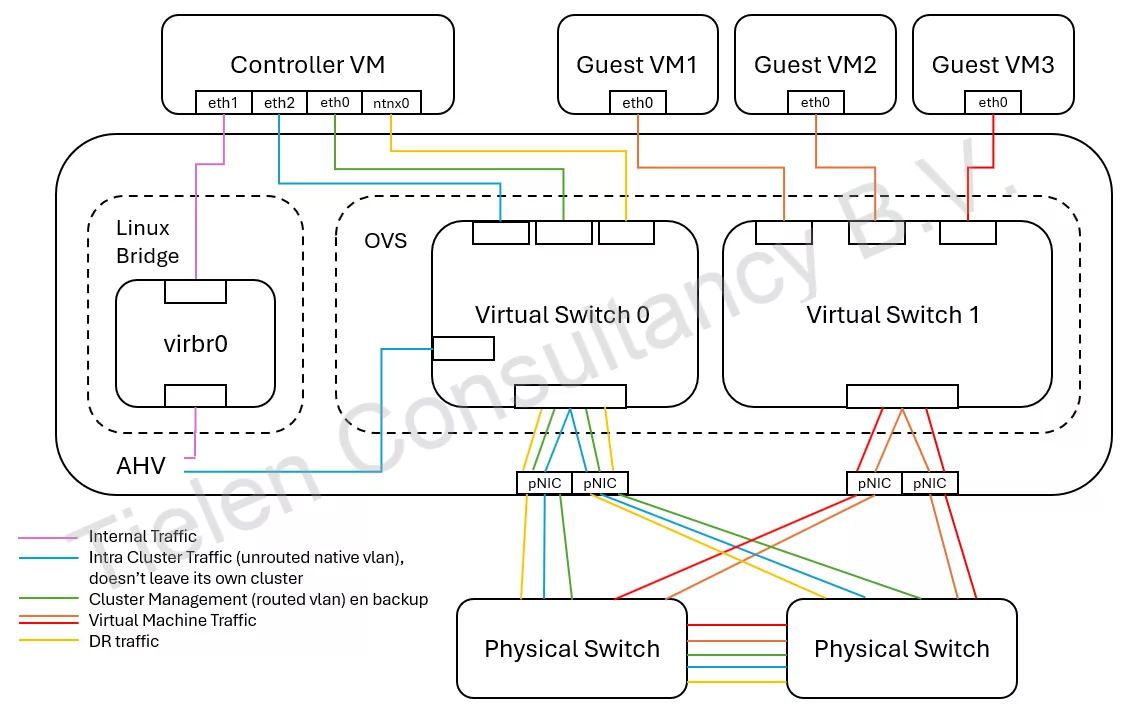
You can also create a seperate virtual switch for this if you have enough free interfaces, but for this blog post I leave it like this. To configure this we need to click on “Create New Interface”.
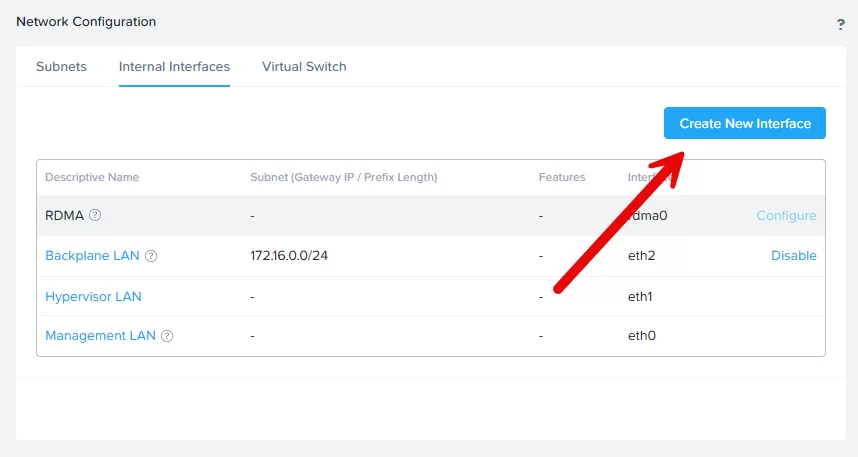
Fill in all information. This network must be routed so that the other clusters (which are doing the DR) can access it. My DR pool is on vlan 21 with IP’s 192.168.21.11-192.168.21.20
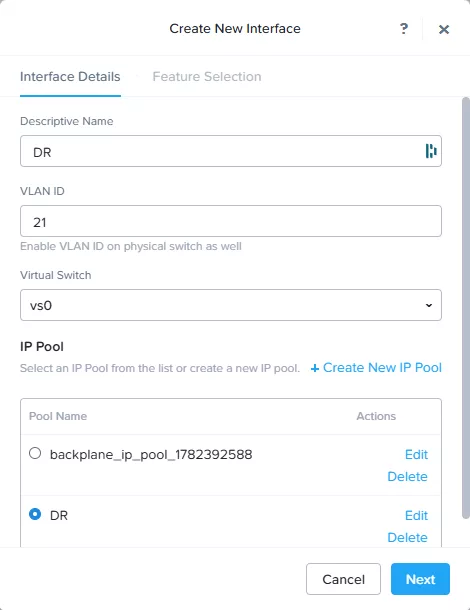
On the next screen select DR and give an virtual IP. This IP will be used to to connect to from the other clusters.
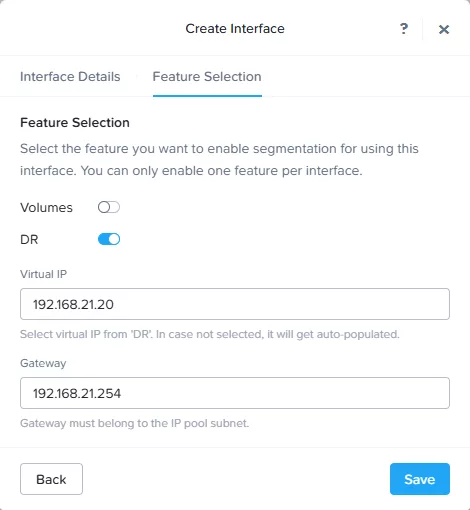
When clicking on save an extra information popup will be shown:
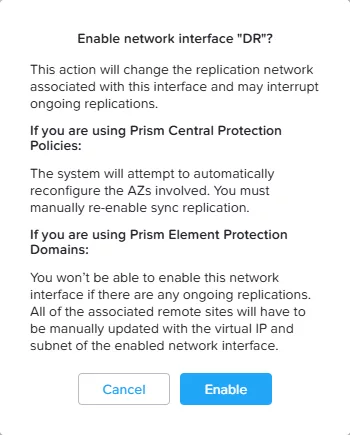
Yes, perfect. This is what we want 🙂 Click enable. And there you have it, complete segmentation for the network traffic on a Nutanix cluster running AHV.