I got this question a lot during my trainings so hereby an explanation what “Approval Policies” are and howto configure them.
Lets start with the easy question: What are approval policies?
With APs we can protect recovery points from deletion. At lease three administrators (or more) must approve each deletion. This is for Recovery Points created by Protection Policies.
How to configure that? Lets start with some mandatory settings in Prism Central:
- Make sure the policy engine is up and running;
- SMTP should be configured in Prism Central, as emails are send to the approvers.
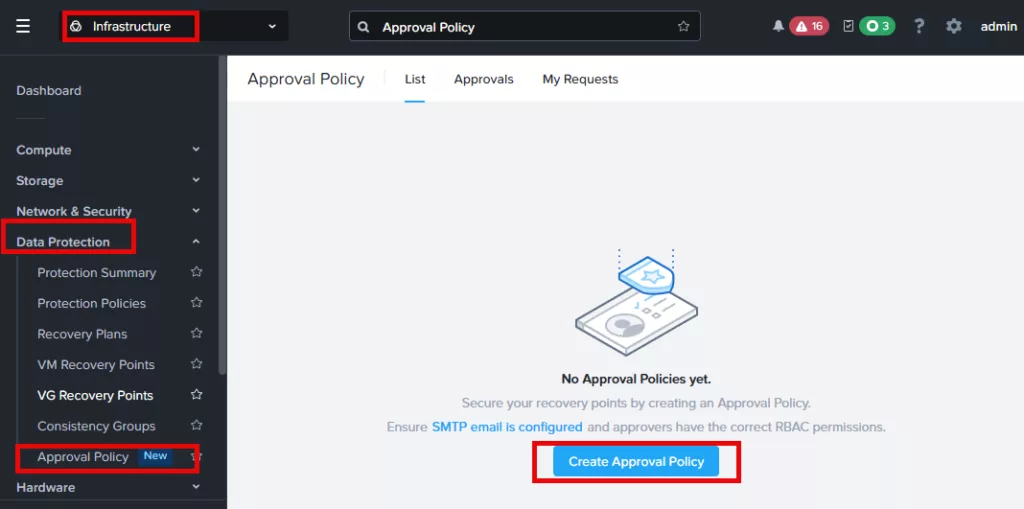
Now lets create the approval policy. In Prism Central navigate to Approval Policy. Click on: Create Approval Policy
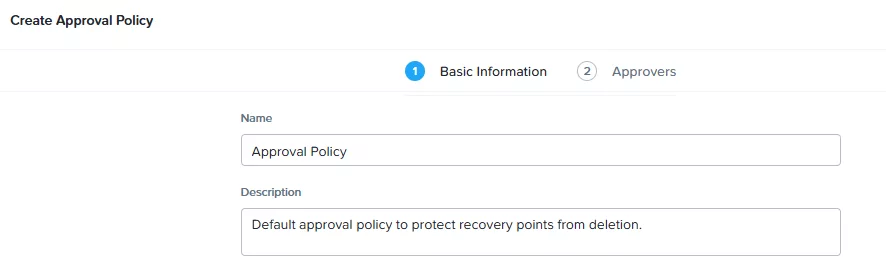
Fill in some basic information and click Next.
Approval Policies can have multiple sets of approvers and a set must have multiple approvers. Meaning that from each approval policy minimum 3 approvers must approve the deletion.
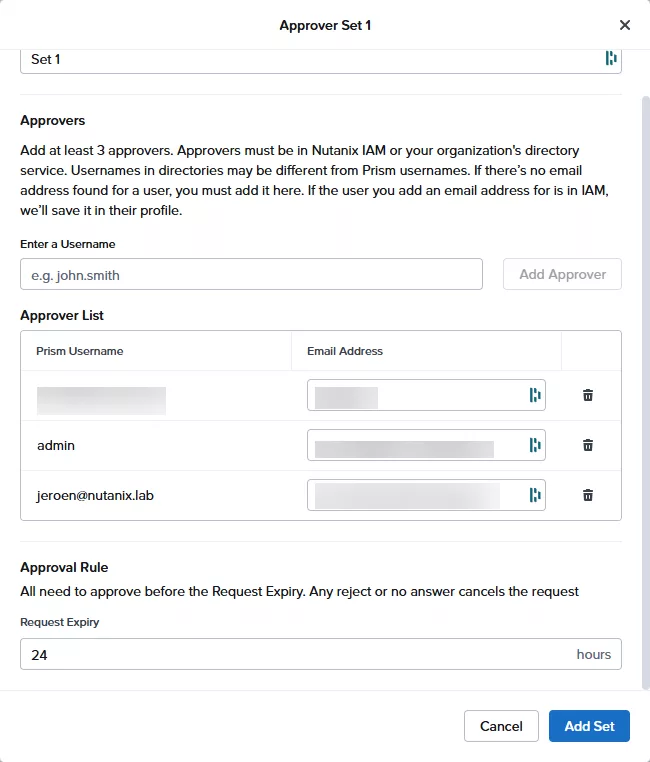
As you can see in the screenshot above I’ve added three (3) approvers to the first set. You need to add at least 3 in a set. And you need to add email addresses as well. When clicking on “Add Set” you will get to this screen:
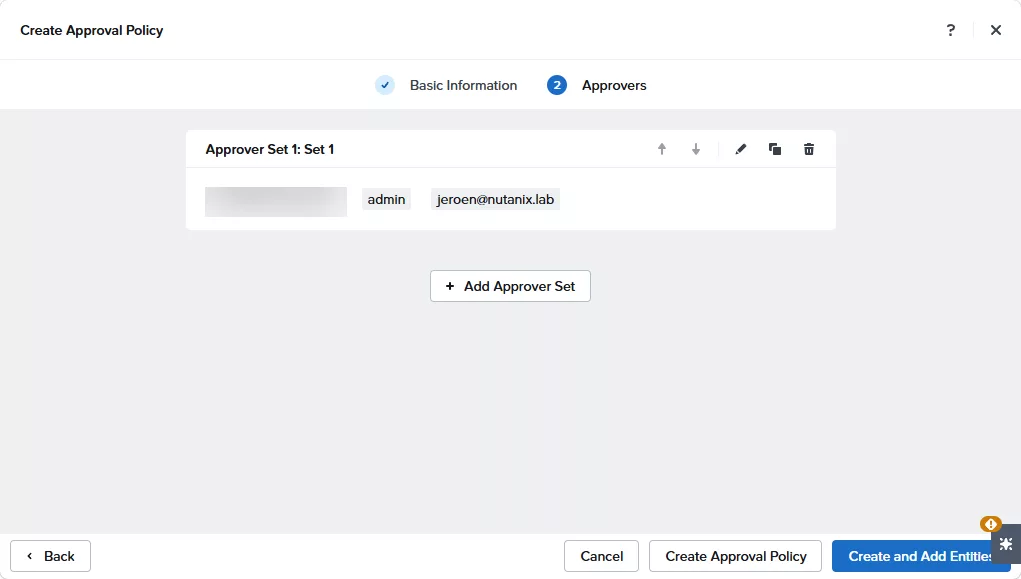
From here you can add additional sets in the approval flow. But for now I just leave it like it is. And click “Create and Add Entities”.
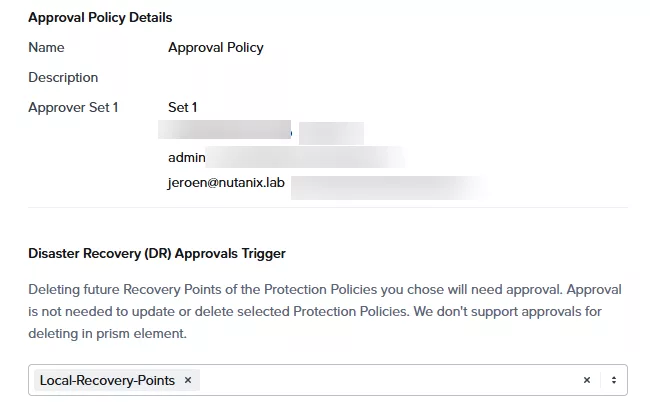
Select your Protection Policy. And save the approval policy. Now all recovery points created by the selected protection policies will be protected by the approval policies. So admins can’t delete them. Let see how this works.
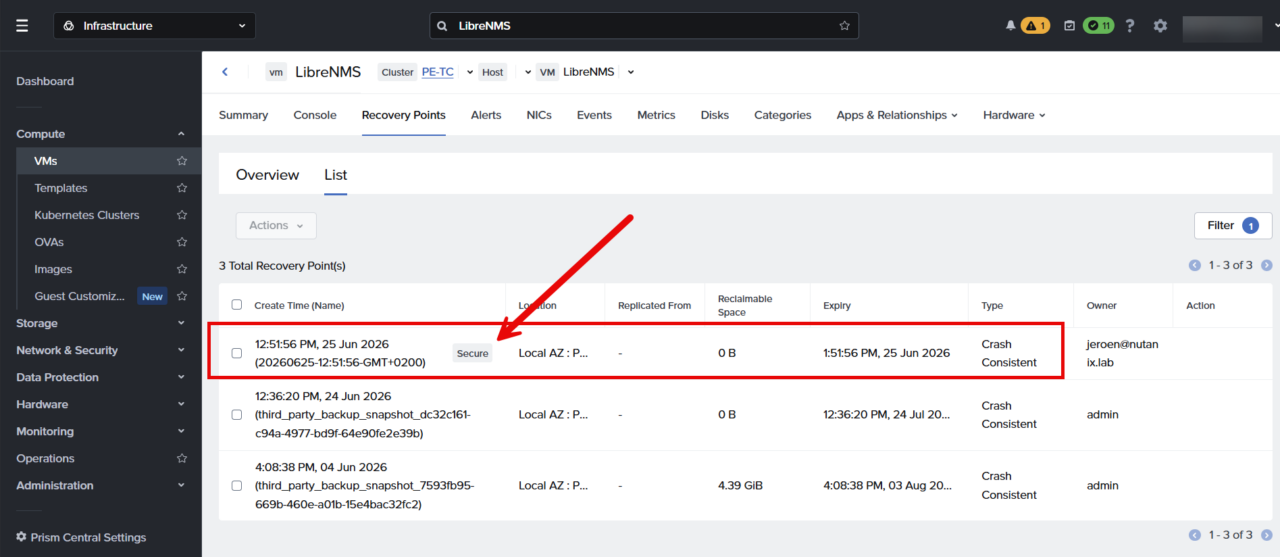
On the screenshot above you will see that the recovery point, taken by the protection policy, has a nice “secure” tag. Lets delete it:
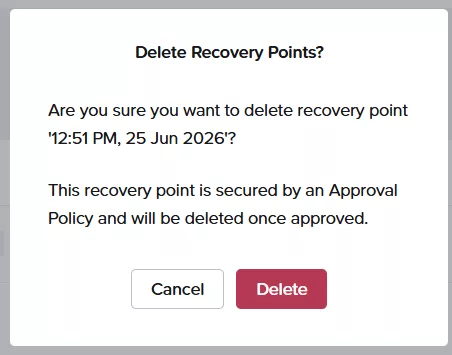
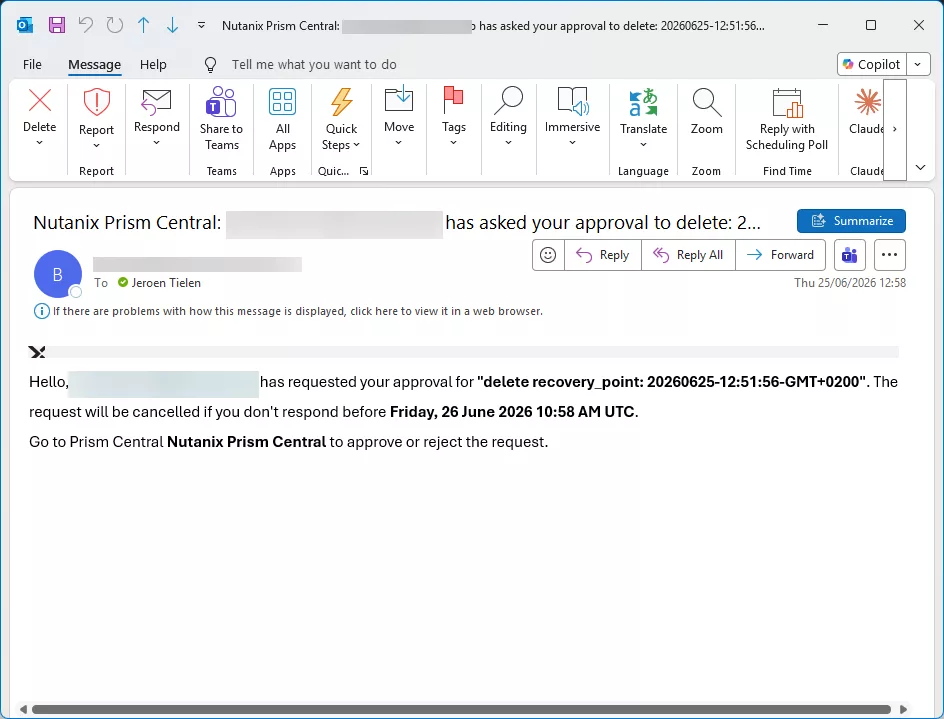
When I click delete the approval policy kicks in all approvers in the approval policy will get an email:
Before we approve the request lets have a look how this looks for the requester:
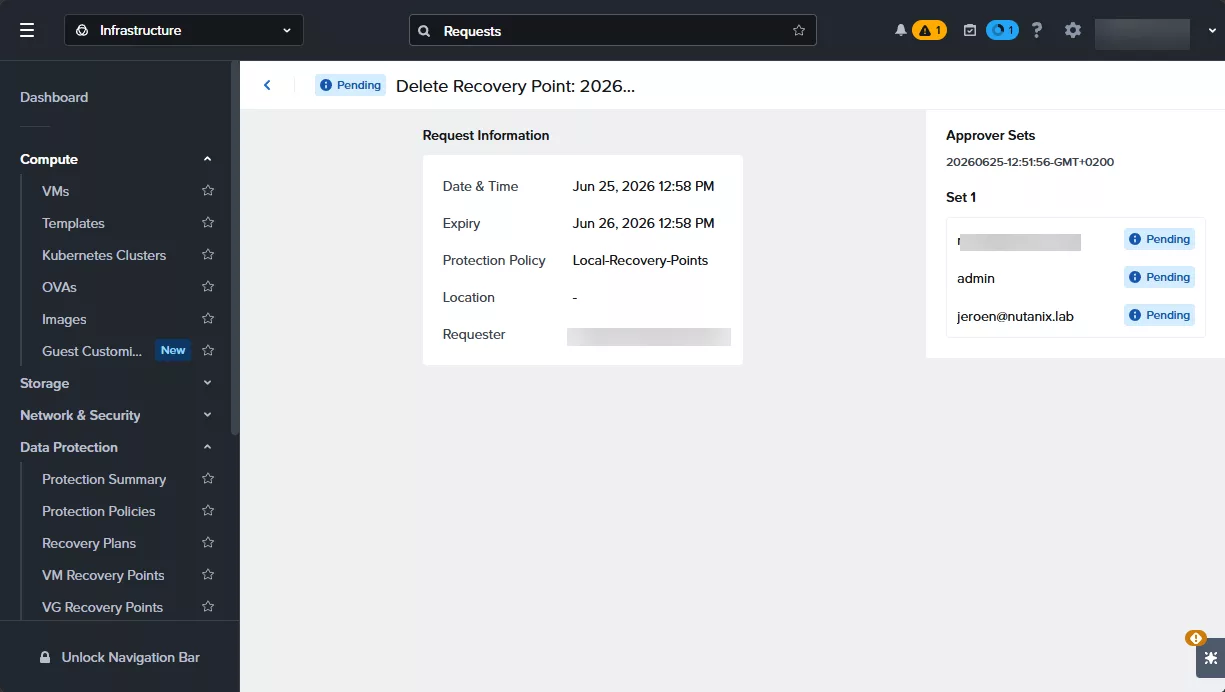
As you can see there are pending actions for the approvers. Lets login as an approver and see what to do there. When navigating to Data Protection –> Approval Policy –> Approvals you can see the pending approval. Click on review.
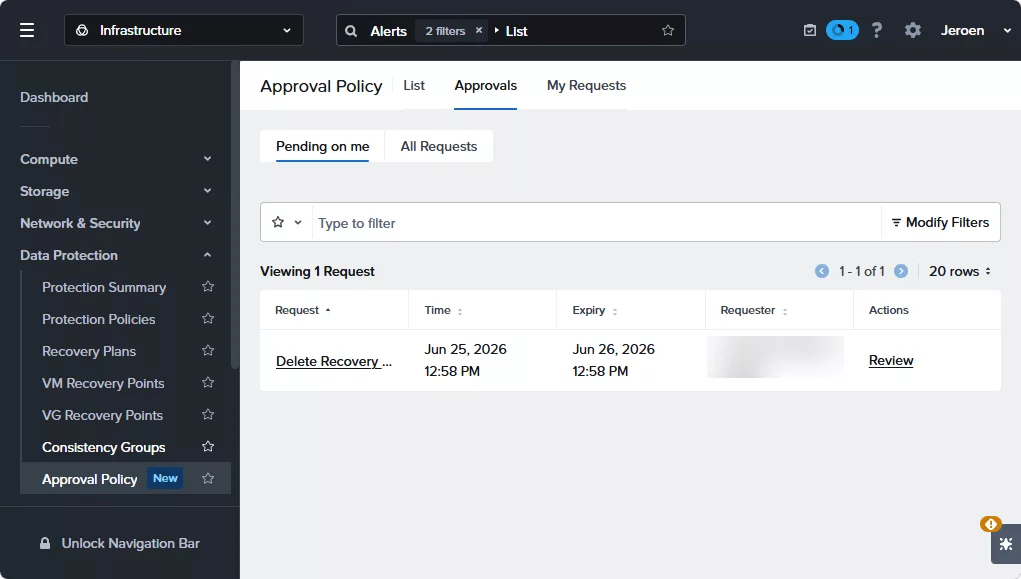
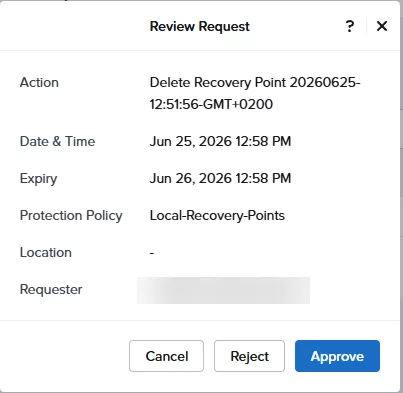
Review the request and when it is valid click Approve (or reject).
On the requester his screen you can see my approval:
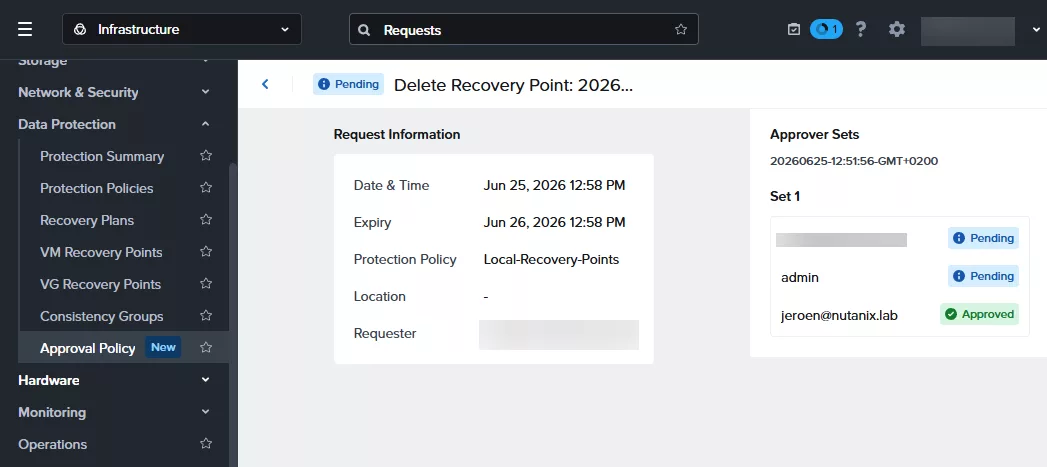
Now let the other approvers also do their magic 😉 And when all three the approvers have approved the request the recovery point is being deleted.
Discover more from Jeroen Tielen
Subscribe to get the latest posts sent to your email.