Citrix has released a Nutanix AHV version of the NetScaler. This runs on a Linux kernel while the older model was running on a BSD kernel.
At the moment if you want to upgrade to the latest version you will see this message:

So the traditional upgrade method will not work anymore and you need to switch to the AHV version. Citrix has release an upgrade document: https://docs.netscaler.com/en-us/vpx/current-release/install-vpx-on-nutanix/migrate-from-citrix-ready-kvm-to-official-vpx-nutanix
If you are going to go for the in-place upgrade method (instead of the Node-by-Node high availability (HA) replacement method) the you will probably hit a startup loop (as shown in this screenshot)
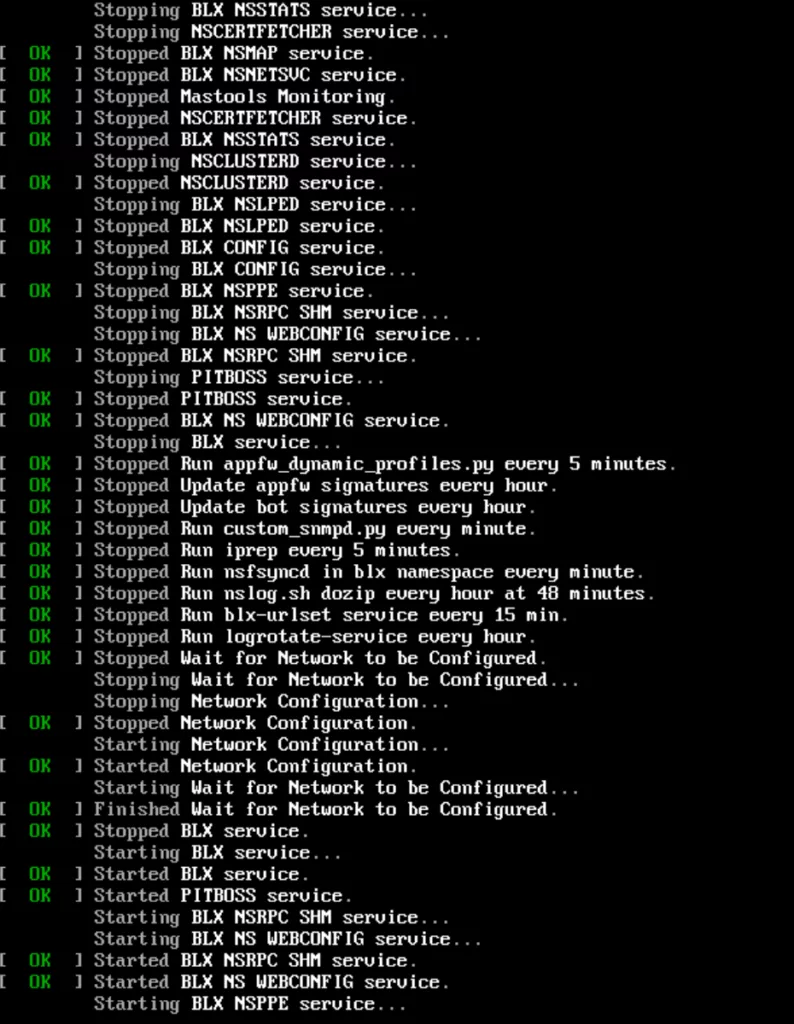
If this happens the following steps will help you get the NetScaler up and running again with the new version. All commands are done in the CLI on a CVM.
- Stop the virtual machine: acli vm.off <netscaler_vm_name>
- Remove the serial port: acli vm.serial_port_delete <netscaler_vm_name> 0
- Yes, it ends with an index number which is probably zero (0), if not sure use the tab completion in acli self.
- Make sure you have 2GB per vCPU assigned to the virtual machine before starting it up again.
- If the VPX has 2vCPU then make sure it has 4GB ram, is will not boot correctly if not configured correctly
- Start the virtual machine: acli vm.on <netscaler_vm_name>
Now the NetScaler will boot correctly on the version designed for AHV 😉 but still on legacy BIOS. If you want the have machine boot from UEFI. Then you need to follow the Node-by-Node high availability (HA) replacement method.