Citrix has released a Nutanix AHV version of the NetScaler. This runs on a Linux kernel while the older model was running on a BSD kernel.
At the moment if you want to upgrade to the latest version you will see this message:

So the traditional upgrade method will not work anymore and you need to switch to the AHV version. Citrix has release an upgrade document: https://docs.netscaler.com/en-us/vpx/current-release/install-vpx-on-nutanix/migrate-from-citrix-ready-kvm-to-official-vpx-nutanix
If you are going to go for the in-place upgrade method (instead of the Node-by-Node high availability (HA) replacement method) the you will probably hit a startup loop (as shown in this screenshot)
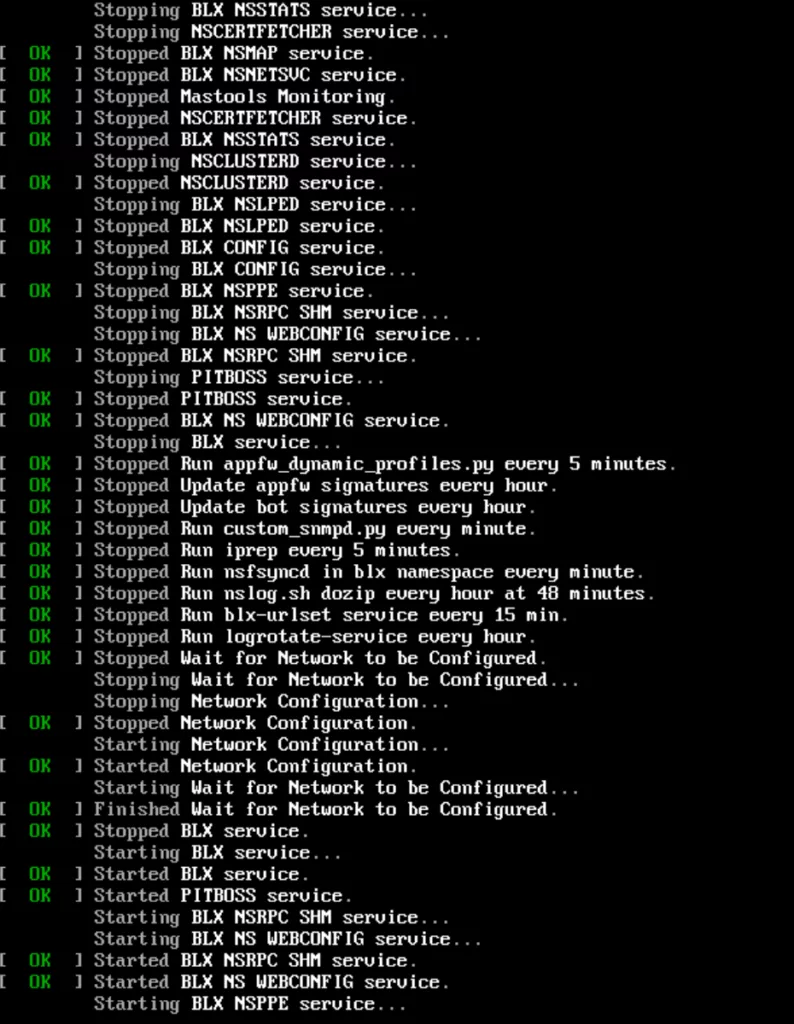
If this happens the following steps will help you get the NetScaler up and running again with the new version. All commands are done in the CLI on a CVM.
- Stop the virtual machine: acli vm.off <netscaler_vm_name>
- Remove the serial port: acli vm.serial_port_delete <netscaler_vm_name> 0
- Yes, it ends with an index number which is probably zero (0), if not sure use the tab completion in acli self.
- Make sure you have 2GB per vCPU assigned to the virtual machine before starting it up again.
- If the VPX has 2vCPU then make sure it has 4GB ram, is will not boot correctly if not configured correctly
- Start the virtual machine: acli vm.on <netscaler_vm_name>
Now the NetScaler will boot correctly on the version designed for AHV 😉 but still on legacy BIOS. If you want the have machine boot from UEFI. Then you need to follow the Node-by-Node high availability (HA) replacement method.
Discover more from Jeroen Tielen
Subscribe to get the latest posts sent to your email.



I would imagine it would, but does it support the new Citrix LAS licensing model?
Yes.
Hello Jeroen,
We are using Native OTP for one of our customer running Netscaler on Nutanix with the old KVM image. I see this feature is not supported on the Nutanix Image. Should we stay on the KVM image then and do the upgrades the old way?
Nope that will not work. Upgrading to the native KVM version is not working anymore when running on AHV. Then it will show the screenshot shown in the blog post. (first screenshot in the post)
The unsupported features are only for the migrated appliance from KVM to Nutanix or also on the Nutanix image? In that case we will have a big problem if the Native OTP is not working on Nutanix.
Do you have a link were is says that native otp is not supported anymore?
https://docs.netscaler.com/en-us/vpx/current-release/install-vpx-on-nutanix
Search for “Unsupported Feature”
I’ll log a ticket at Citrix support anyway but the last weeks they take ages to answer.
Auch… I see it. That is no fun 🙁
I confirm, after having contact with Citrix Support, this feature Native OTP is not supported. My guess is that they delivered a Nutanix version of Netscaler but didn’t have time to develop all features present in the normal release, which is a shame because we are forced to move to this version…
hello, latest version now include encrypted otp