
Nutanix just released a new version of Nutanix Move (link), which has version number 6.3.3.
The biggest change in this version is the new DirectPath migration method. It transfers the disk data of a virtual machine directly from ESXi to Nutanix AHV, so you don’t need the VMware VDDK anymore to migrate your virtual machines.
Move used the VDDK (Virtual Disk Development Kit) to copy the disks of a virtual machine form ESXi. This is a set of libraries from VMware and it is not part of Move. So since Move 5.3.0 you had to download it yourself from the Broadcom website and upload it into Move before you could migrate from ESXi. Hereby the versions you needed:
- VDDK 8.0.3.2 for ESXi 6.7, 7.0 and 8.0
- VDDK 7.0.3.1 for ESXi 5.5, 6.0 and 6.5
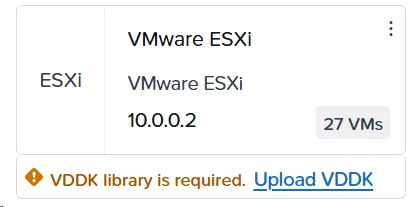
At the end of August 2026 Broadcom removed the VDDK downloads from their website. It is now only availible for their technology partners and only for backup and recovery (link). Migrating away from VMware is not one of them 😉 So when you didn’t save the VDDK files somewhere you could not migrate from ESXi with Move anymore.
With the new Move version this problem is gone. You don’t have to download and upload the VDDK anymore and you also dont have to check which VDDK version belongs to your ESXi version. Just add your vCenter or ESXi host as a source and create the migration plan.
To get this version you need to download the Move appliance from the Nutanix Portal (https://portal.nutanix.com/page/downloads?product=move), and deploy it as a new virtual machine on your AHV cluster. There is nu upgrade available from older Move versions (nothing to worry about, the deployment is straight forward). And, at the time of writing, there is no direct AHV download. I dont know if there will be one or not but for now only .vmdk for ESXi.
Discover more from Jeroen Tielen
Subscribe to get the latest posts sent to your email.

more utter housery from BroadCON