When deploying a Nutanix cluster and looking into all configuration settings you have probably seen the “Reserve Rebuild Capacity” option. In this blogpost I will explain what it is and how it works.
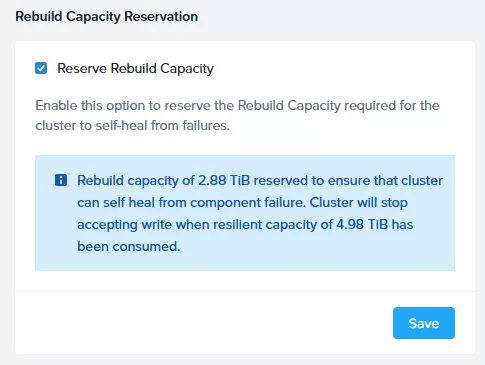
You can find this option in Prism Element –> Settings –> Rebuild Capacity Reservation. The default setting is that it is turned off. When looking into the Storage Summary widget (in Prism Element) you will default see this:

In my case (on this test cluster) I have 7.87TiB of total capacity. When clicking on “View Details” you will see this:
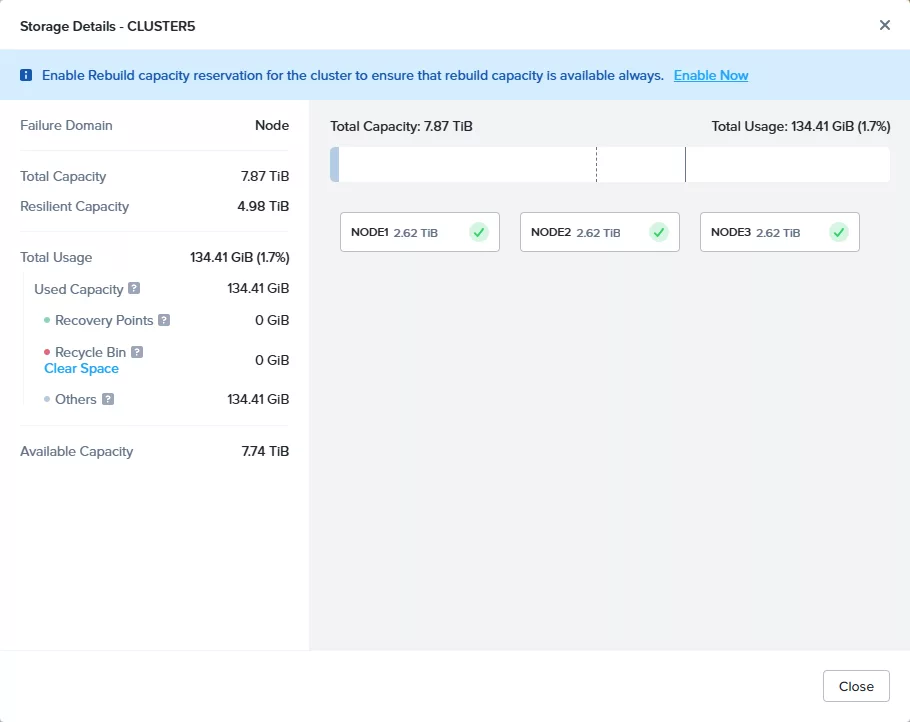
As you can see I have a three node cluster with a total storage capacity of 7.87TiB and, as the nodes are equal, per node it is 2.62TiB. This is the physical capacity. So we are not counting (for example) Replication Factor 2. The Resilient Capacity is 4.98TiB. This is the total cluster capacity minus 1 node (If running RF3 it is minus 2 nodes). So I can safely store approx 4.98TiB on the cluster and then a node can go down. There will be a warning triggered when the cluster is passing the 75% threshold of the resilient capacity. On the test cluster that is 3.74TiB. (This 75% threshold is configurable)

If we store data in the cluster (and with Replication Factor 2 this is 2.5TiB) and we go over the Resilient Capacity the cluster will create critical alerts. As there is no resilient capacity left and so there is no room for a node down.
With Reserve Rebuild Capacity we make sure that we can’t write more data in the cluster then the Resilient Capacity. So lets turn this feature on and create some data 😉

Reserve Rebuild Capacity is turned on.
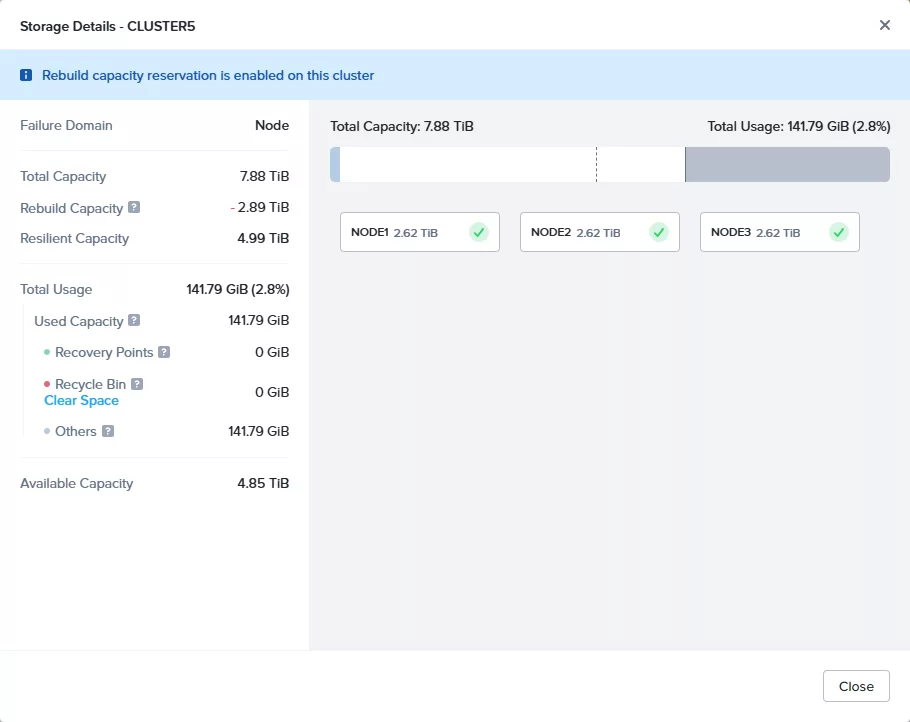
The Storage Details widget has changed and you can see there is a reservation of 1 node active.
Lets fill up the storage containers…….

When passing the 75% threshold this is shown:
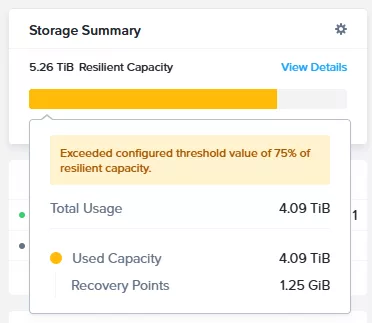
Lets add more data and go over the Resilient Capacity.
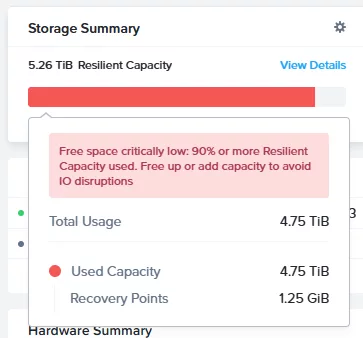
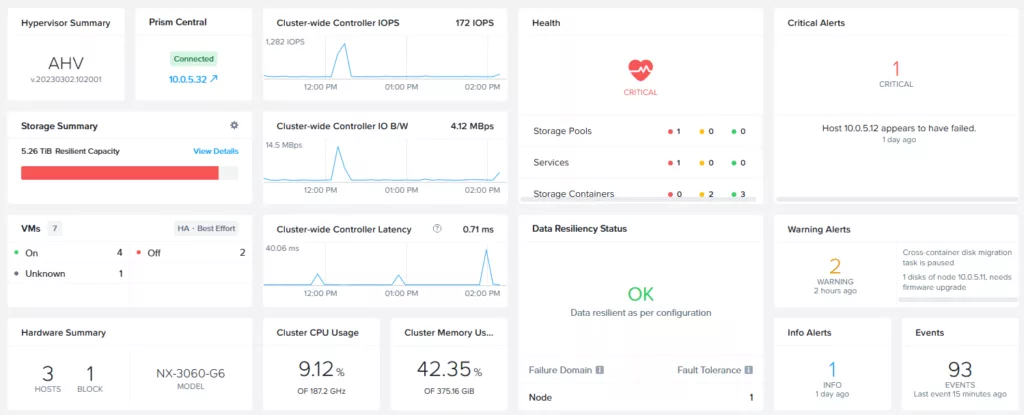
Oke it is full…
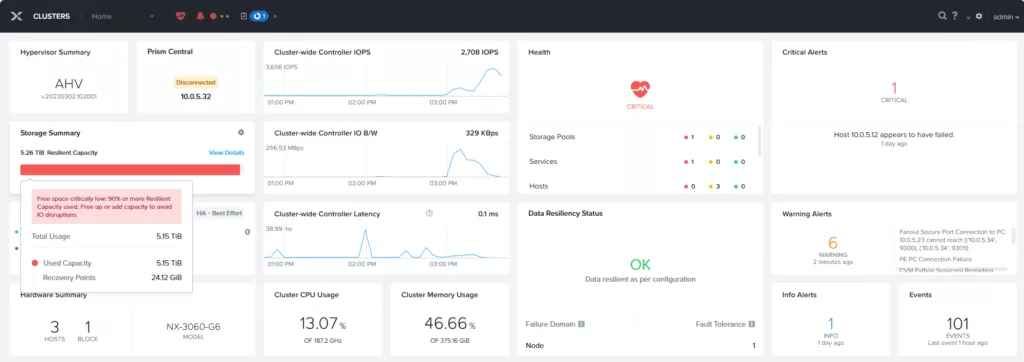
I got 2 Windows machine running (those machines where generating random files) and they both generated a BSOD. The are rebooting but they never came up again:

I decided to disabling Reserve Rebuild Capacity again. And 1 Windows machine was booting again (with some help from checkdisk ;))
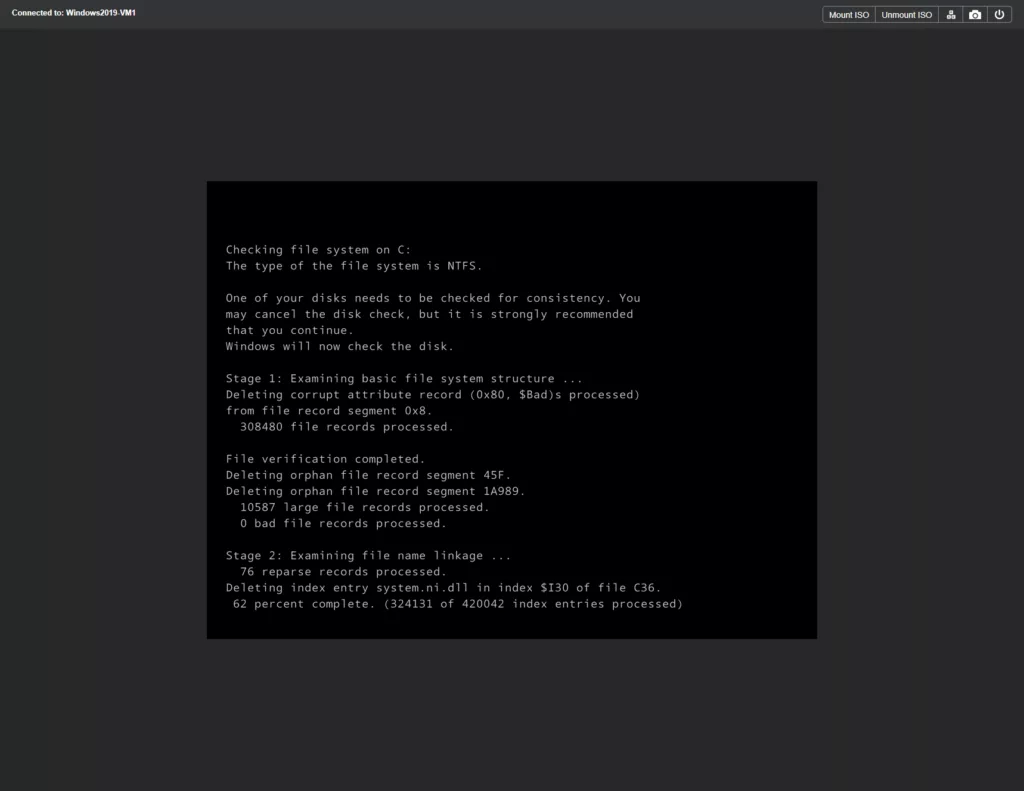
But the other kept booting into repair mode:
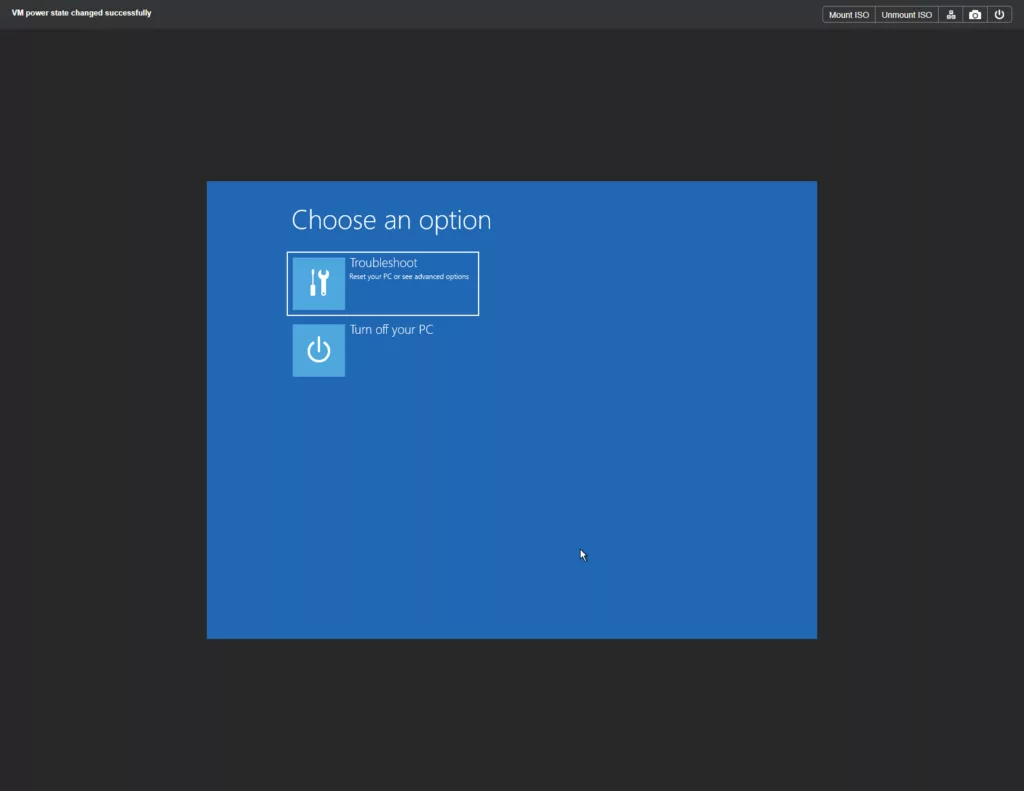
I wasn’t able to fix it. Recovering from the backup was the only solution (well in production environment of course ;))
That is why, for my best practices, I leave this option disabled. And make sure to take proper actions when the 75% threshold is reached. Think about adding disks or even expanding the cluster with an extra node. Because you don’t want you Windows machines to fail (Yes, I didn’t had any Linux machines running but they probably came up again or didn’t even crash ;))
Discover more from Jeroen Tielen
Subscribe to get the latest posts sent to your email.