In this blogpost I will describe how to reduce the WinSxS folder in the Windows folder after installing SP1. All superseded files are removed. And you cannot uninstall SP1 anymore. To know what the WinSxS folder is, read this blogpost of Joseph Conway.
First off all, how big is my WinSxS folder? Right click on it says around 9GB.
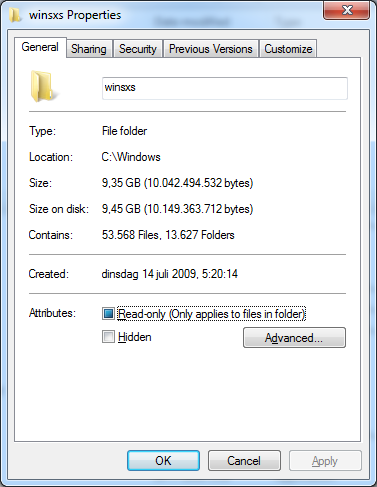
But it contains hardlinks, so how big is it for real?? Download ctTrueSize. Run: ctts C:\Windows\WinSxS
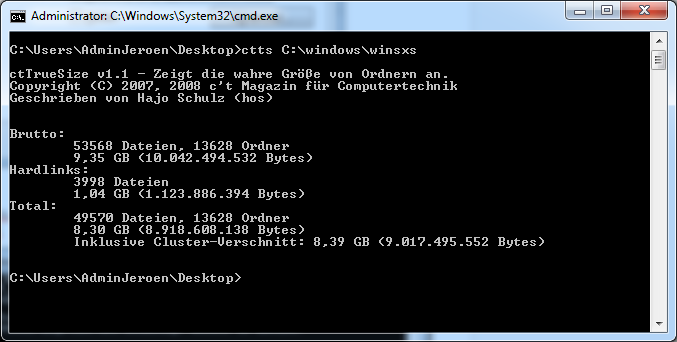
9,35GB – 1,04GB = 8,30GB
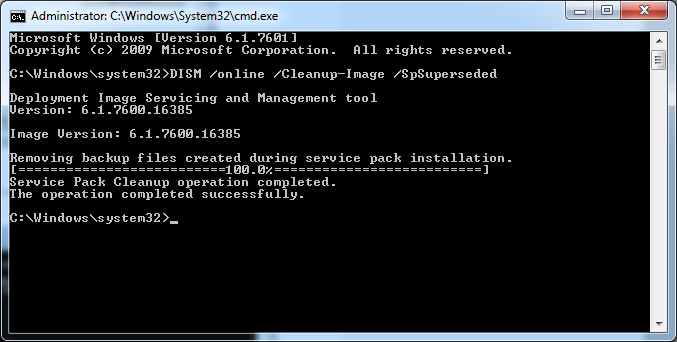
So what’s the deal with that size?? Nothing  Just fun to know. Oke run an elevated command prompt. And within that the following command: DISM /online /Cleanup-Image /SpSuperseded
Now how big is the WinSxS folder?? Around 6GB 
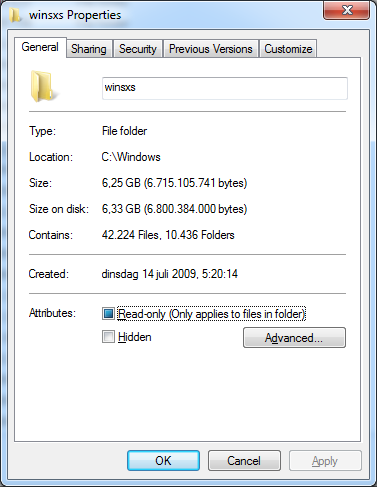
And without the hardlinks??
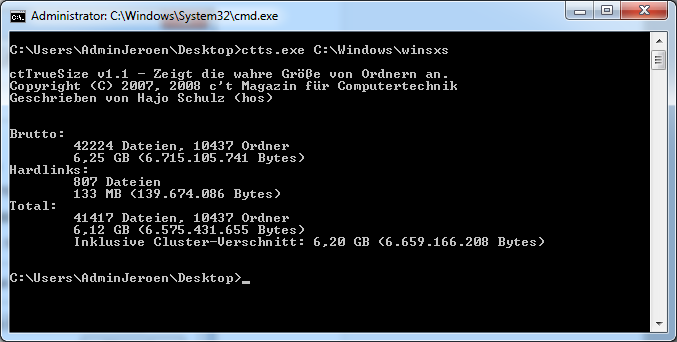
6,25GB – 133MB = 6,12GB
Before 8,30GB – After 6,12GB = 2,18GB Reduced.
With a normal HDD is not that important, but all free space extra is welcome on my SSD 
Discover more from Jeroen Tielen
Subscribe to get the latest posts sent to your email.