
This is my live blog of Nutanix Technology Champion Tech Connect 2026: two days at Nutanix HQ in San Jose on 26 and 27 October 2026 with the product and engineering teams and a small group of fellow NTCs from all over the world. I write the updates during the trip and the newest one is on top.
Live updates
Newest first, with the time of each update. Times are local time where I was: CEST in the Netherlands and PDT in California. Not everything from the sessions ends up here, because part of Tech Connect is under NDA.
15:41 PDT
Tuesday 27 October – That's a wrap
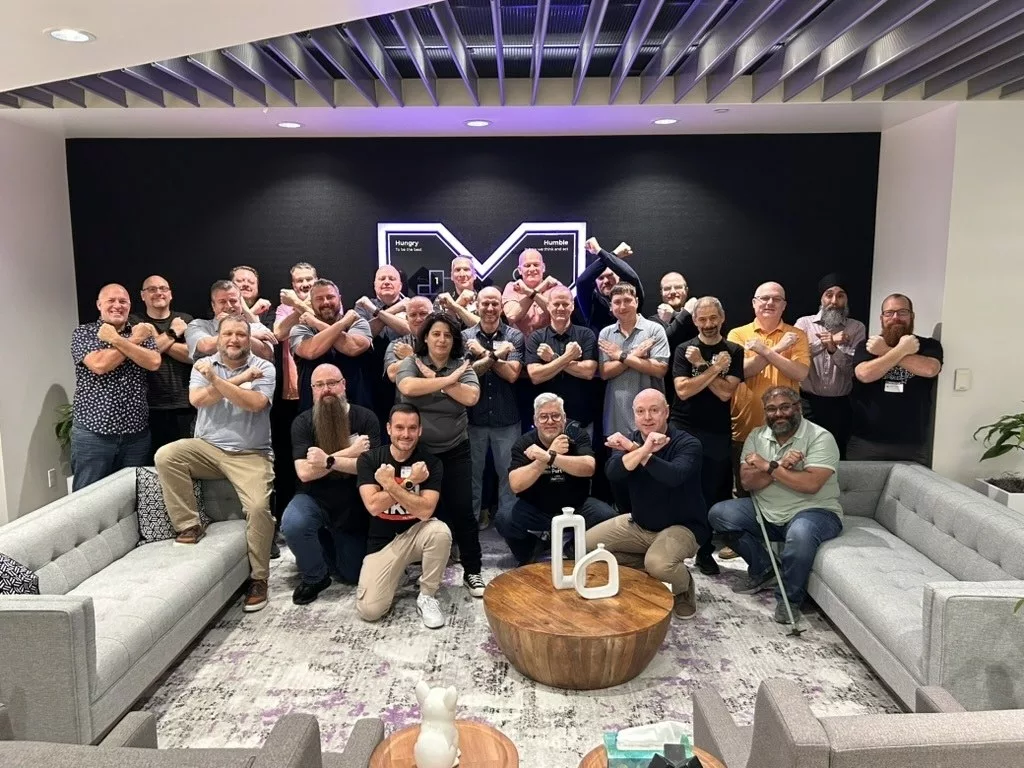
And that’s a wrap for Tech Connect 2026. Angelo closed the two days, handed out some last swag and thanked everyone for coming. Two days full of sessions and discussions and direct conversations with the people who build the Nutanix platform and a lot I can’t share yet 😉 Thank you Angelo and team and all the speakers for making time for us.
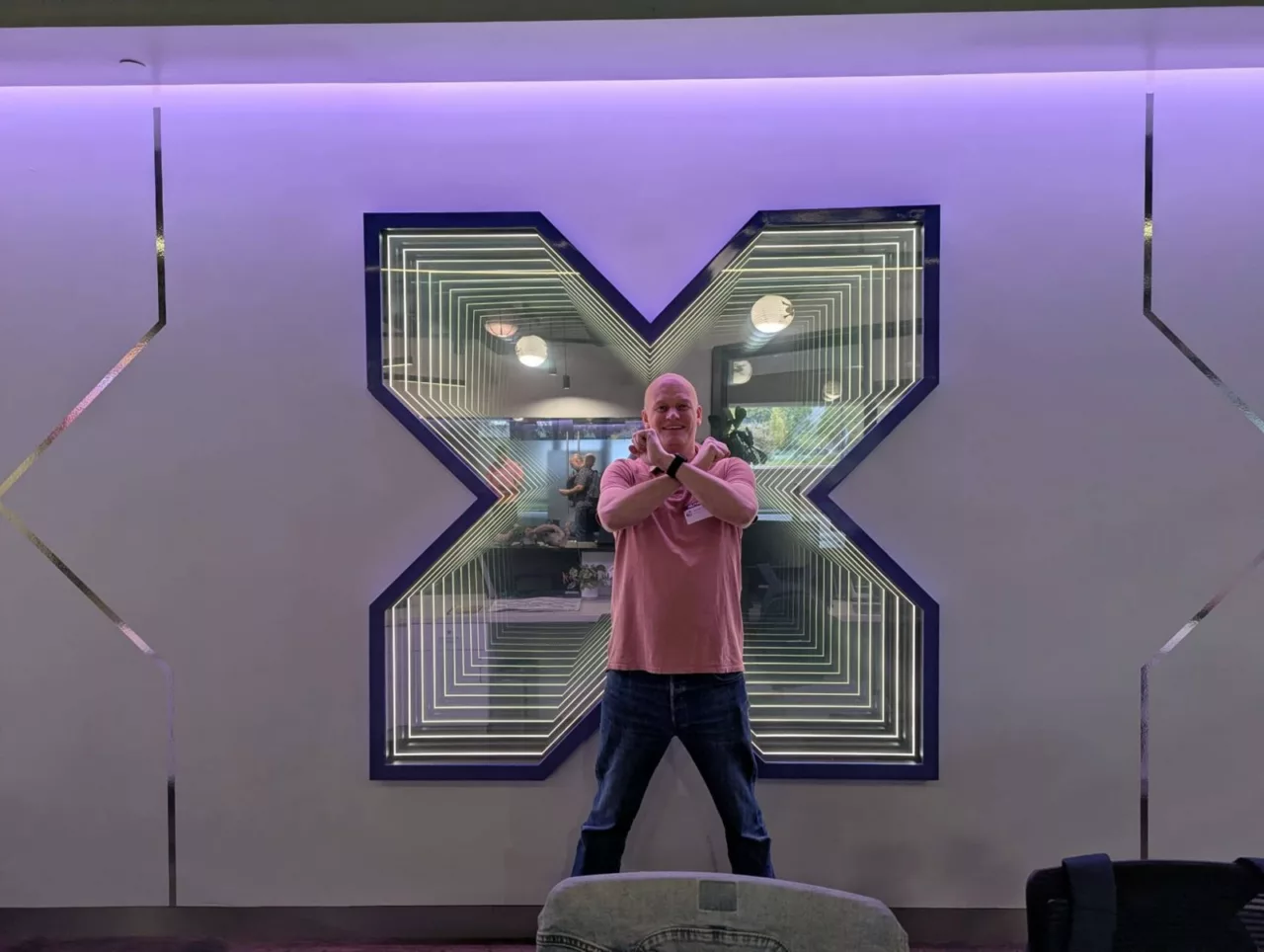
The closing photo. Of course with everyone making the Nutanix X.
14:45 PDT
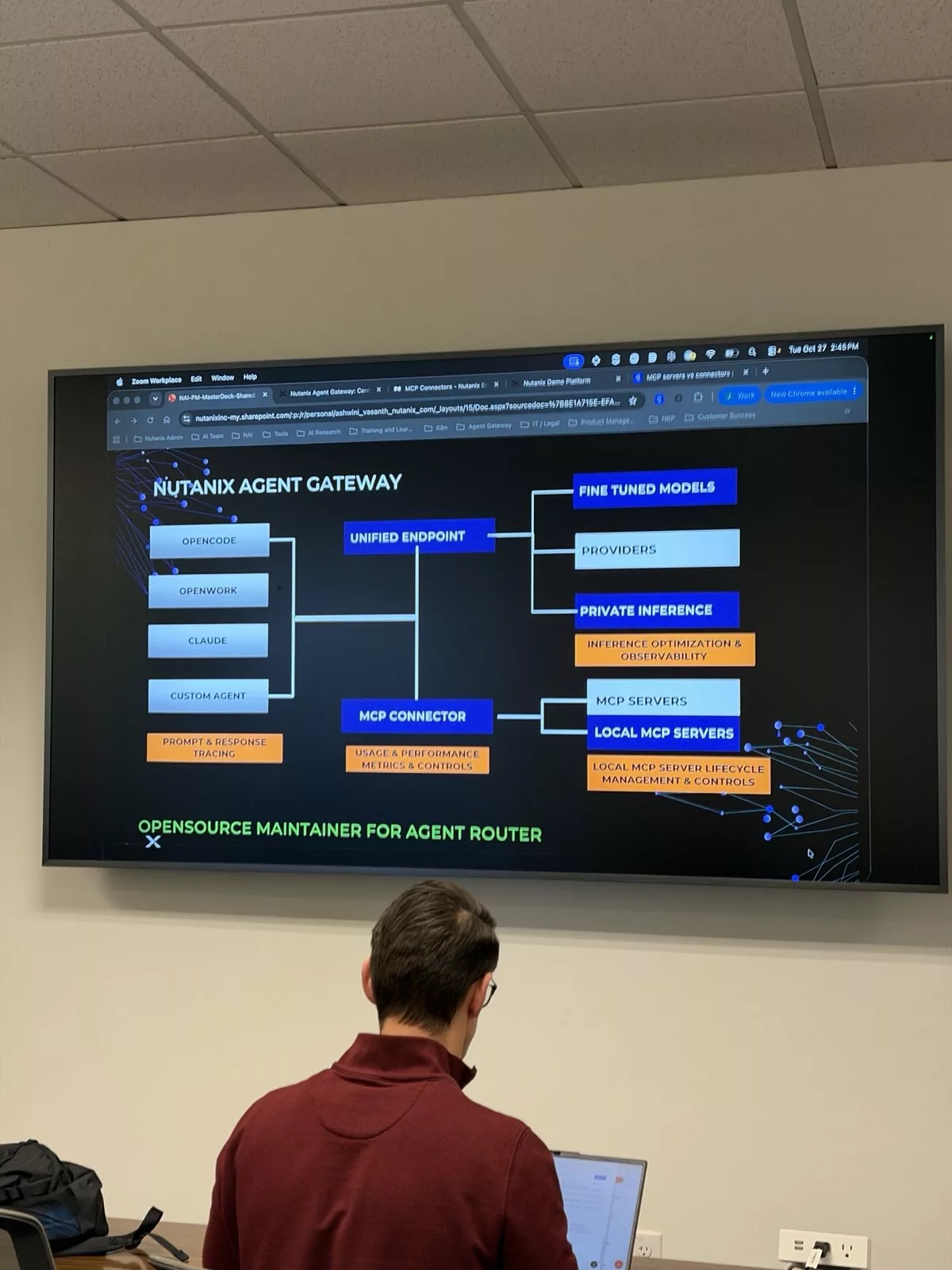
Tuesday 27 October – The Nutanix Agent Gateway
Next up: Justin Bertagnolli with a deep dive into the Nutanix Agent Gateway. That’s the other half of NAI next to Private Inference. It is the single front door for everything your AI agents do.
Agents such as OpenCode, OpenWork, Claude or your own custom agent talk to one unified endpoint and behind it the gateway routes the request to the right model: a frontier model at a provider, your own fine-tuned model or Private Inference on your own hardware. Tool calls go through the MCP connector to MCP servers. That includes local MCP servers and the gateway also manages their lifecycle. Along the way it traces prompts and responses and keeps usage and performance metrics.
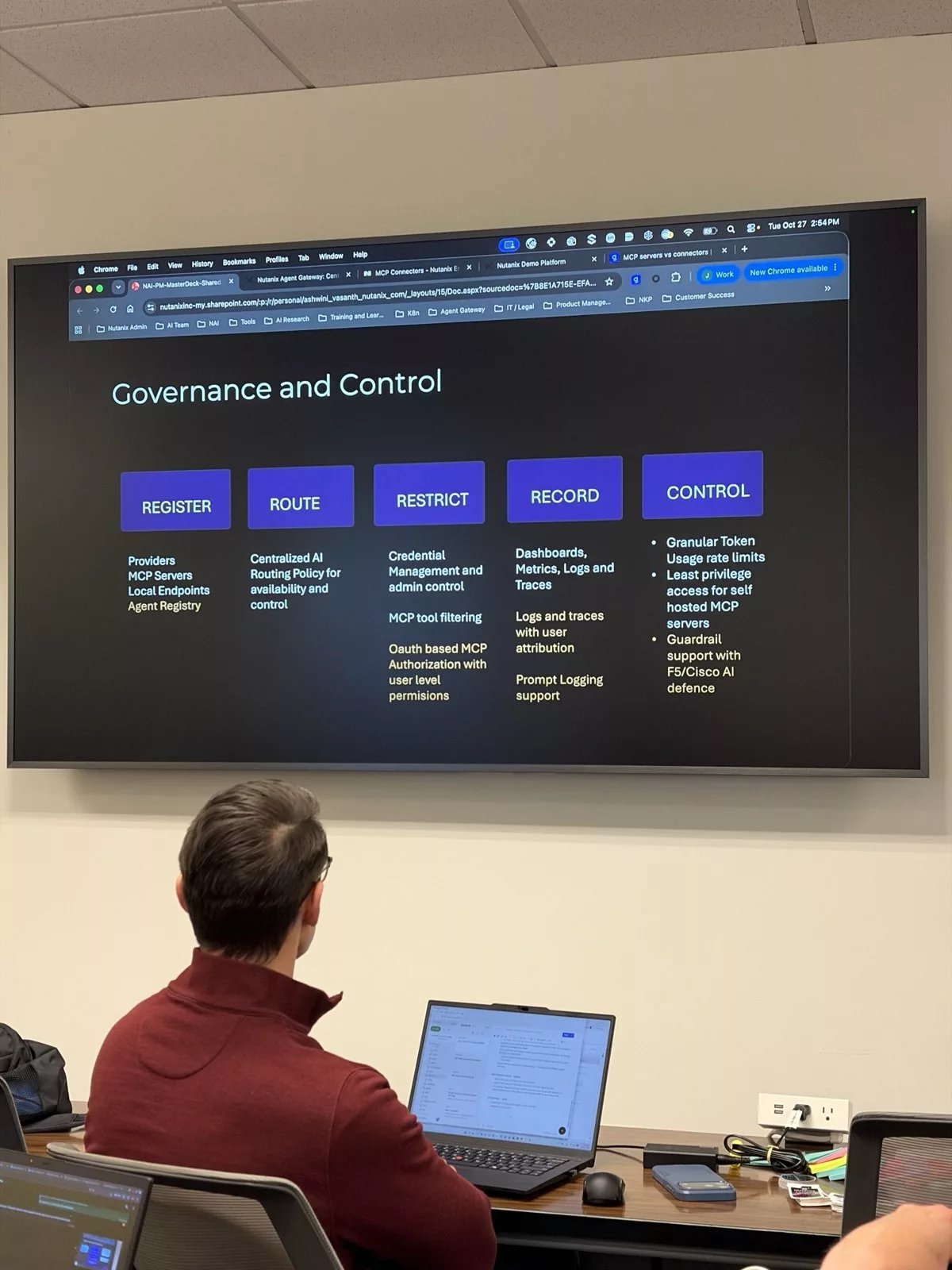
The governance part comes in five steps. Register providers, MCP servers, local endpoints and agents. Route with one central AI routing policy for availability and control. Restrict with credential management, MCP tool filtering and OAuth based MCP authorization with permissions per user. Record everything in dashboards, metrics, logs and traces per user, with prompt logging if you want it. And control with granular token rate limits and least-privilege access to self-hosted MCP servers, plus guardrails from F5 and Cisco AI Defense. Remember “my token usage is out of control” from this morning? This is the answer.
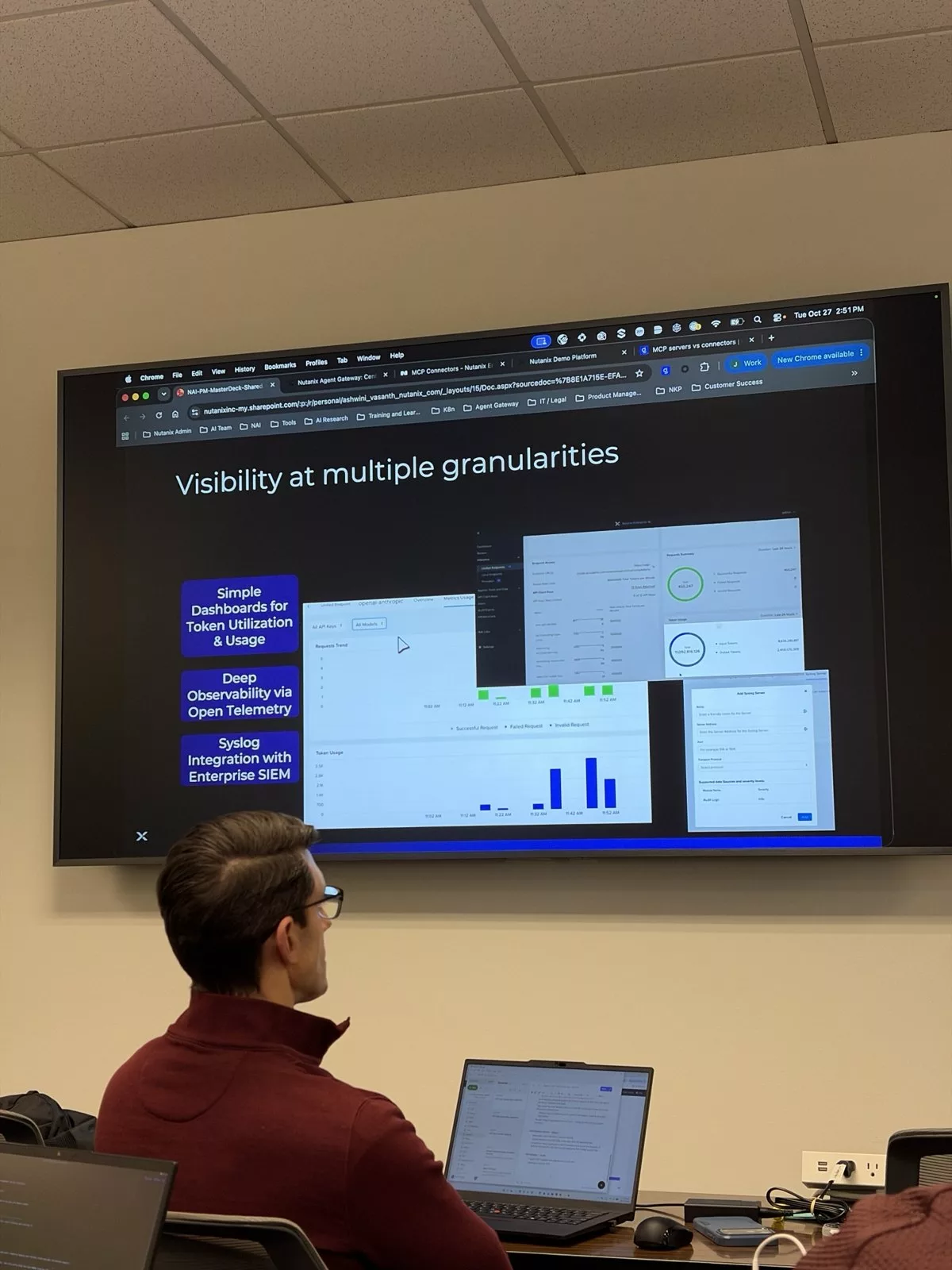
Visibility works on several levels. Simple dashboards show token usage per endpoint, API key and model. For deep observability there is OpenTelemetry, and syslog sends it all to your enterprise SIEM.
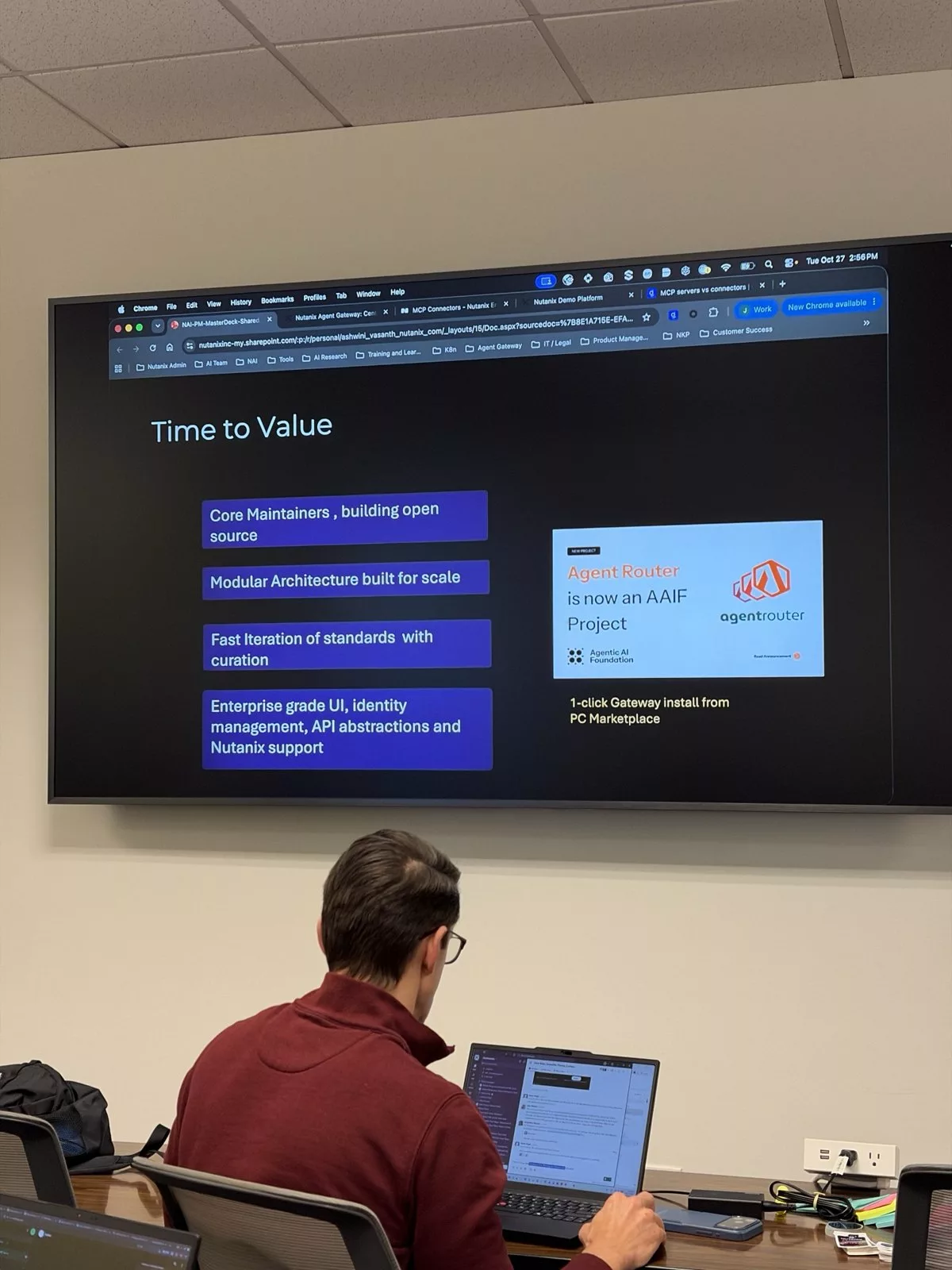
Under the hood it is open source. The gateway is built on Agent Router on top of Envoy AI Gateway and Nutanix is a core maintainer of it. Agent Router is now a project of the Agentic AI Foundation (AAIF). The gateway itself adds the enterprise parts: a UI, identity management, API abstractions and Nutanix support. Scale tests show the gateway has almost no impact on throughput because direct and through the gateway land within about 1% of each other. Nutanix tested 5,000+ concurrent connections and published a sizing guide. And installing it is one click from the Prism Central Marketplace.
13:19 PDT
Tuesday 27 October – Deep dive into Nutanix Enterprise AI
After lunch we went deep into Nutanix Enterprise AI (NAI) with Ashwini Vasanth, Deepthi Dharwar and Justin Bertagnolli from the NAI product team. This morning was about the big picture and this was the technical part where we got to see what is under the hood.
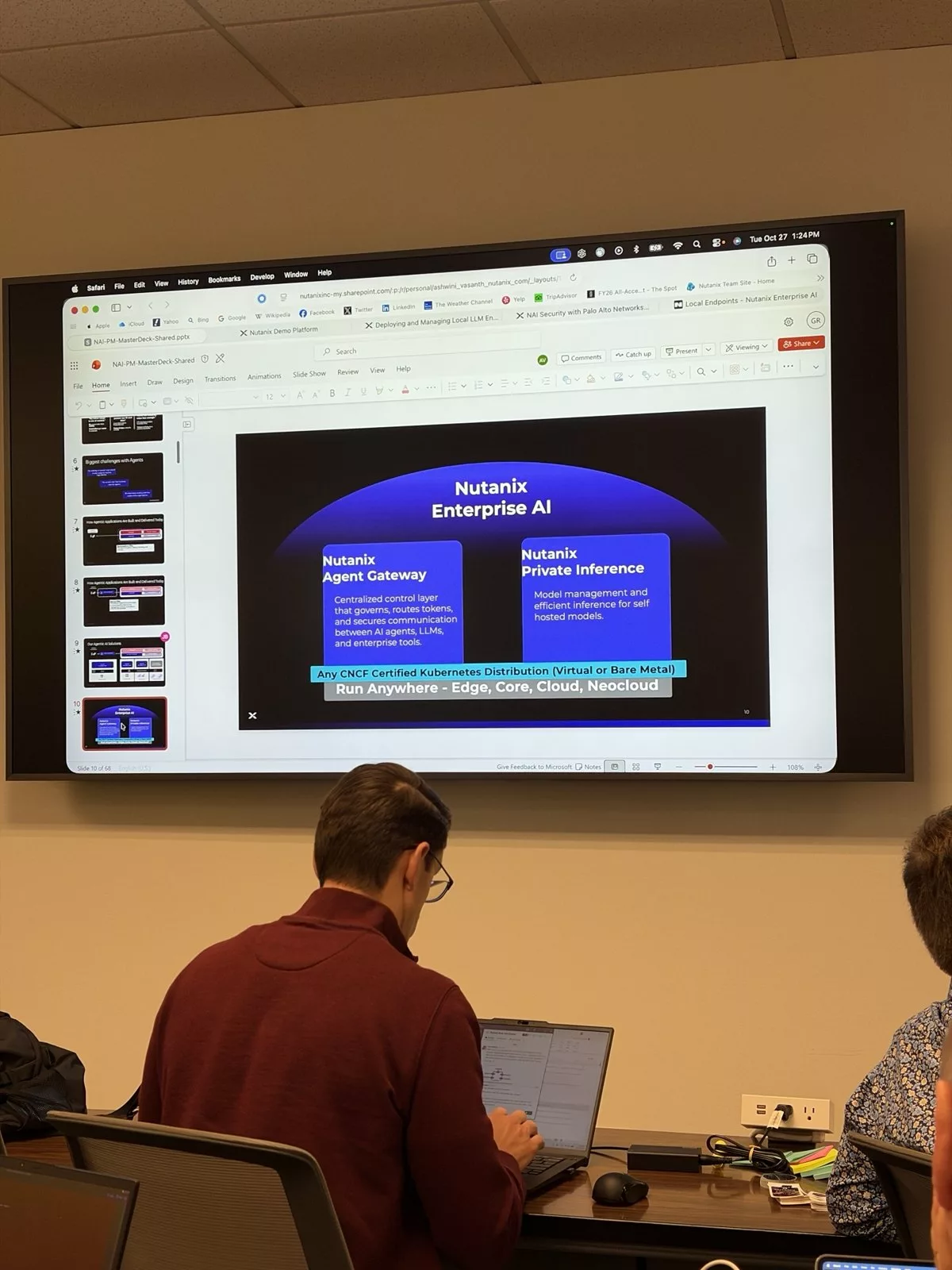
NAI has two building blocks. The Nutanix Agent Gateway is the central control layer that governs, routes and secures the traffic between AI agents, LLMs and enterprise tools. Nutanix Private Inference does model management and efficient inference for the models you host yourself. Both run on any CNCF certified Kubernetes distribution (virtual or bare metal) at the edge, in the core, in the cloud or at a neocloud.
Private Inference answers three customer questions. How do I keep my data and IP private? Run open weight and fine-tuned models yourself. How do I control the cost when usage grows? Inference optimizations. And how do I get started while I’m still waiting for GPU hardware? Start in the cloud.
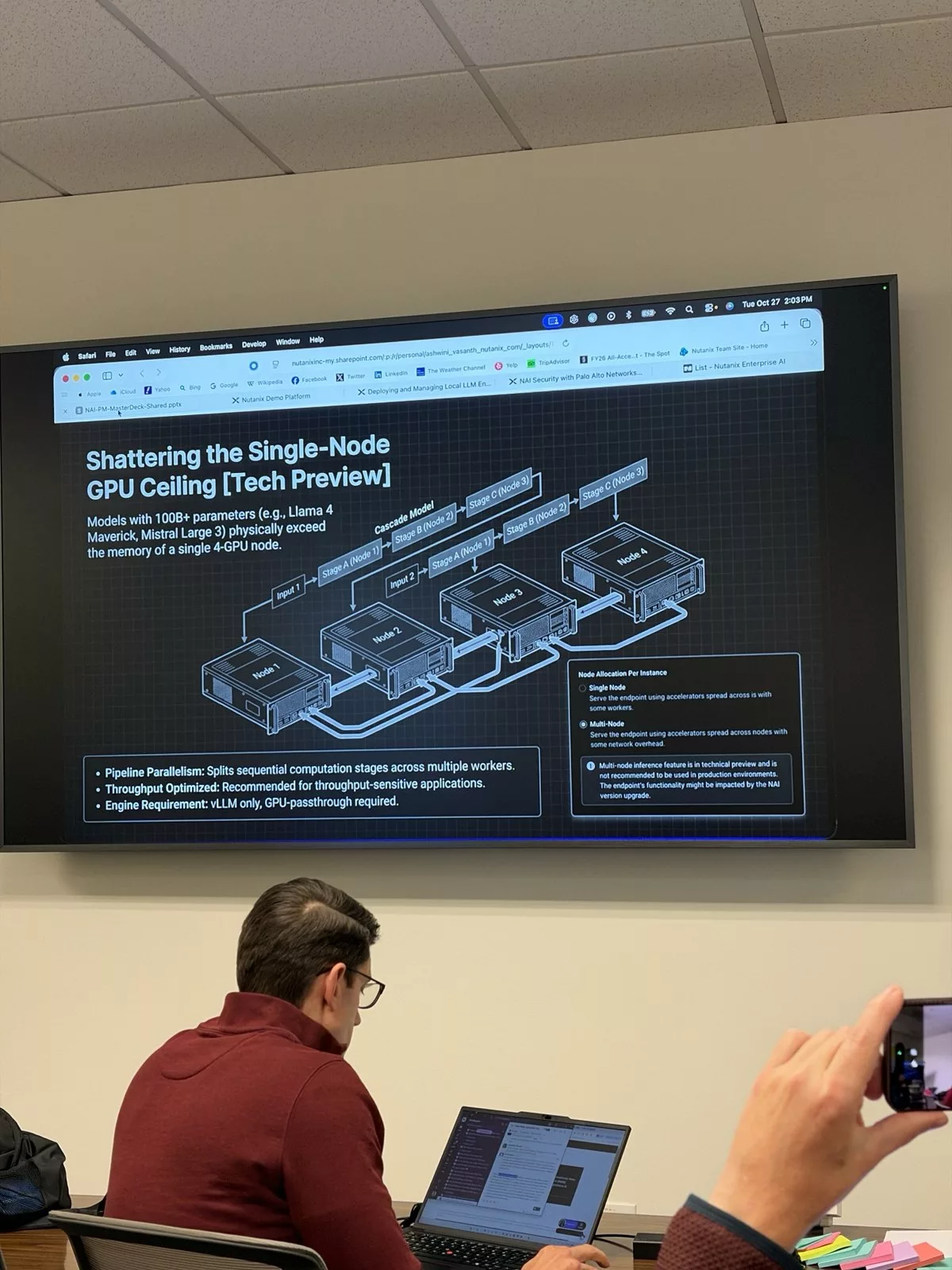
Why do you need those optimizations? Because agents are expensive. They re-read the same long history every turn and multi-step reasoning takes time and throughput becomes the bottleneck, so GPU cost and time-to-first-token go up. NAI tackles that with speculative decoding (predict the next tokens and verify them) and kvCache aware routing (send a request to where the shared context is already computed). And there are two tech previews. kvCache offload moves evictable cache blocks to host RAM instead of throwing them away (vLLM single node, at least 1.2x the GPU memory in CPU memory). And multi-node inference with pipeline parallelism is for models of 100B+ parameters that don’t fit on one 4-GPU node (vLLM with GPU passthrough and not for production yet).
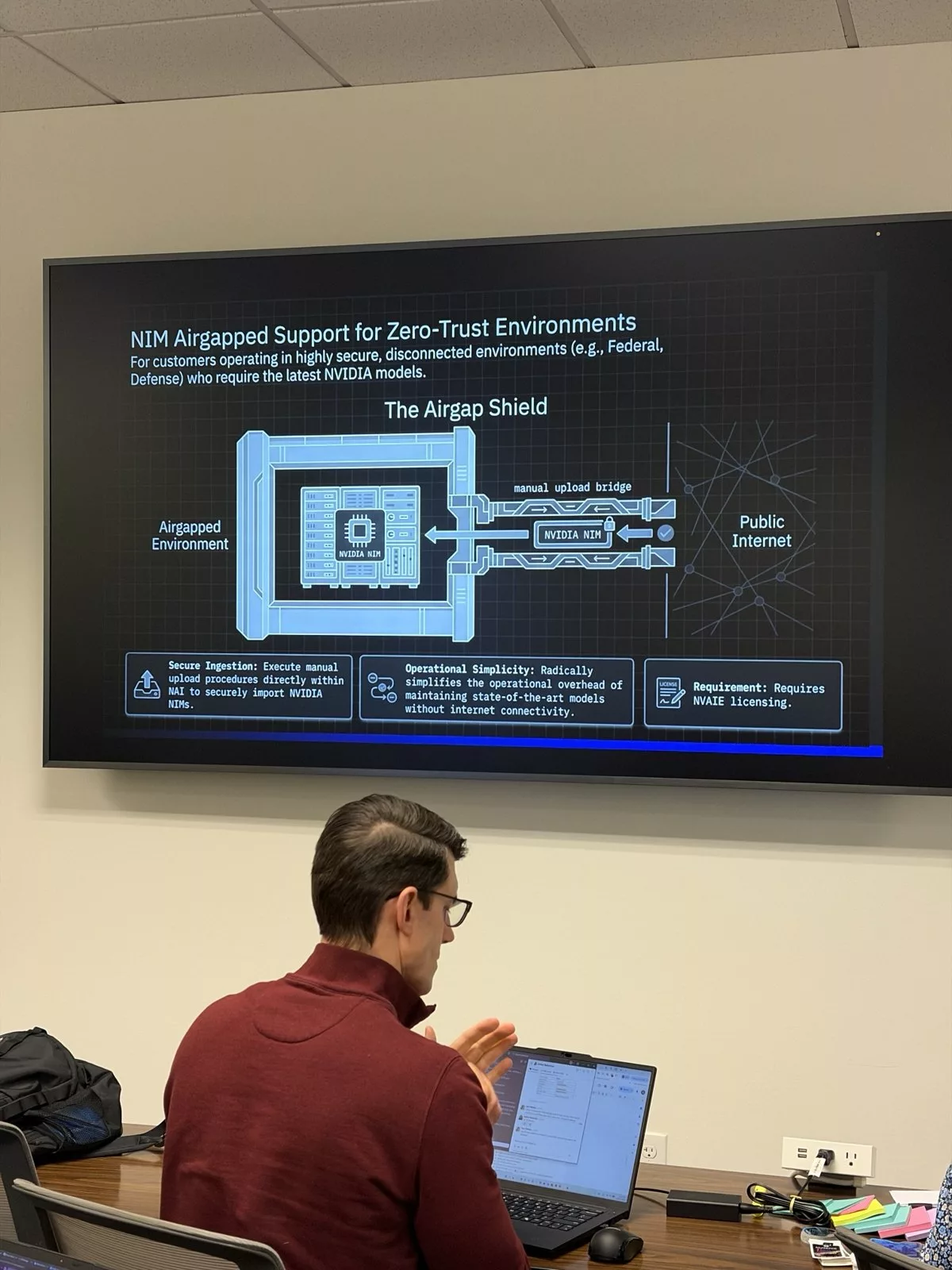
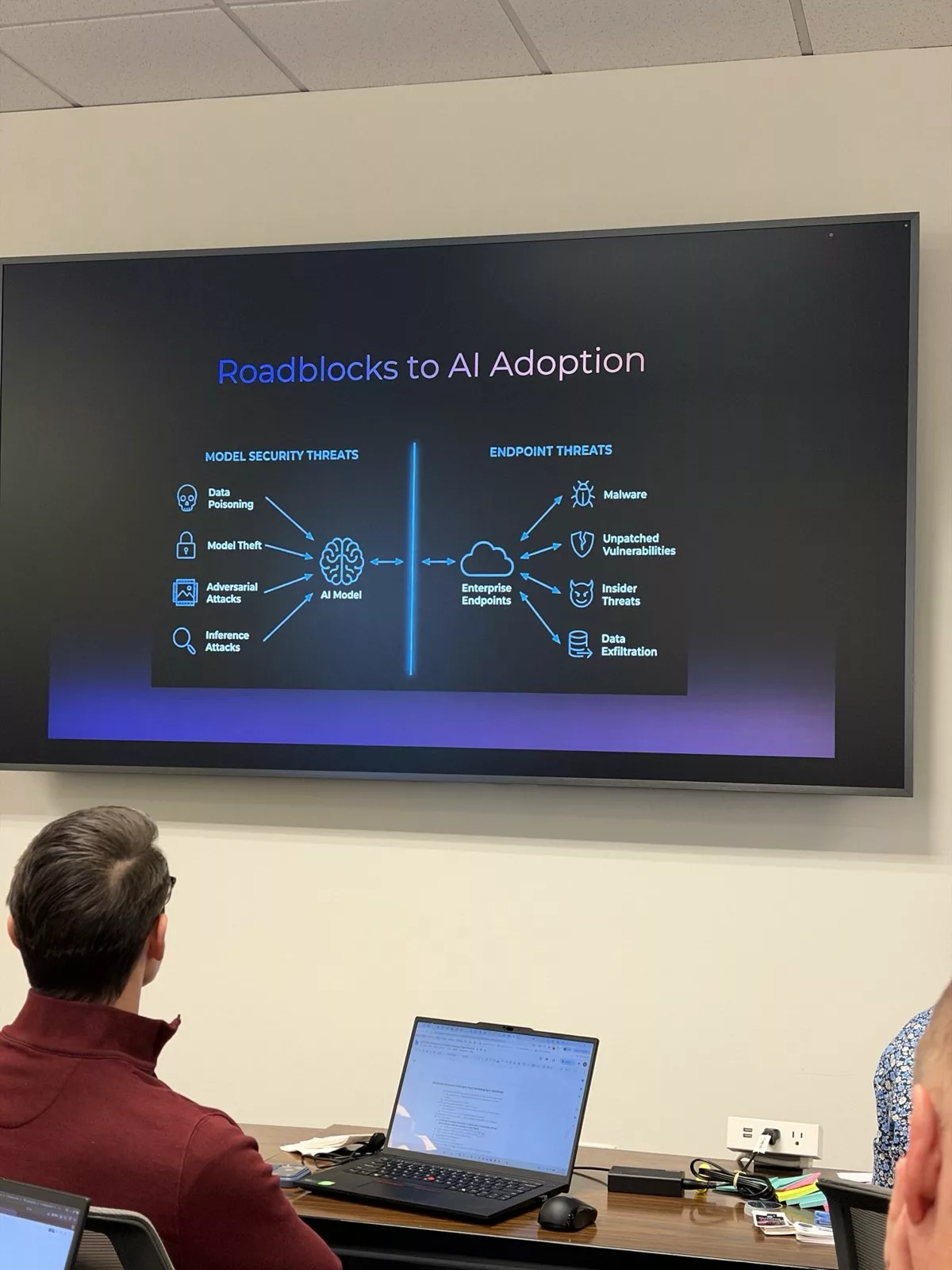
On security there is RBAC, AD/SSO and audit logging and a safe vLLM sandbox for experiments. And there is an integration with Palo Alto Networks Prisma AIRS for AI model security before deployment and AI red teaming after it. That covers model threats like data poisoning, model theft and adversarial or inference attacks. For federal and defense customers there is air-gapped support for NVIDIA NIMs. You upload them manually in NAI and keep current models without an internet connection (requires NVIDIA AI Enterprise licensing).
And there is more to play with. LoRA based supervised fine-tuning turns a generalist model into a specialist. The base model stays frozen and only a small adapter is trained on your own domain data (code, medical, legal), all inside NAI. The advanced vLLM sandbox lets you upload and test the latest community models right away in an experimental cluster. No waiting for a release. And NAI Labs gives you instant workflow validation, like a “talk to my data” chat with Milvus, a safety filter and a parser model. New models there are Ministral, Olmo and NVIDIA NIM Whisper.
13:00 PDT
Tuesday 27 October – Lunch
At 1 pm it was time for lunch. And some time to let a very full morning sink in: agentic AI, the service experience, social media tips and a talk with the CEO.
12:03 PDT
Tuesday 27 October – Rajiv Ramaswami
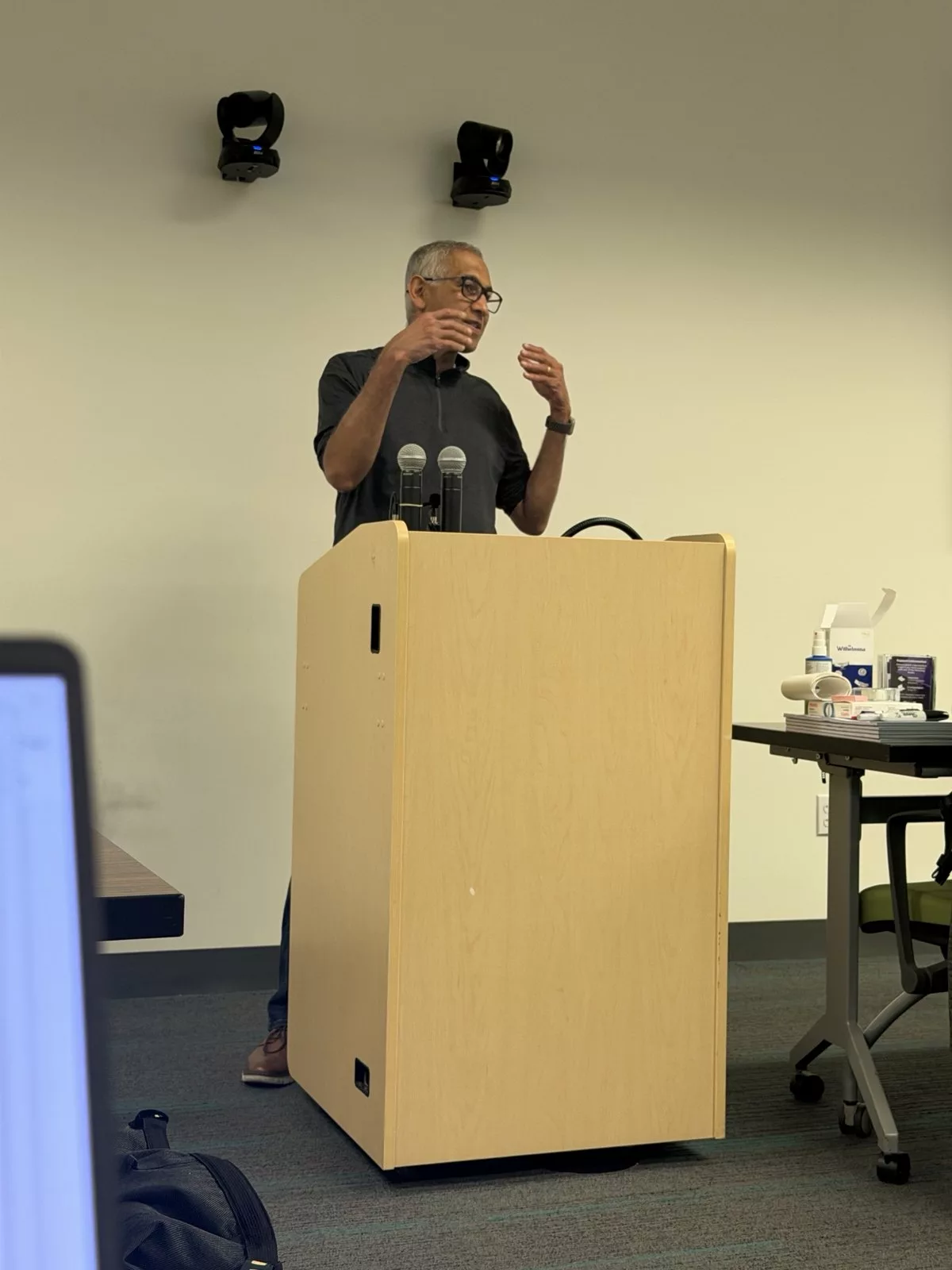
At 12:03 it was time for Rajiv Ramaswami, the CEO of Nutanix. He gave us a short talk about where Nutanix stands today and then the floor was ours and we could ask him anything. Not every day you get to put your questions straight to the CEO.
11:41 PDT
Tuesday 27 October – Konrad on social media
Third session of the morning was Konrad Palubicki, Director Social Media at Nutanix. He runs the Nutanix social channels together with Hillary Hill. Part of it was under NDA so no slides here. But a few tips are too useful to keep to myself 😉
Want the Nutanix team to see your post? They go through the channels every weekday during Pacific working hours. Tag @nutanix and use the right hashtags like #Nutanix, #NutanixStories, #NEXTconf and this week #TechConnect2026. Besides the main accounts there are also @NutanixNation (community), @NutanixEDU (Nutanix University), @NutanixPartners and @LifeAtNutanix.
On LinkedIn it is quality over quantity. React to posts within the first hour and engage with your first-degree connections. Post regularly and share your own expertise. Short videos and well-structured long-form content do best.
And the part that made me think about this blog. More and more people ask an AI instead of a search engine and those answers often cite LinkedIn articles and posts from individual people instead of company pages. Original data, first-hand experience and a clear opinion get picked up. Recycled marketing copy does not. So every technical post we write as NTCs helps shape how AI explains Nutanix to the next architect who is looking for answers. Structured headings, a clear takeaway and real data help. Good to know that writing these updates is not just for fun.
10:45 PDT
Tuesday 27 October – Rajendra Sarangi on the service experience
Next up was Rajendra Sarangi with a session close to my daily work: the service experience. His opening statement: service experience is part of the product. Customers want confidence before an upgrade and clear guidance on what to check and do next. They want easier self-service and faster outcomes. Customer signals (cases, Pulse, feedback, diagnostics) go back into better product guardrails and a faster resolution process. And into clearer KBs, guided troubleshooting and even self-healing.
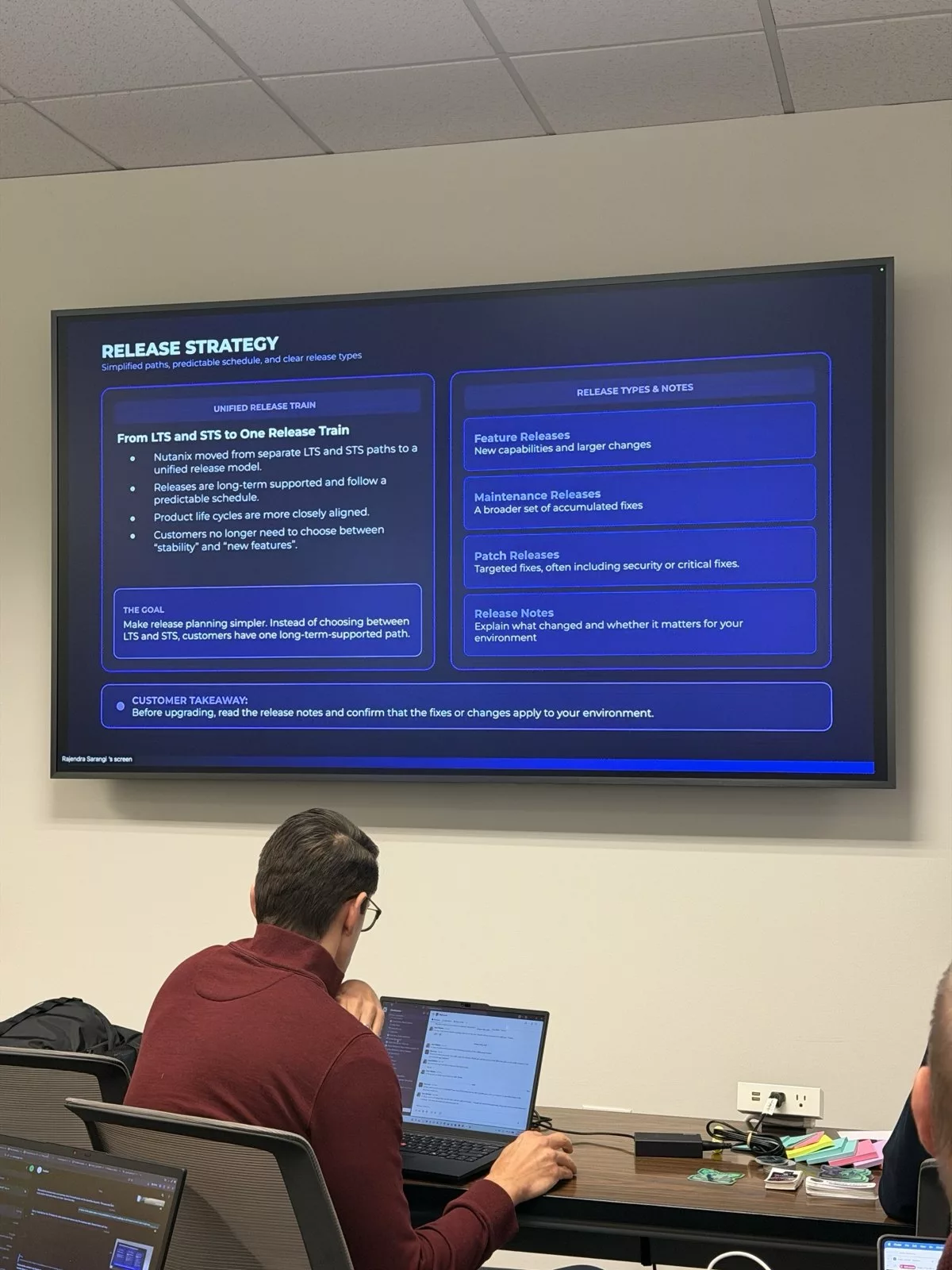
First the release strategy. Nutanix moved from separate LTS and STS paths to one release train where every release is long-term supported and follows a predictable schedule, so you don’t have to choose between “stability” and “new features” anymore. There are feature releases, maintenance releases with accumulated fixes and patch releases with targeted (often security) fixes. His takeaway and I fully agree: read the release notes before you upgrade and check if the changes apply to your environment.
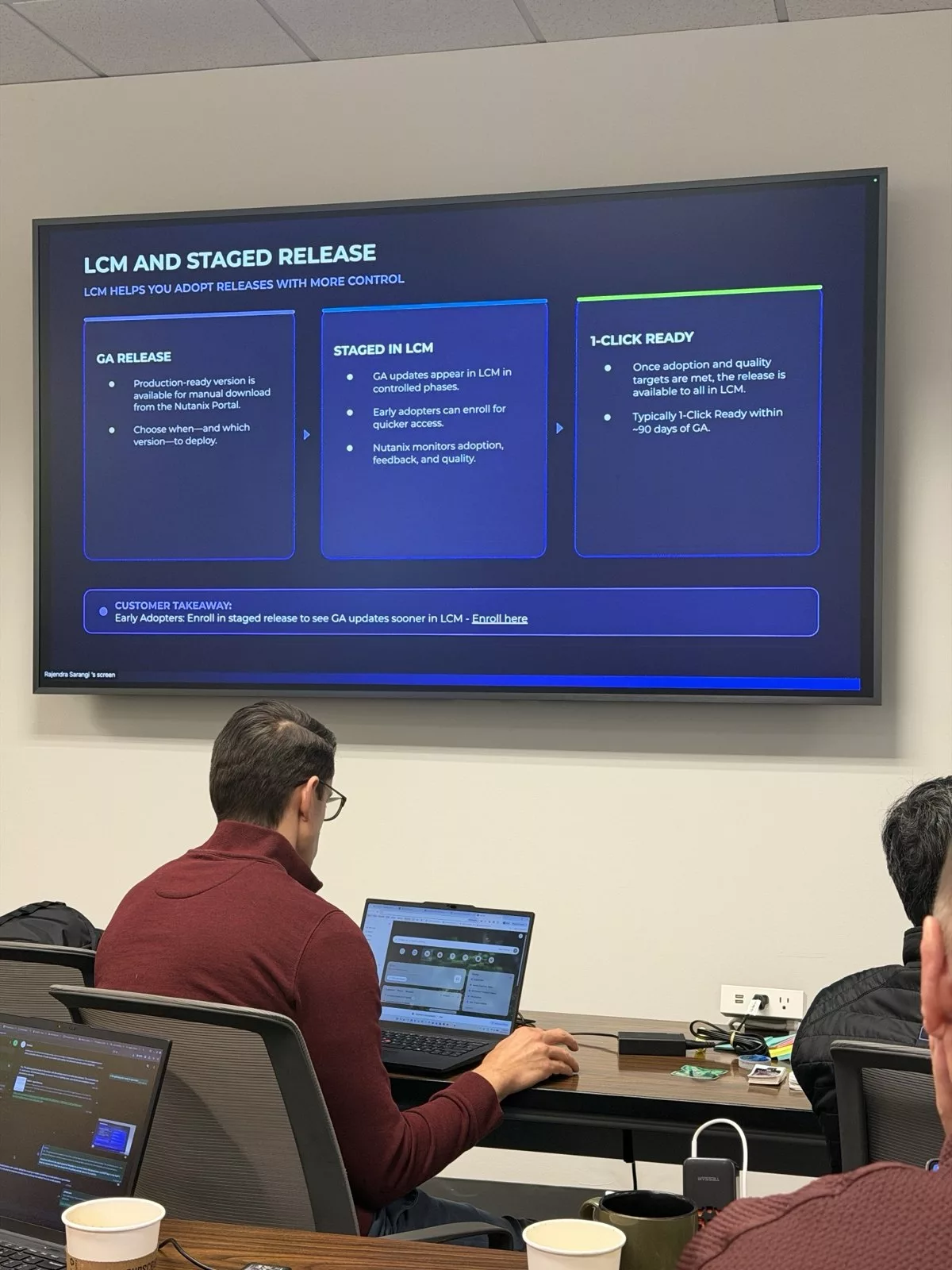
Then how a release reaches you in LCM. At GA the release is on the Nutanix Portal for a manual download, so you choose when and which version. After that it is staged in LCM and it shows up in controlled phases while Nutanix watches adoption, feedback and quality. Early adopters can enroll to get it sooner. Once the targets are met it is 1-click ready for everyone in LCM, typically within about 90 days of GA. So if you don’t see a new version in LCM yet, that is on purpose.
A Nutanix Validated Design (NVD) is a design for a specific use case. It has documented architecture, sizing, integrations and operating guidance, and it is tested to avoid surprises. Start with the NVD that matches your workload and follow the validated path. Adapt it where your environment needs it. “Start with a validated design. Customize intentionally.”
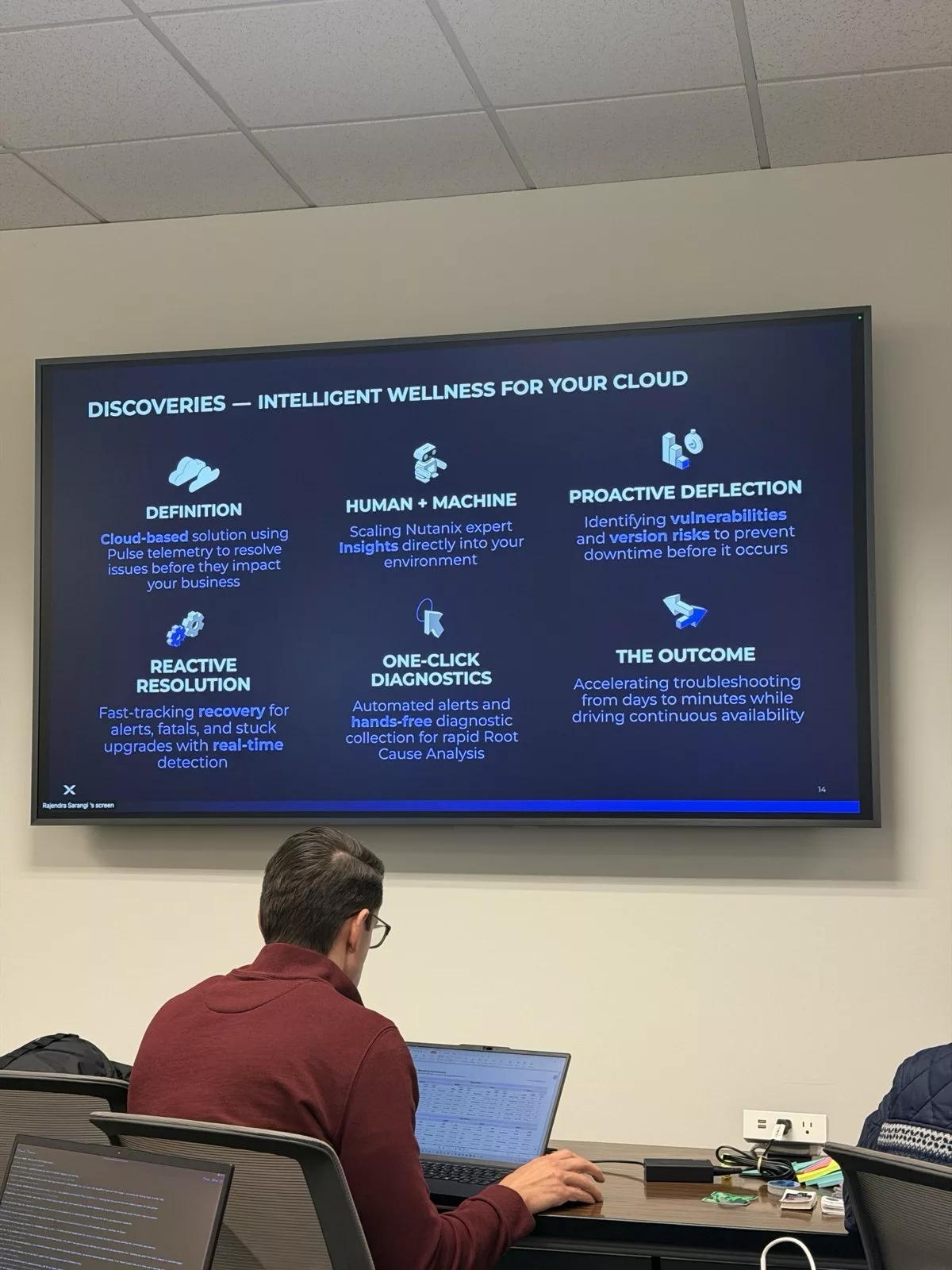
The Insights Portal is the single pane of glass. It shows health and inventory of all sites, hardware timelines and software versions, impact-based health scoring and one-click diagnostics. Discoveries uses Pulse telemetry to find vulnerabilities and version risks before they hit you. It detects alerts, fatals and stuck upgrades in real time and collects diagnostics hands-free. Troubleshooting from days to minutes.
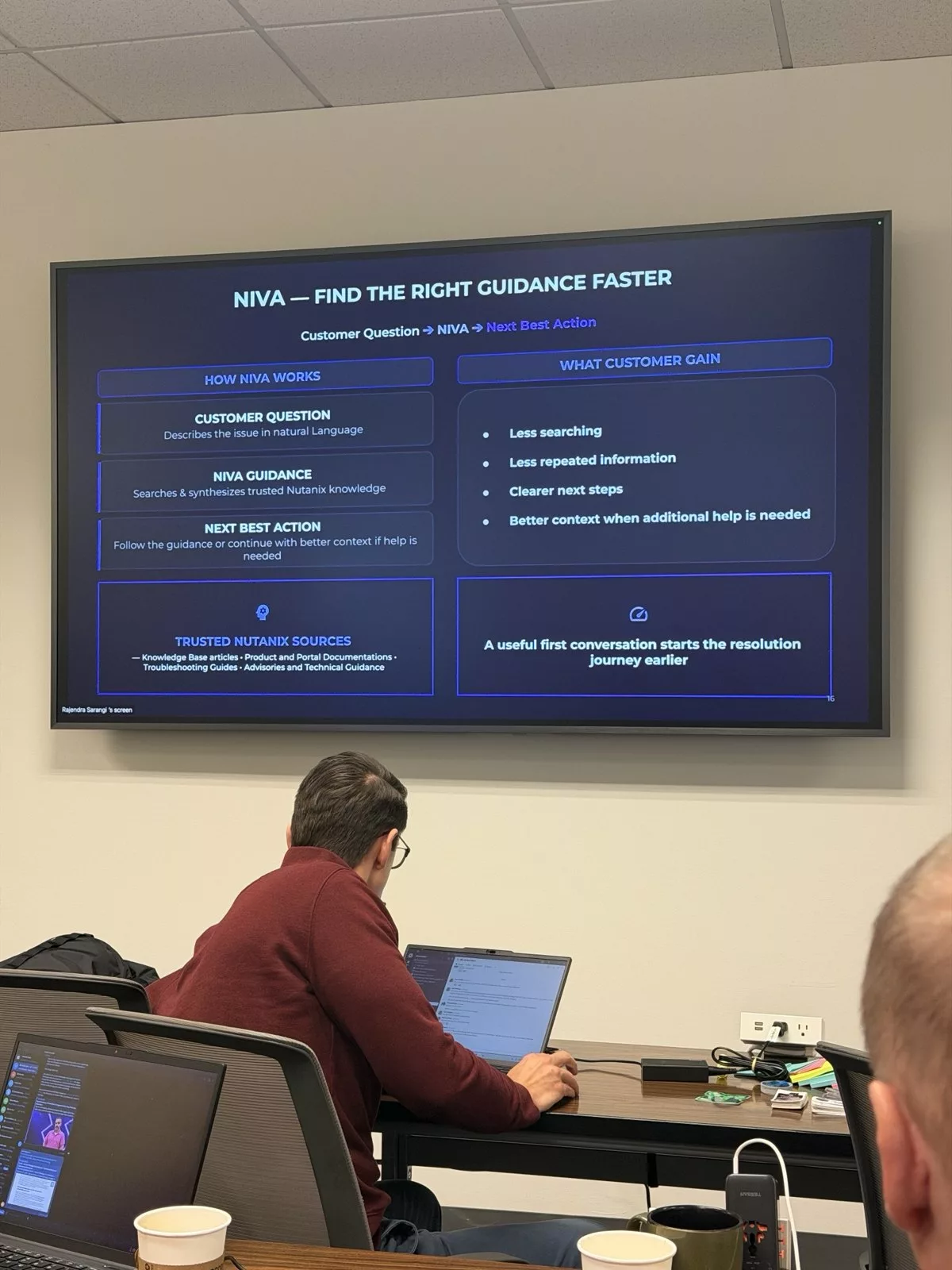
And NIVA helps you find the right guidance faster. You describe the problem in natural language. NIVA searches and summarizes trusted Nutanix sources (KB articles, documentation, troubleshooting guides and advisories) and gives you the next best action. If you still need support, the case starts with better context. Feedback on cases, KBs, NIVA and the portal all goes back into that loop.
09:30 PDT
Tuesday 27 October – Anindo Sengupta on Nutanix Agentic AI
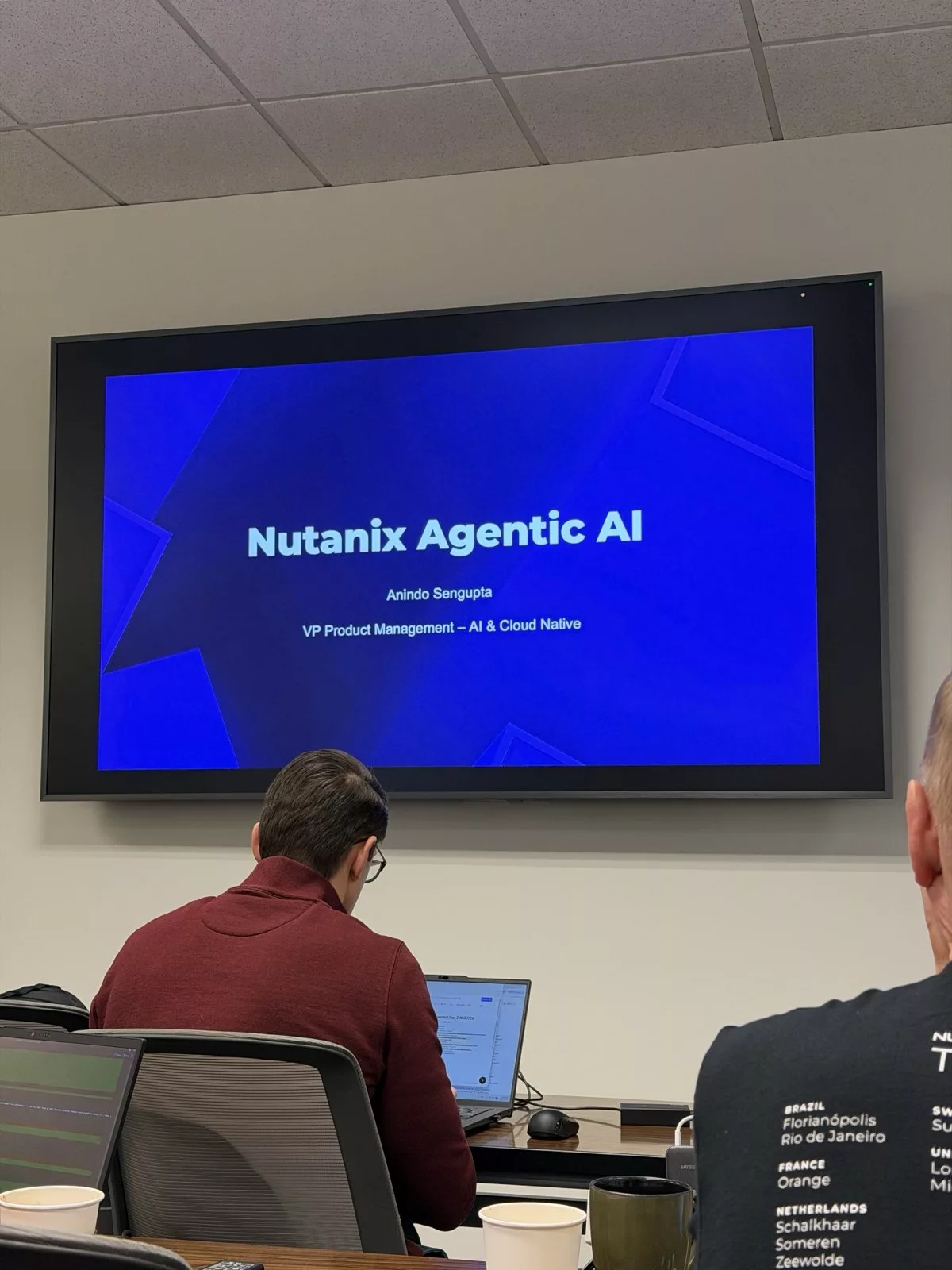
Day two opened with AI: “Nutanix Agentic AI” by Anindo Sengupta, VP Product Management for AI and Cloud Native.
He started with how fast this is moving. In 2022 a chatbot used about 2K tokens per task. One question and one answer. In 2025 agents work in reasoning loops at about 50K tokens per task. Today autonomous agents run long multi-step workflows that use the whole conversation history and all referenced files: 3.5 million tokens per task.
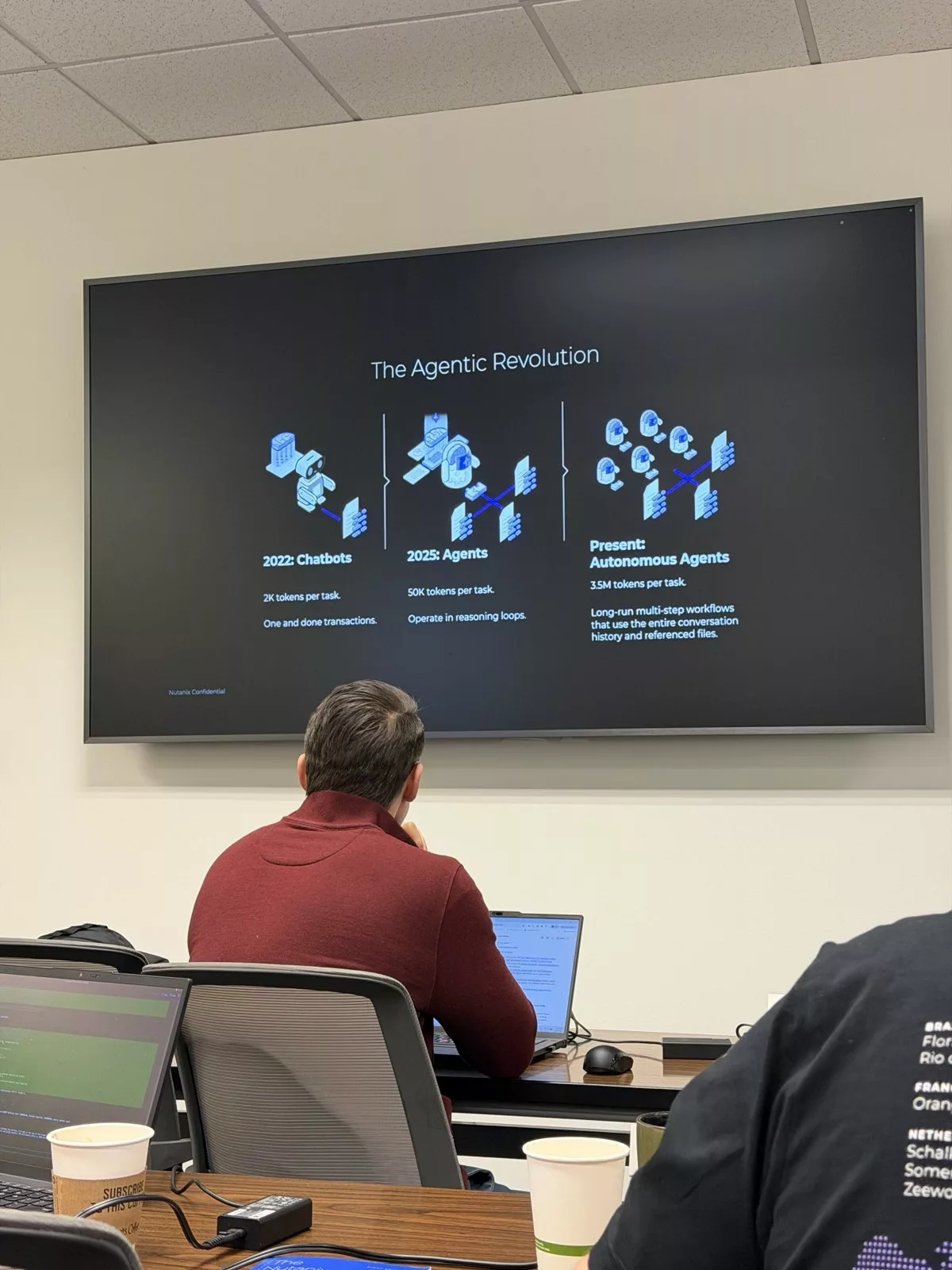
He used numbers from Goldman Sachs (token use by AI agents expected to multiply 24 times by 2030) and J.P. Morgan (“AI use is exploding. So are the bills.”) to make his point that open models are a lot cheaper per token than the frontier models. And he shared the challenges he hears from customers. “My token usage is out of control” (no visibility across providers and agents with uncontrolled access and credentials). “We want to protect our IP and data.” And “we’re not realizing value fast enough” because DIY maintenance eats innovation time and AI skills are scarce.
An agentic app has three parts. The agents (on CPUs), the intelligence or the models (on CPUs and GPUs), and in between an agent gateway. That is where the Nutanix Agent Gateway comes in: a broker for governance and enterprise data. On one side your tools and data (Slack, Outlook, SQL, GitHub, Jira). On the other side the models: frontier models, inference startups, the public clouds and NAI private inference.
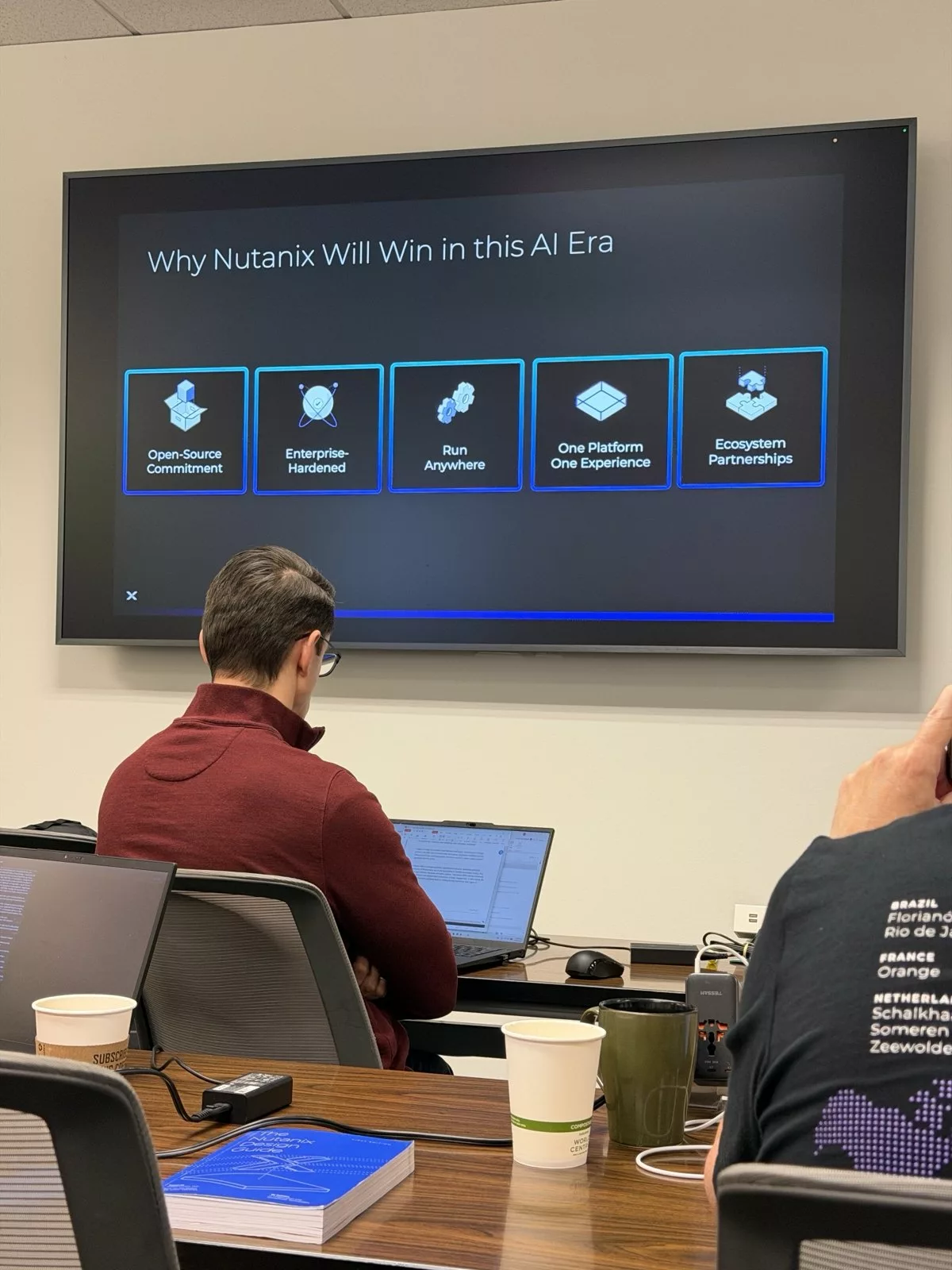
NAI runs the open weight models anywhere: on-prem, at a neocloud, in the cloud or at the edge. So you don’t have to wait for GPUs and your data stays where it is for compliance. With one-click simplicity and a lower, fixed price per token.
Underneath sits the full stack. Accelerated hardware from NVIDIA, AMD and Intel. Infrastructure optimization (topology aware, multi-GPU, bare-metal performance). An AI ready Kubernetes platform (CNCF Kubernetes AI Conformance, so NKP from yesterday). And an AI services catalog with an agent sandbox, agent frameworks, notebooks and data services. It is one AI factory with platform engineers and infra admins on one side and AI agents, AI engineers, developers and business users on the other side, with self-service, governance, security and efficiency.
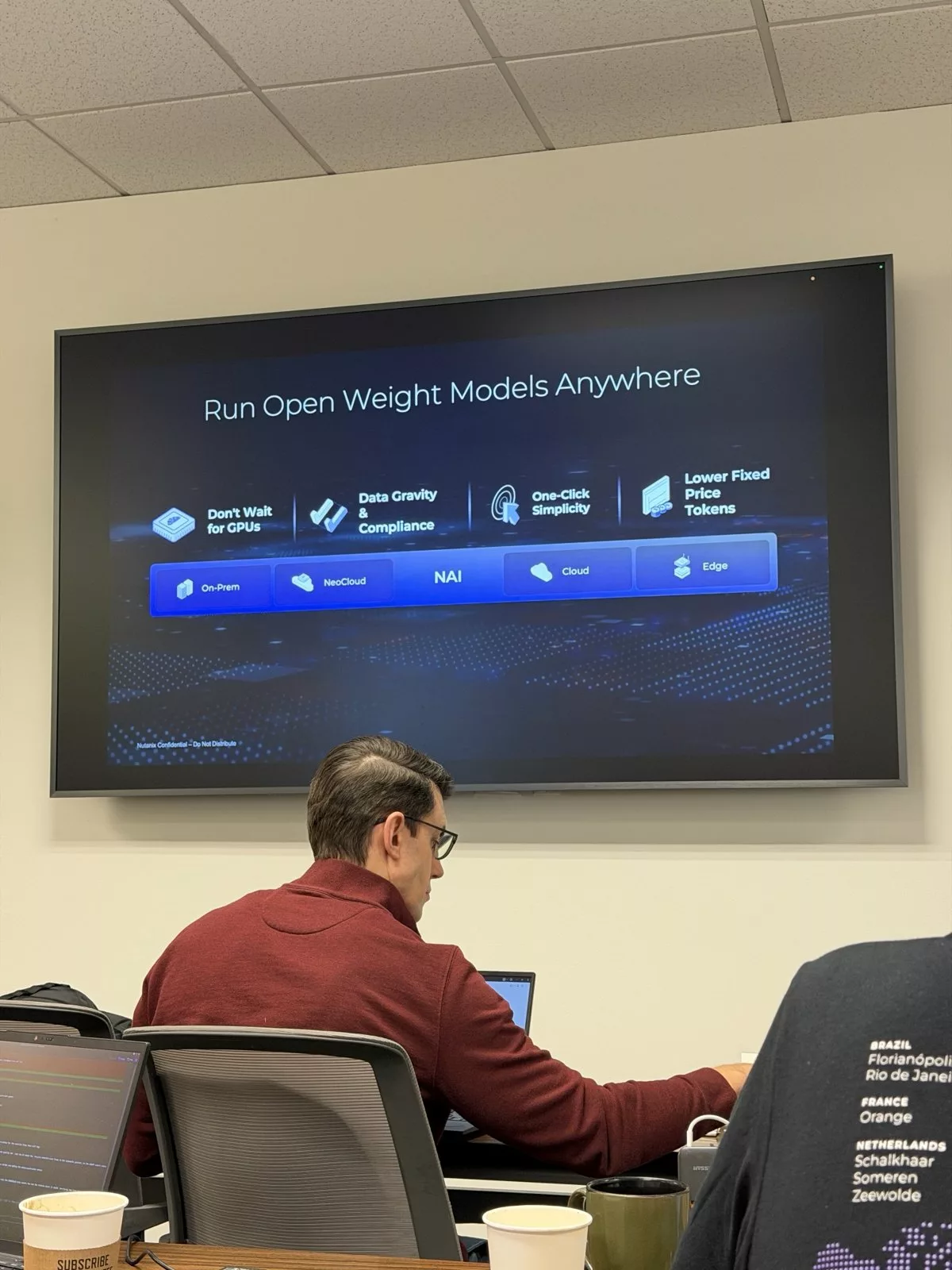
Why Nutanix will win in this AI era according to Anindo: open-source commitment, enterprise-hardened, run anywhere, one platform with one experience and ecosystem partnerships.
06:29 PDT
Tuesday 27 October – Early breakfast
Day two. Breakfast was early and busy this morning. For us Europeans that was easy because jet lag means you’re wide awake long before the alarm goes off. But we were not the only early birds at the table. Plenty of time for a good breakfast and a coffee before the sessions start.
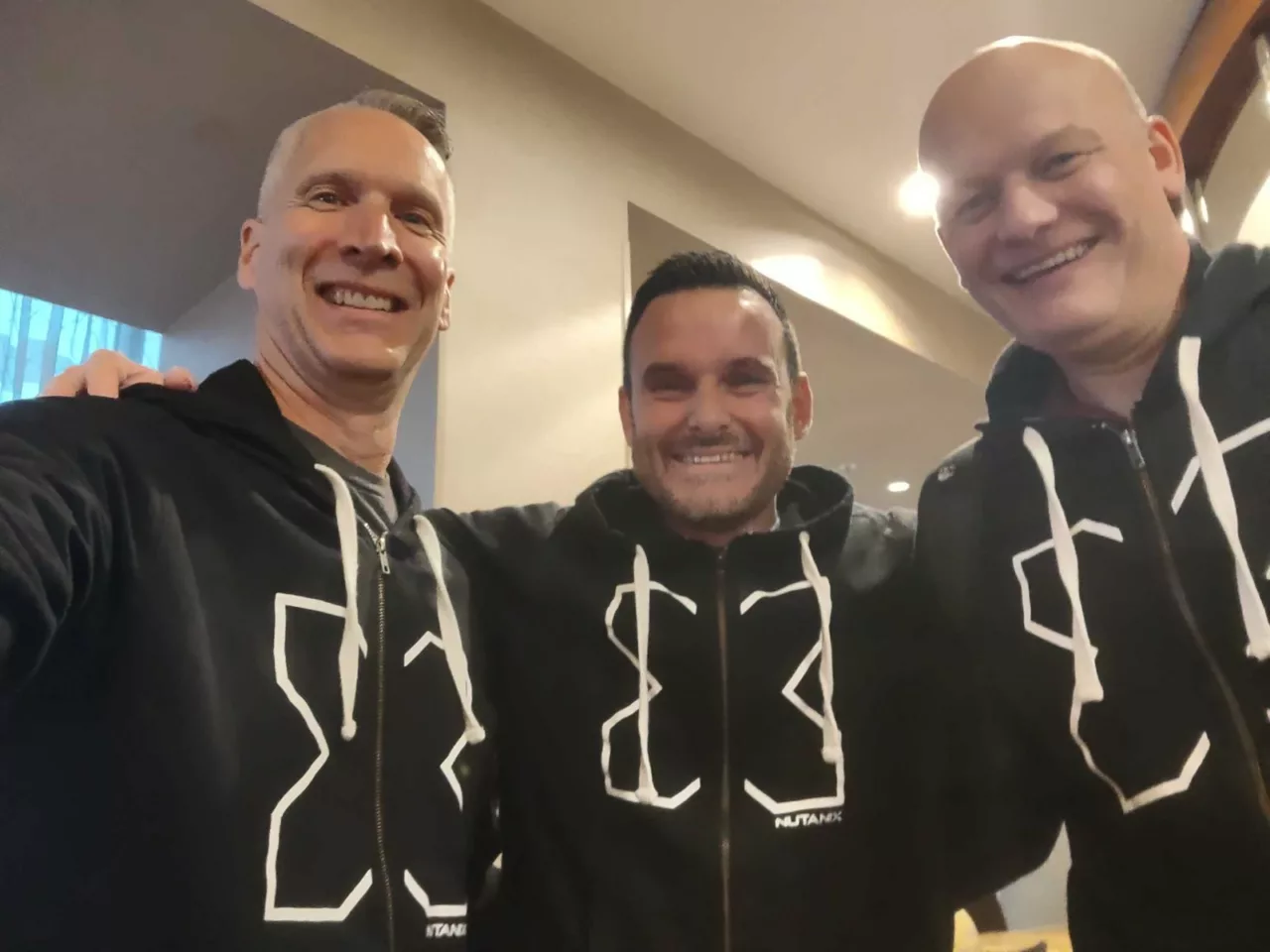
Drew, Julien and I showed up in the same outfit: the Nutanix hoodie. No, we did not plan this.
Tuesday 27 October Tech Connect day 2
17:00 PDT
Monday 26 October – Dinner, karaoke and a suitcase
Day one ended at five with a relaxed dinner outside at round tables on the lawn and with patio heaters for when the sun went down. Lots of good conversations about everything we heard today.
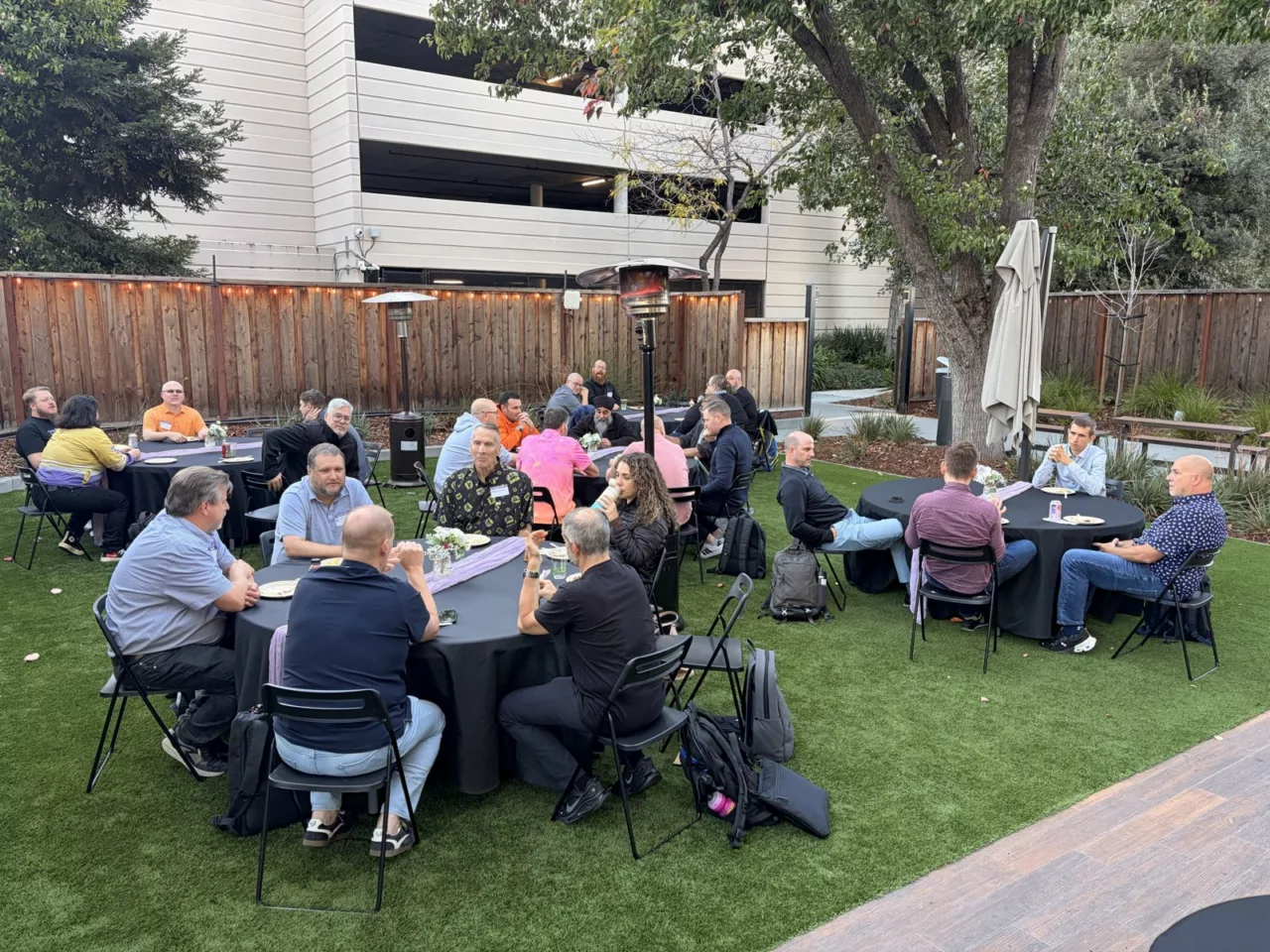
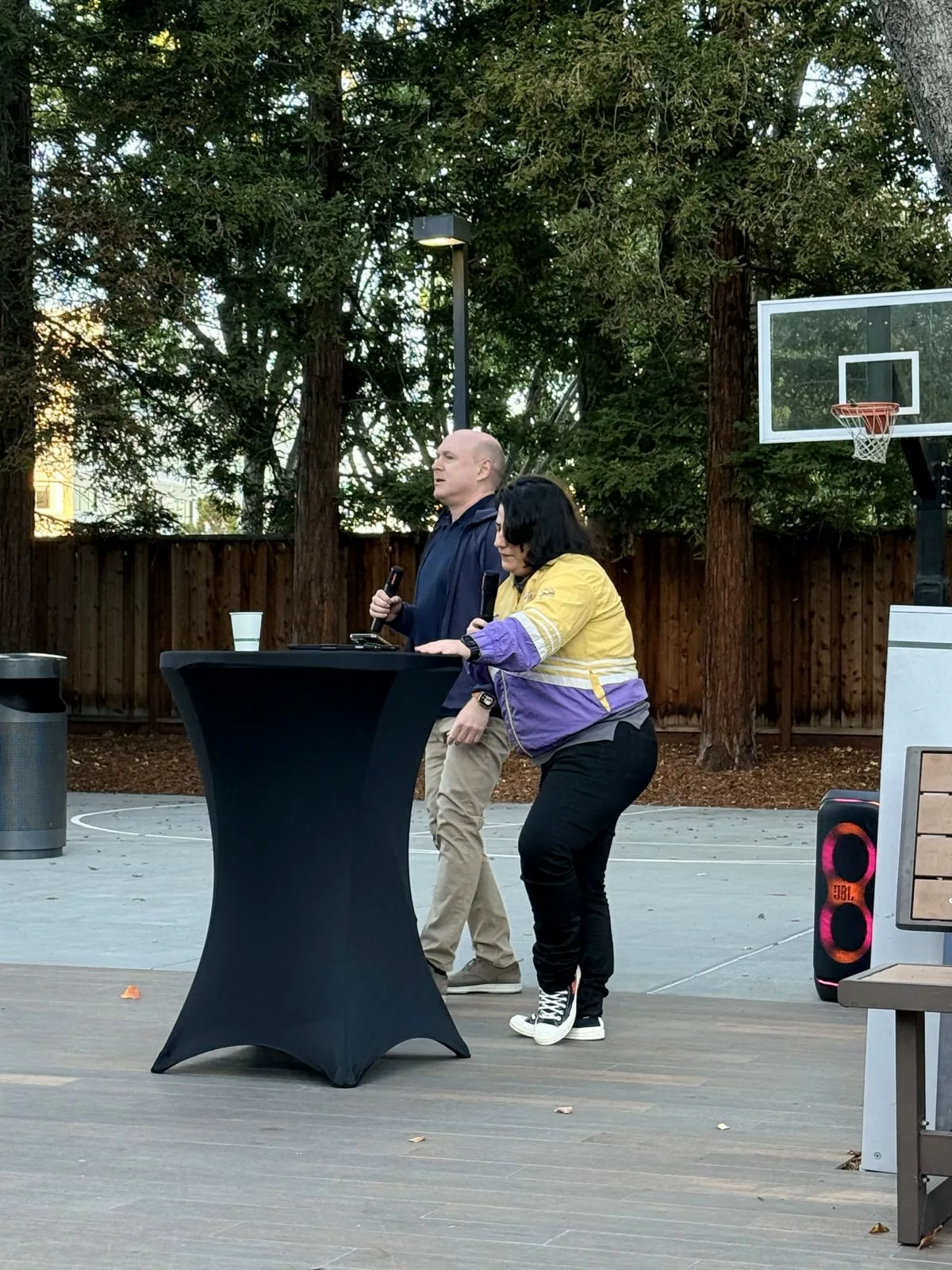
Angelo and Andrea had a great time at the karaoke.
And some good news to end the day: Julien finally got his suitcase. It didn’t make the flight from Frankfurt with him, but it found its way to San Jose after all.

15:10 PDT
Monday 26 October – Yannick Struyf on NKP topologies and resilience
Yannick was back for a session I liked a lot as an architect: “Deployment Topologies and Resilience Best Practices for NKP”.
First the basics. A single-cluster environment is one standalone and self-managed cluster that runs both the NKP management components and the applications, which is ideal for small environments or edge sites with an unstable connection to the datacenter. In a multi-cluster environment one management cluster provisions and manages the lifecycle of NKP, EKS or AKS clusters and you can attach existing clusters like GKE or any certified Kubernetes. You can run it all on NKP on AHV (virtual control plane and workers, flexible placement) or on NKP Metal (physical nodes for performance, isolation and specialization). Full bare metal or mixed.
Protect that management cluster! When it is unavailable the workloads stay online, but you need a backup to resume operations. NKP backs up the management cluster metadata and control plane state to S3-compatible storage like Nutanix Objects, scheduled or on demand. To recover you deploy a new and empty management cluster and restore the backup from S3 and then it takes over the lifecycle of the workload clusters again. Note: this does not include your application data.
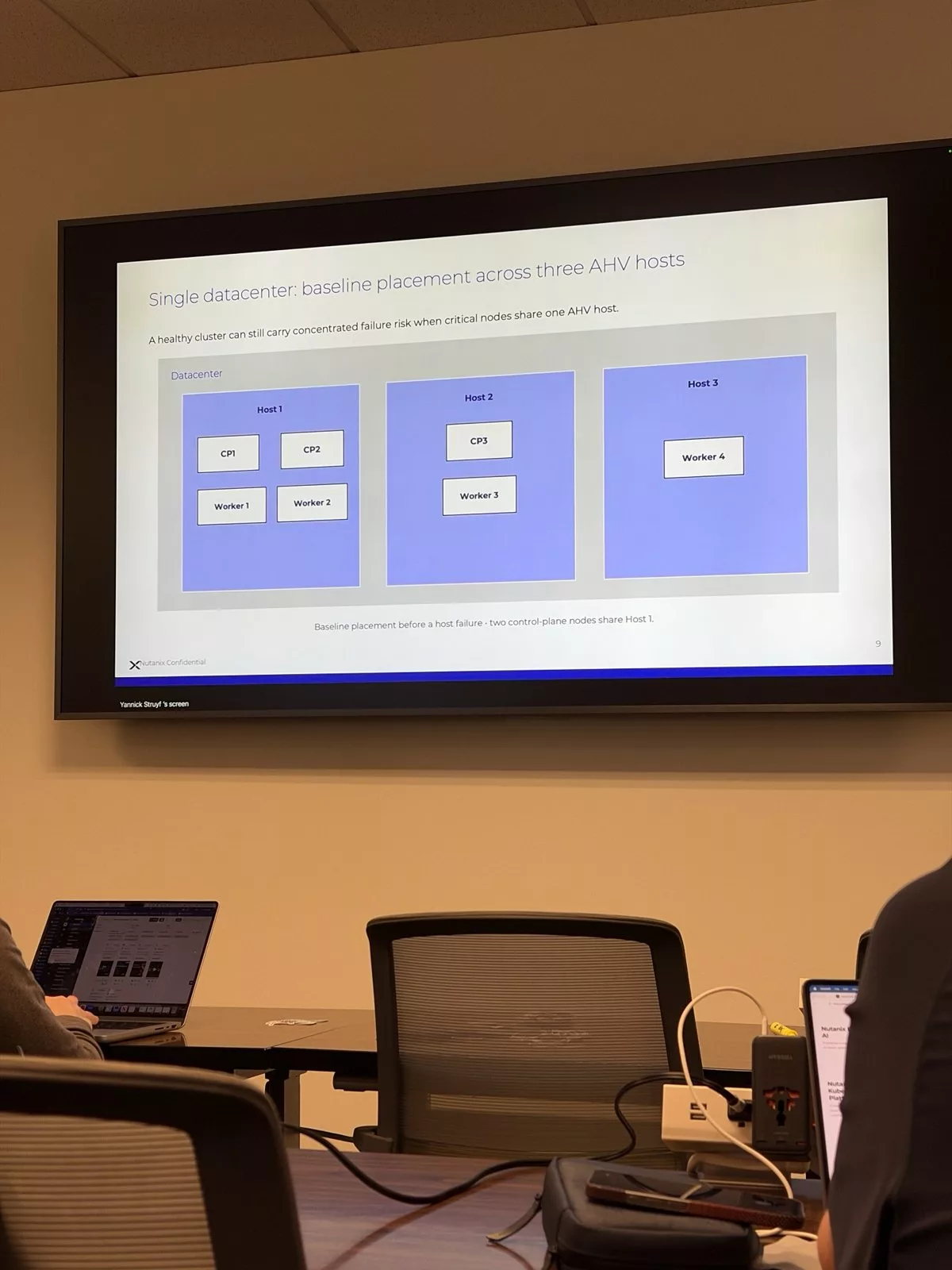
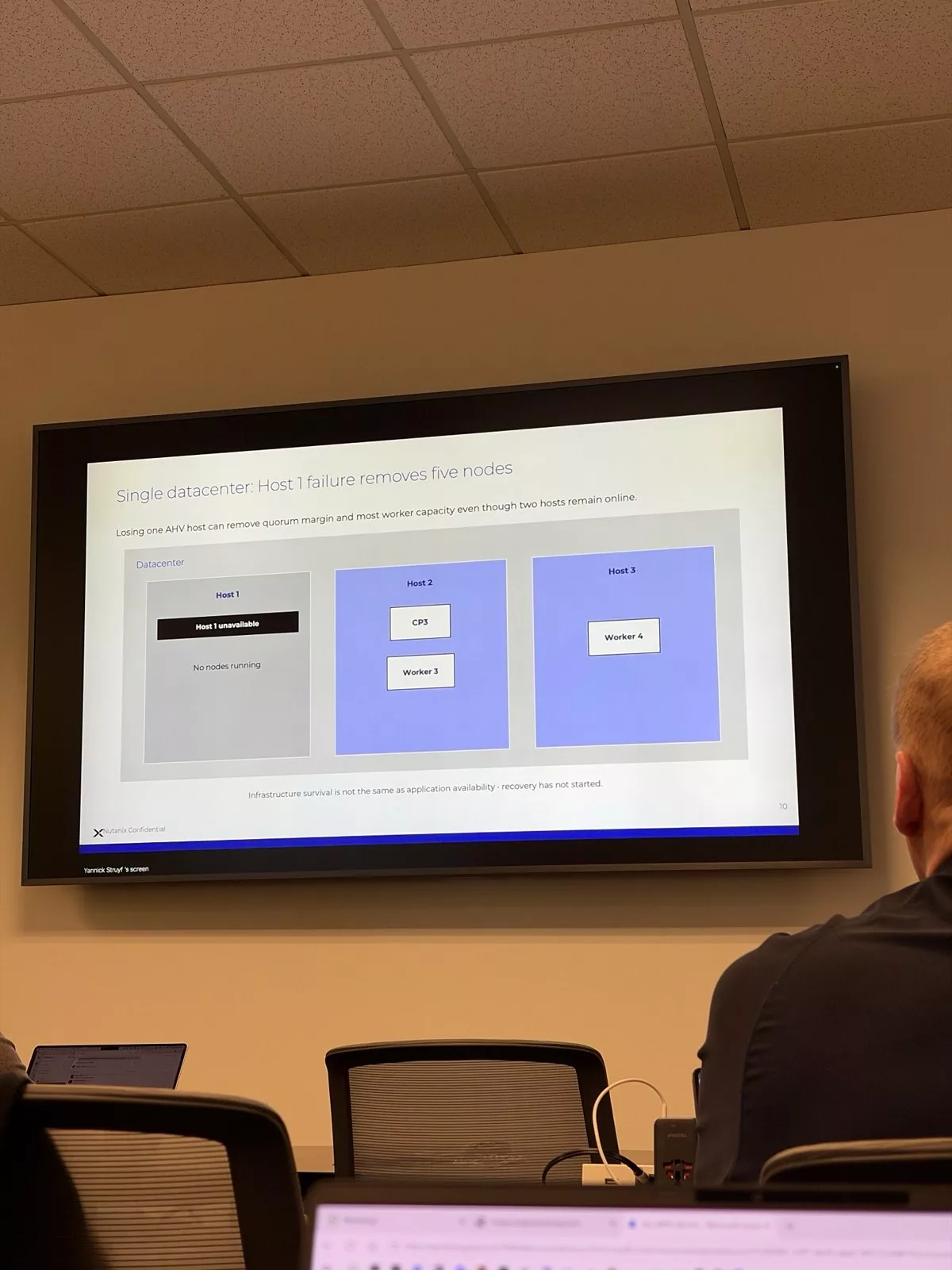
Then the part where many designs go wrong. A highly available control plane needs quorum across failure domains and placement across hosts or sites. Worker nodes need headroom, topology spread and anti-affinity. And your applications need replicas too, in the right place. Replica count is not enough, replica placement defines resilience. Yannick’s example: three control plane nodes and four workers on three AHV hosts and all healthy, but CP1, CP2, Worker 1 and Worker 2 are all on Host 1. Lose that host and you lose the control plane quorum and most of your worker capacity while two hosts are still up and running. Infrastructure survival is not the same as application availability.
For site resiliency there are a few topologies. Multi-AZ is one Kubernetes cluster with a control plane node and a node pool in each of three zones and each zone runs on its own Nutanix AOS cluster. But three failure domains only help when storage, application replicas and network latency are designed together. Storage is not replicated across failure domains on its own, applications must spread their replicas and you need low latency between the domains.
Nutanix CSI 3.x helps here. Volumes and Files requests go through the Prism Central v4 API. Hypervisor-attached volumes on AHV remove the need for an iSCSI connection from the nodes to the data services IP (great for service providers with multiple tenants). And topology-aware volume scheduling lets one Kubernetes cluster span several Prism Element clusters while the storage stays local.
For a complete site failure you choose between two approaches. Application based resiliency is two clusters in two datacenters behind an active/active GSLB. There is nothing to do at the infrastructure level and it is easy for stateless apps, but it is harder for stateful apps and gives you a more complex CI/CD. Or infrastructure based resiliency: active/passive behind a GSLB with NDK (Nutanix Data Services for Kubernetes) replicating the data. That is the way to go for stateful applications without built-in resiliency.
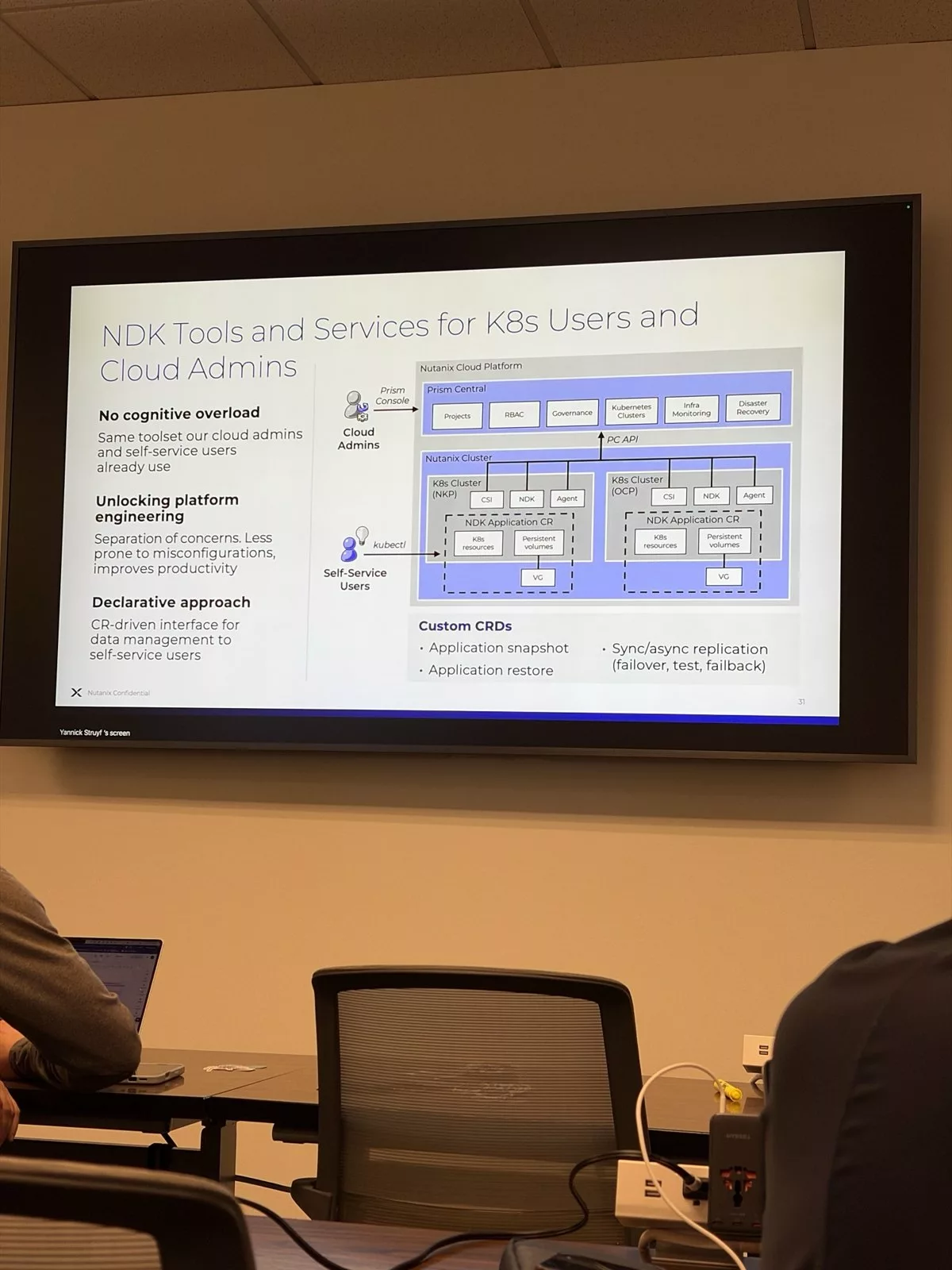
NDK gives Kubernetes users and cloud admins the same toolset. Cloud admins work in Prism Central (projects, RBAC, Kubernetes clusters, disaster recovery) and self-service users use kubectl. With custom resources for application snapshots and restores, and for sync or async replication with failover, test and failback. Also for OpenShift clusters.
13:33 PDT
Monday 26 October – Sonali Mishra on security with NKP Insights
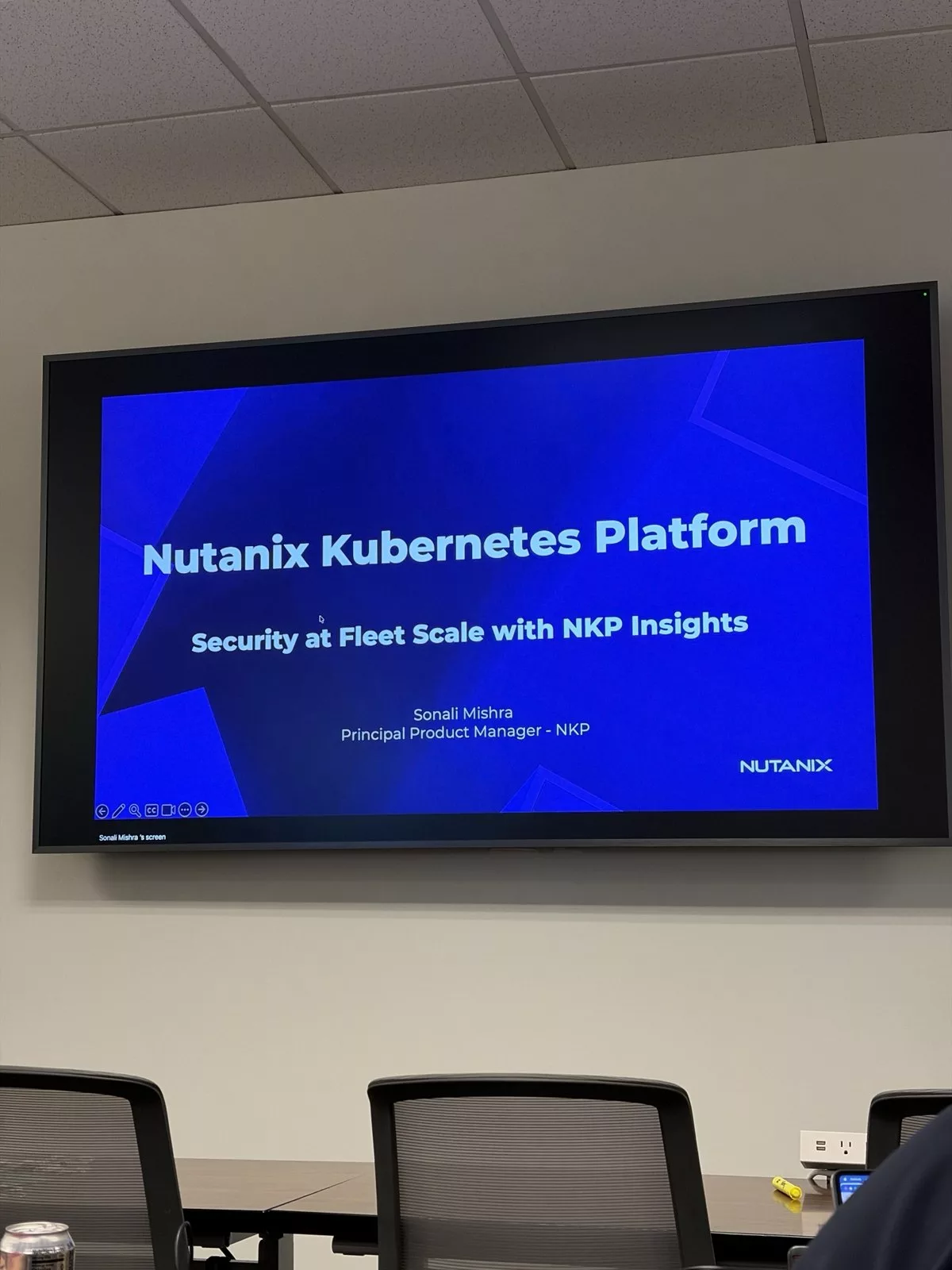
After lunch Sonali Mishra was back, this time about security: “Security at Fleet Scale with NKP Insights”.
She opened with some numbers. 82% of container users run Kubernetes in production (CNCF survey 2025, up from 66% in 2023). 89% of organizations had at least one container or Kubernetes security incident in the past twelve months. And 46% lost revenue or customers because of one (Red Hat State of Kubernetes Security 2024). Her takeaway: Kubernetes security is now a day 2 operations problem and not only a build-time problem.
Why does security drift as fleets grow? Clusters that started identical slowly diverge as teams patch and tune them by hand. Every team applies its own rules, so the weakest cluster sets the real security level. Deprecated APIs and old Helm charts show up during the upgrade instead of before it. Certificates expire silently and take workloads down. Thousands of CVE findings per cluster bury the few that matter. And 36% of organizations name lack of training as a top cloud native challenge.
NKP covers the whole lifecycle. Build with Harbor registry scanning. Deploy with Pod Security Admission and OPA Gatekeeper policies. Posture with NKP Insights (Trivy, Kube-bench and Polaris). And runtime, where NKP Insights with Falco detects suspicious behavior as it happens. That last one is coming soon.
The heart of NKP Insights is the Insights Engine. It takes the raw signals of each cluster (Alertmanager alerts, Kubernetes events, Trivy CVE scans, Kube-bench compliance, Polaris checks and Falco detections) and correlates them on a graph of the cluster and filters out the platform noise. What you get is an insight card with where it is (cluster, workspace, project, workload), the root cause and how to fix it. And buttons to mute, snooze or resolve. So faster resolution, issues found before users notice and one view across the fleet. It is included in NKP Ultimate.
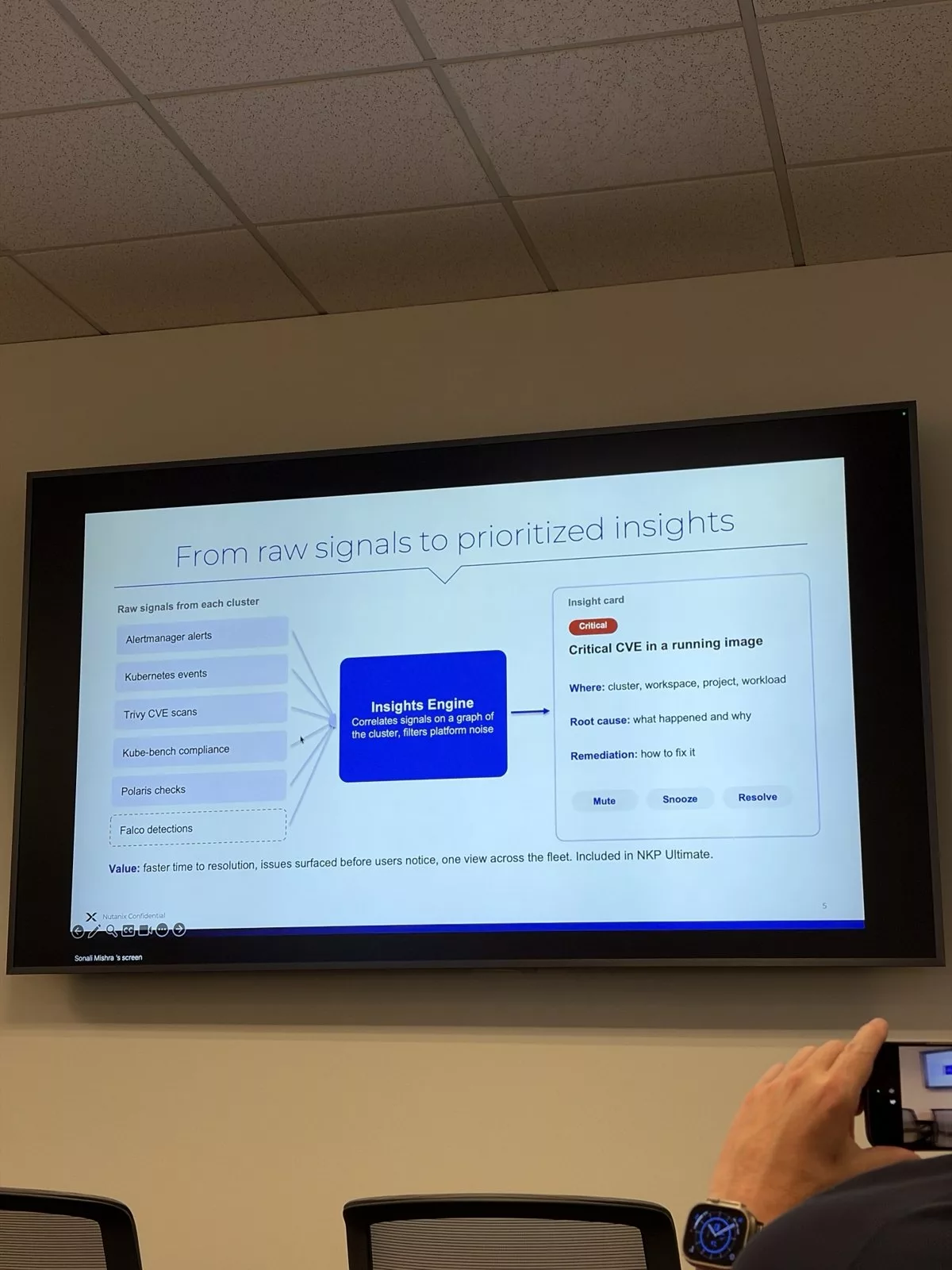
So what does NKP Insights find today? CVEs in running images (Trivy) and failed CIS Kubernetes Benchmark checks (Kube-bench). Missing resource limits, privileged containers and other unsafe settings (Polaris). Deprecated APIs and outdated Helm charts before you upgrade (Pluto and Nova). NKP platform health like control plane certificates, TLS secrets, etcd and vGPU token expiry. And related alerts and events grouped into one insight instead of many pages.
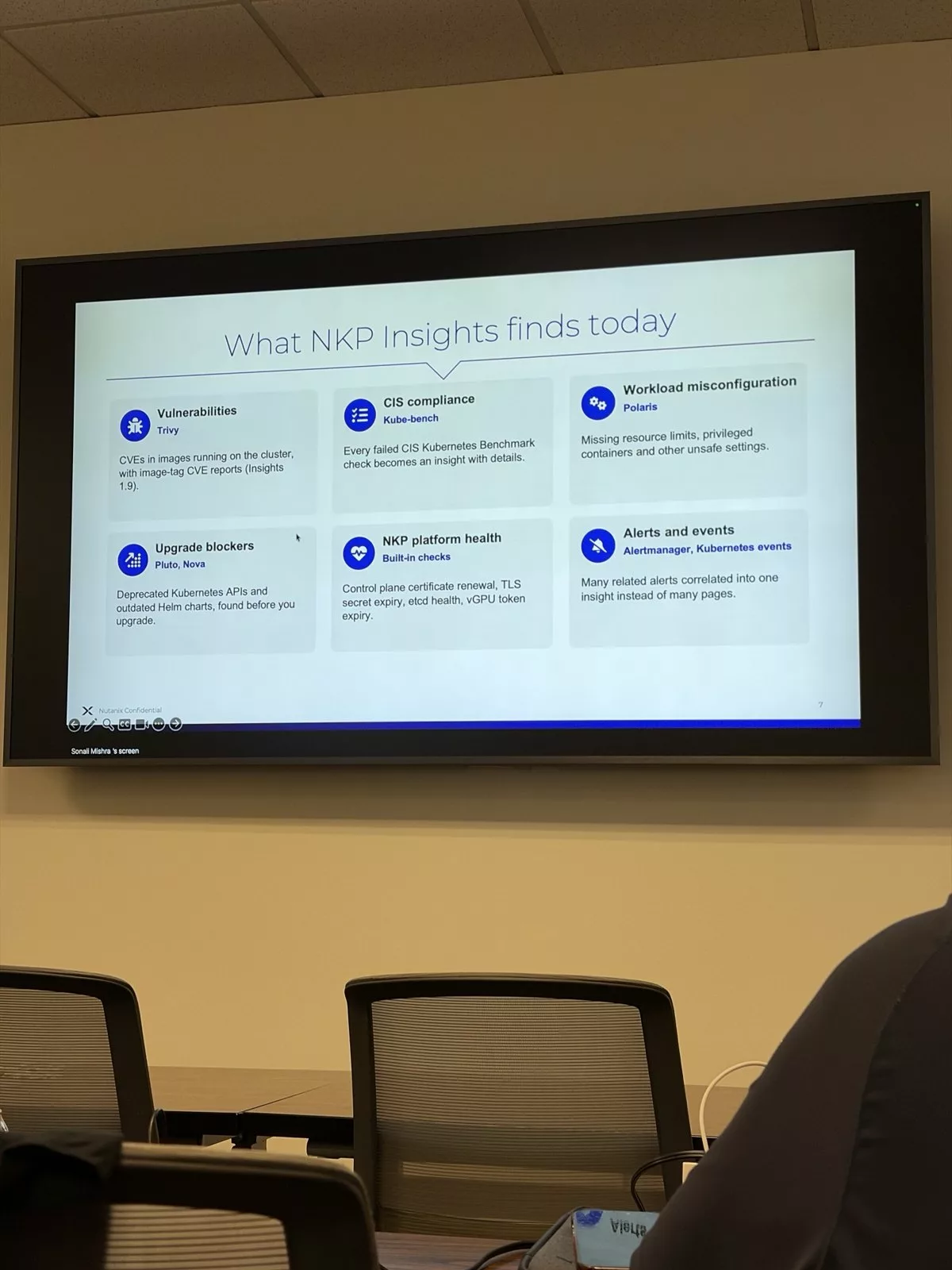
It is built for fleets. Everything runs self-contained on the cluster, also air-gapped, with the vulnerability databases bundled in image releases. New detection sources plug in without changing the engine. A local graph database (Cayley) maps the blast radius without expensive API calls. And insights are Custom Resources scoped to workspaces and projects, protected by standard Kubernetes and NKP RBAC.
The life of an insight is a closed loop. A signal is detected and correlated on the cluster graph and then written as an Insight resource with root cause and remediation and sent to Slack or Teams. An operator handles it (mute, snooze or resolve) and then it is verified. If a resolved issue comes back the Resolution Controller raises it again, so a fix that does not stick stays visible.
13:00 PDT
Monday 26 October – The NTC program in ten years
After lunch and before the next session it was just us: an internal NTC discussion about the Nutanix Technology Champion program itself. Where do we see the program in ten years and what would we like to change? Lots of ideas and opinions in the room. Which is exactly what you get when you put this many NTCs together 😉
12:24 PDT
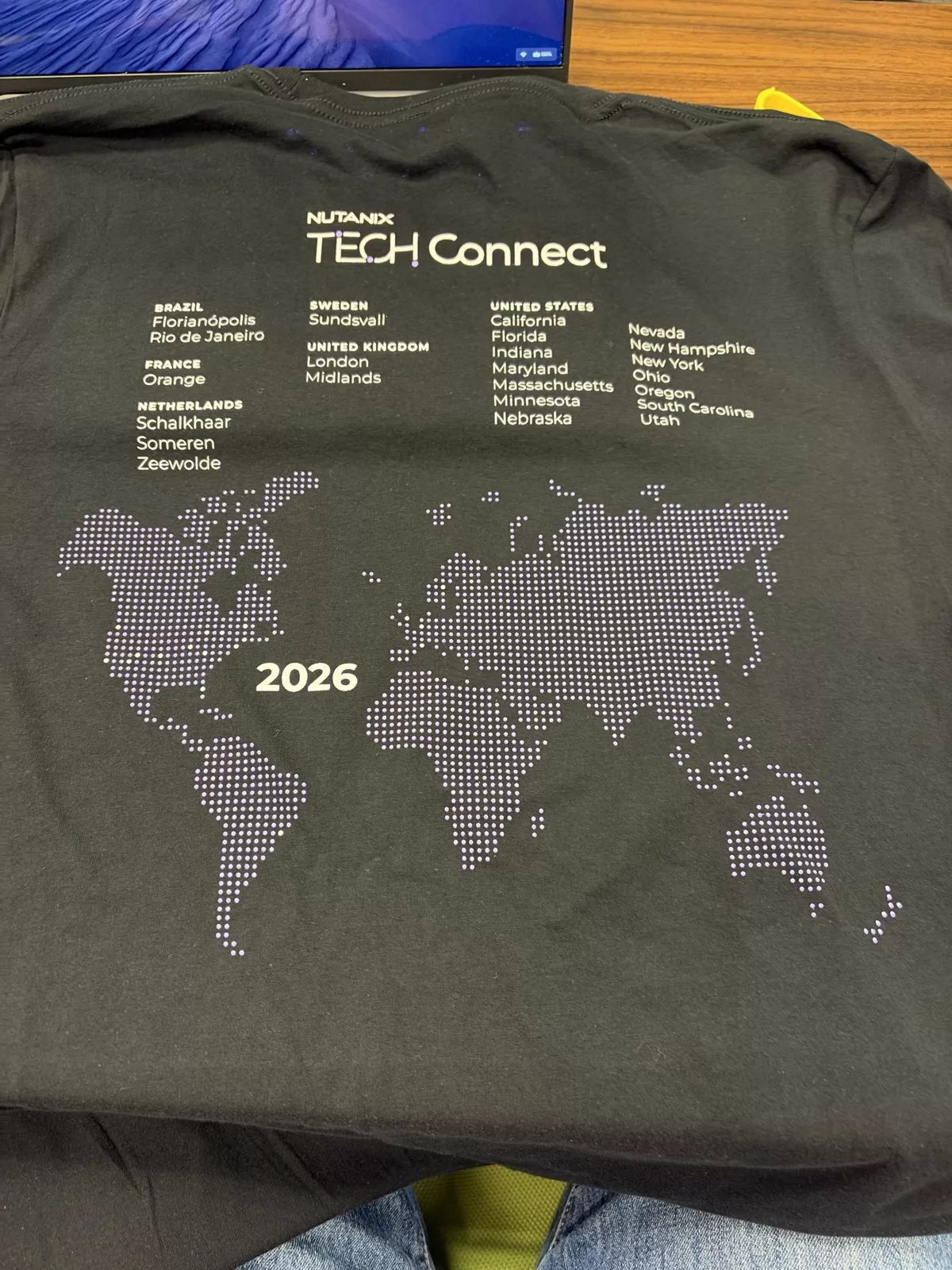
Monday 26 October – The T-shirt
Every Tech Connect has its own T-shirt and this one is a keeper. On the back are the home towns of all the NTCs in the room, from Florianópolis to Sundsvall and from London to Utah. Three of them are in the Netherlands.
12:00 PDT
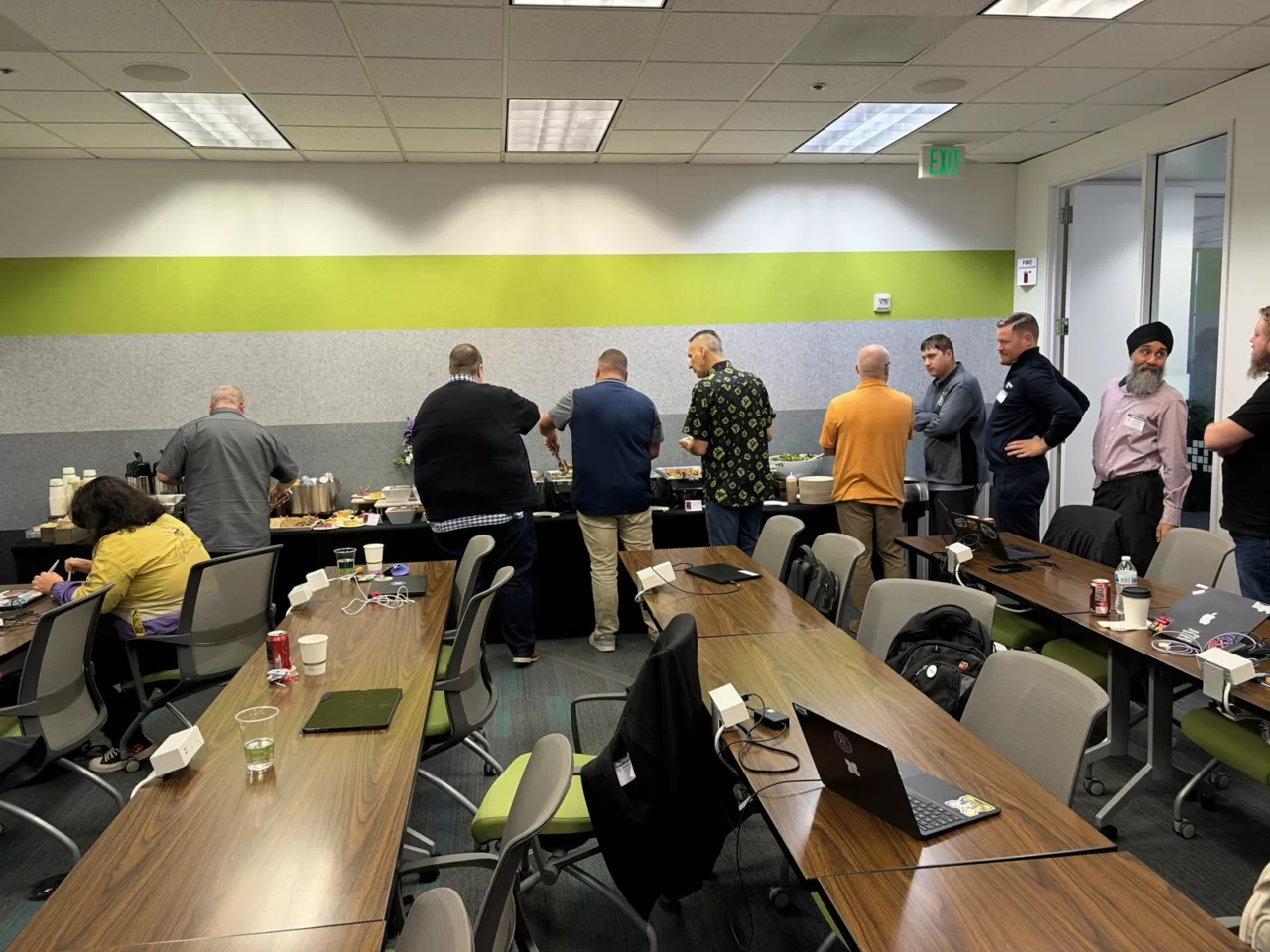
Monday 26 October – Lunch
Time for lunch. The laptops stay on the tables and the line for the buffet forms fast. And the discussions about the morning sessions just continue with a plate in hand.
11:37 PDT
Monday 26 October – Second tip of the day
Use Ubuntu as the operating system for NKP and NAI (Nutanix Enterprise AI).
11:25 PDT
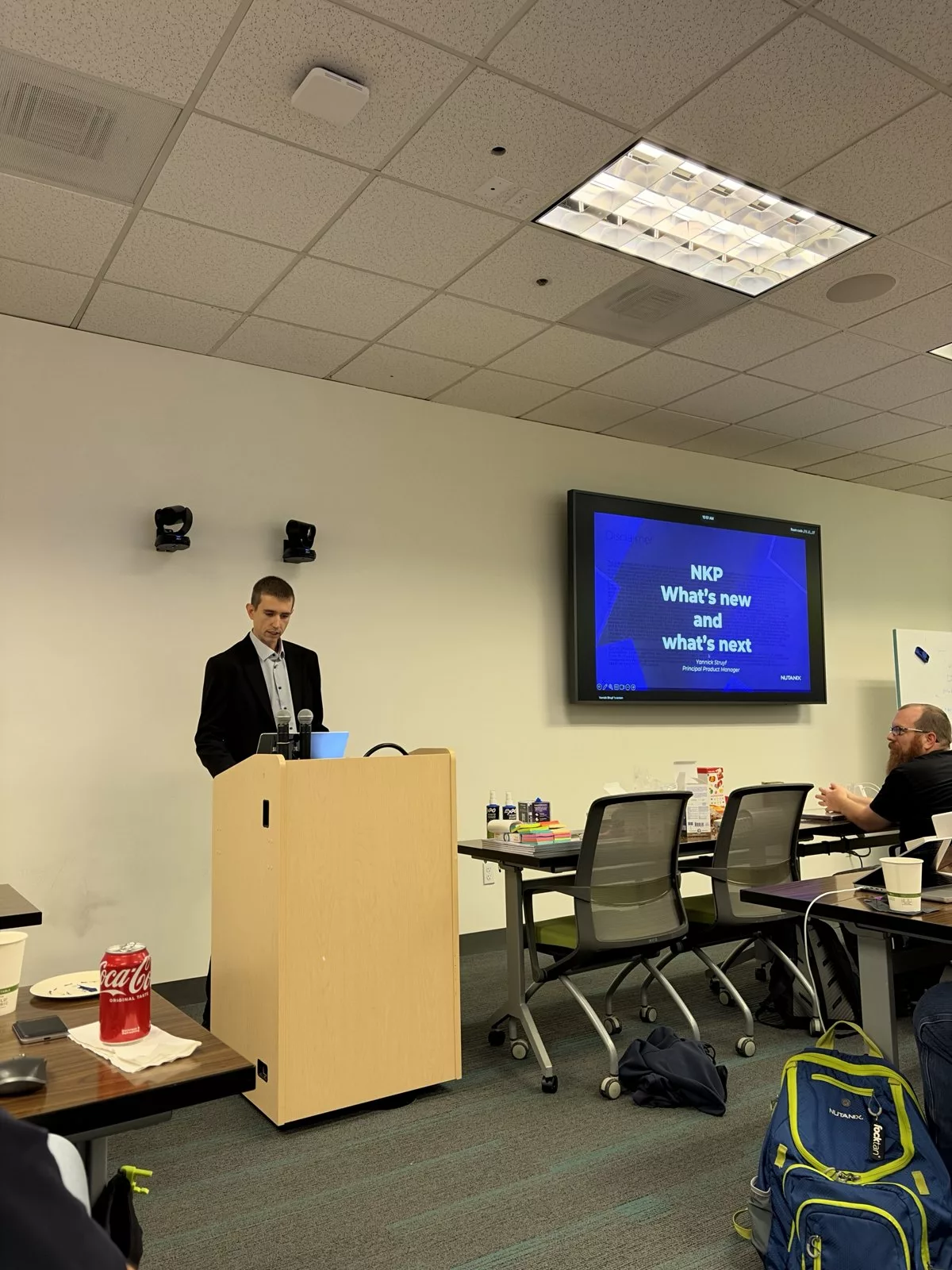
Monday 26 October – Yannick Struyf: NKP, what's new and what's next
Third session, and a deep dive into NKP: “NKP, what’s new and what’s next” by Yannick Struyf, Principal Product Manager.
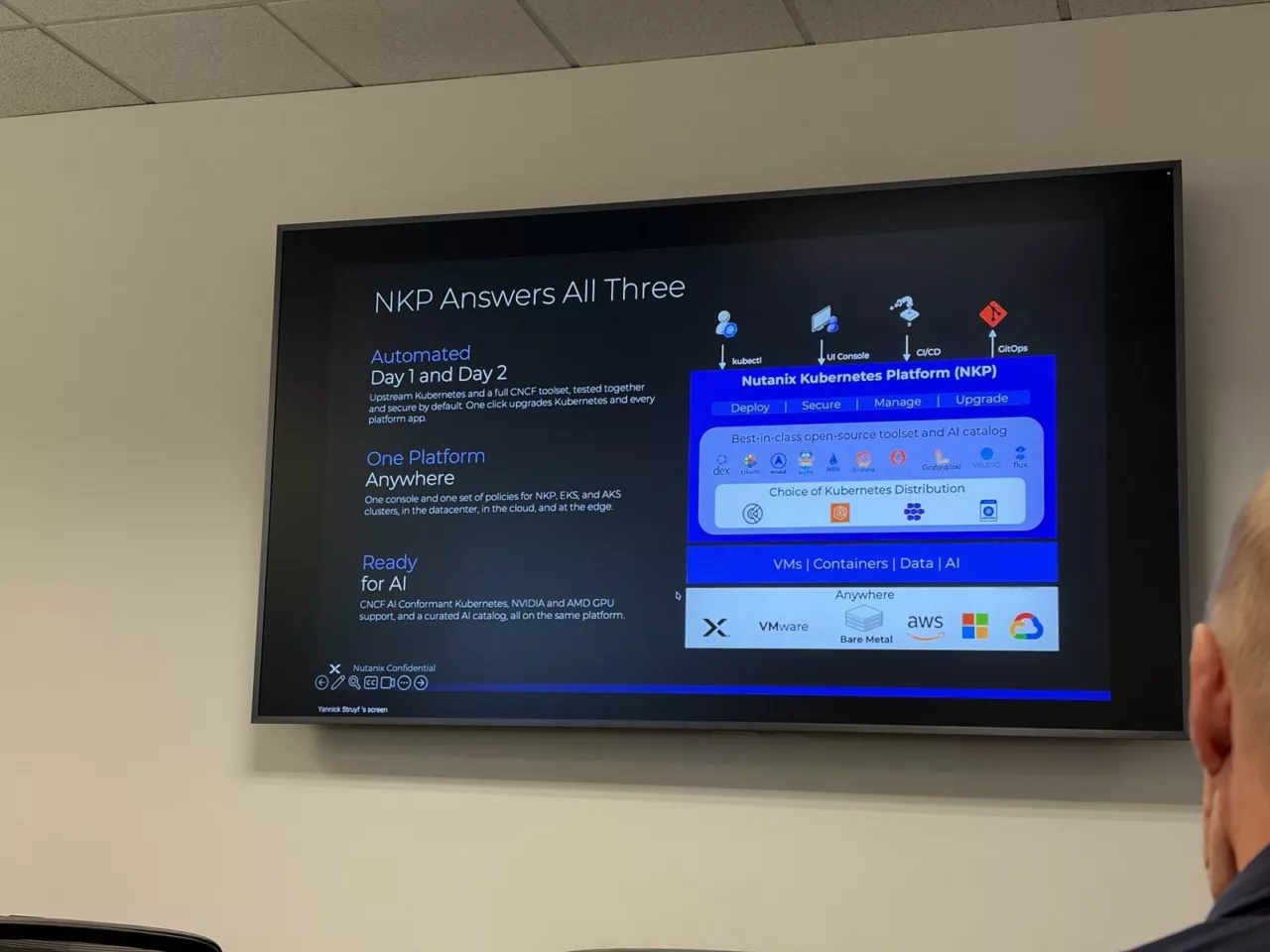
He started with the three problems that keep enterprise Kubernetes from becoming a platform. Operational complexity (“we spend weeks on upgrades”): Kubernetes is only one layer and teams have to pick, integrate and secure a lot of other tools. Fragmented scale (“every cluster runs its own way”): clusters in the datacenter, in the cloud and at the edge on different distributions. Each with its own tools and experts. And AI readiness (“our platform isn’t ready for AI”).
NKP answers all three. Day 1 and day 2 are automated with upstream Kubernetes and a full CNCF toolset, tested together and secure by default. And one click upgrades Kubernetes and every platform app. There is one console and one set of policies for NKP, EKS and AKS clusters in the datacenter, in the cloud and at the edge. And it is ready for AI: CNCF AI conformant, NVIDIA and AMD GPU support and a curated AI catalog.
What’s new in NKP 2.19
First the Nutanix Registry. All images live in one Nutanix registry and namespace and every image is hardened and scanned for CVEs with Harbor before it is published. You generate a token in the Nutanix SaaS portal and configure the token in the NKP cluster and then workloads pull the validated and hardened images straight from the Nutanix registry. No more external dependencies.
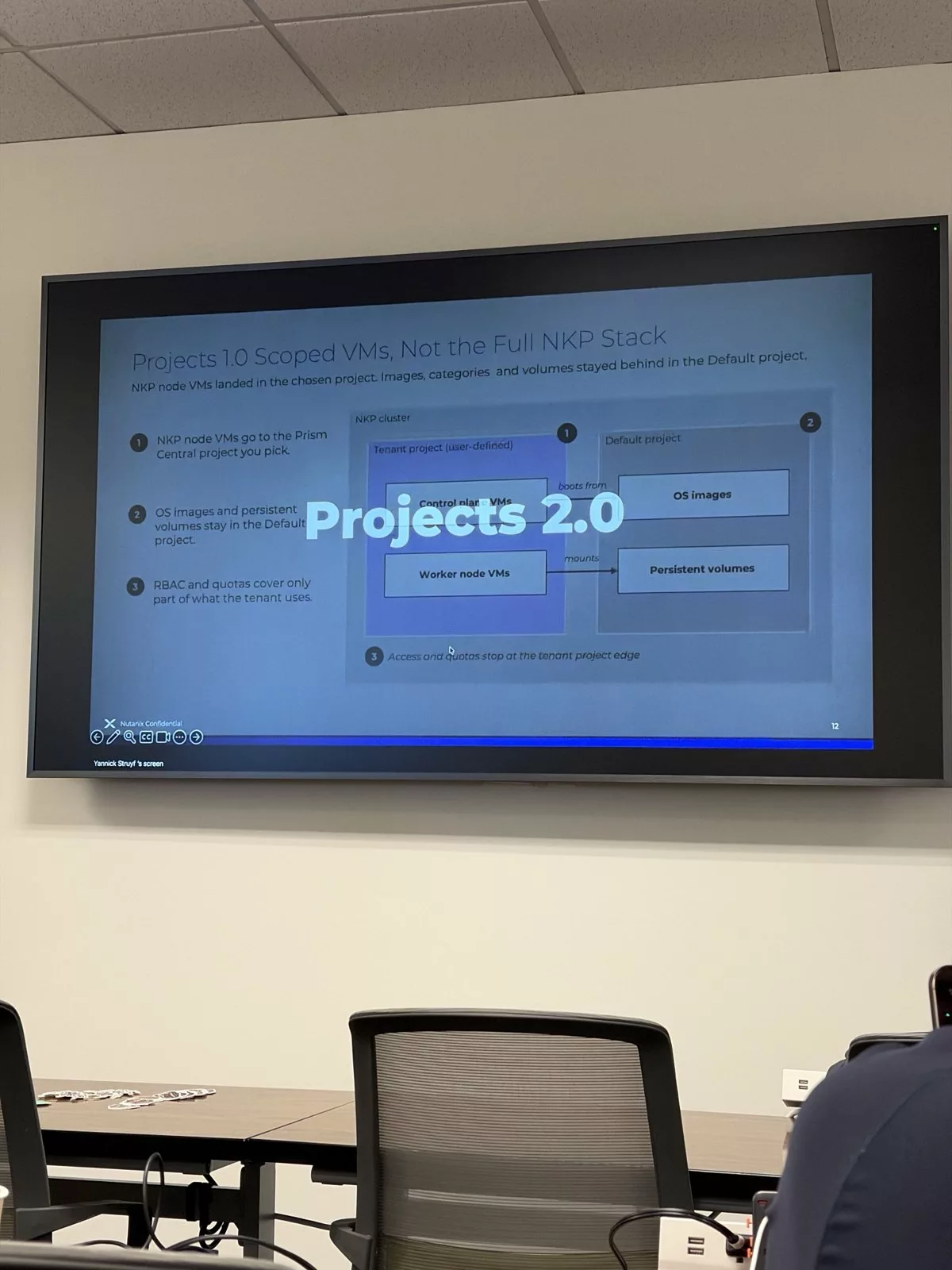
Then Projects 2.0. With Projects 1.0 only the NKP node VMs landed in the Prism Central project you picked. OS images and persistent volumes stayed behind in the Default project, so RBAC and quotas covered only part of what a tenant used. With Projects 2.0 the VMs, volumes, images and supporting entities like subnets, VPCs and alerts share one project. RBAC, quotas, categories and isolation apply to everything in it and tenants only see and manage what lives in their own project.
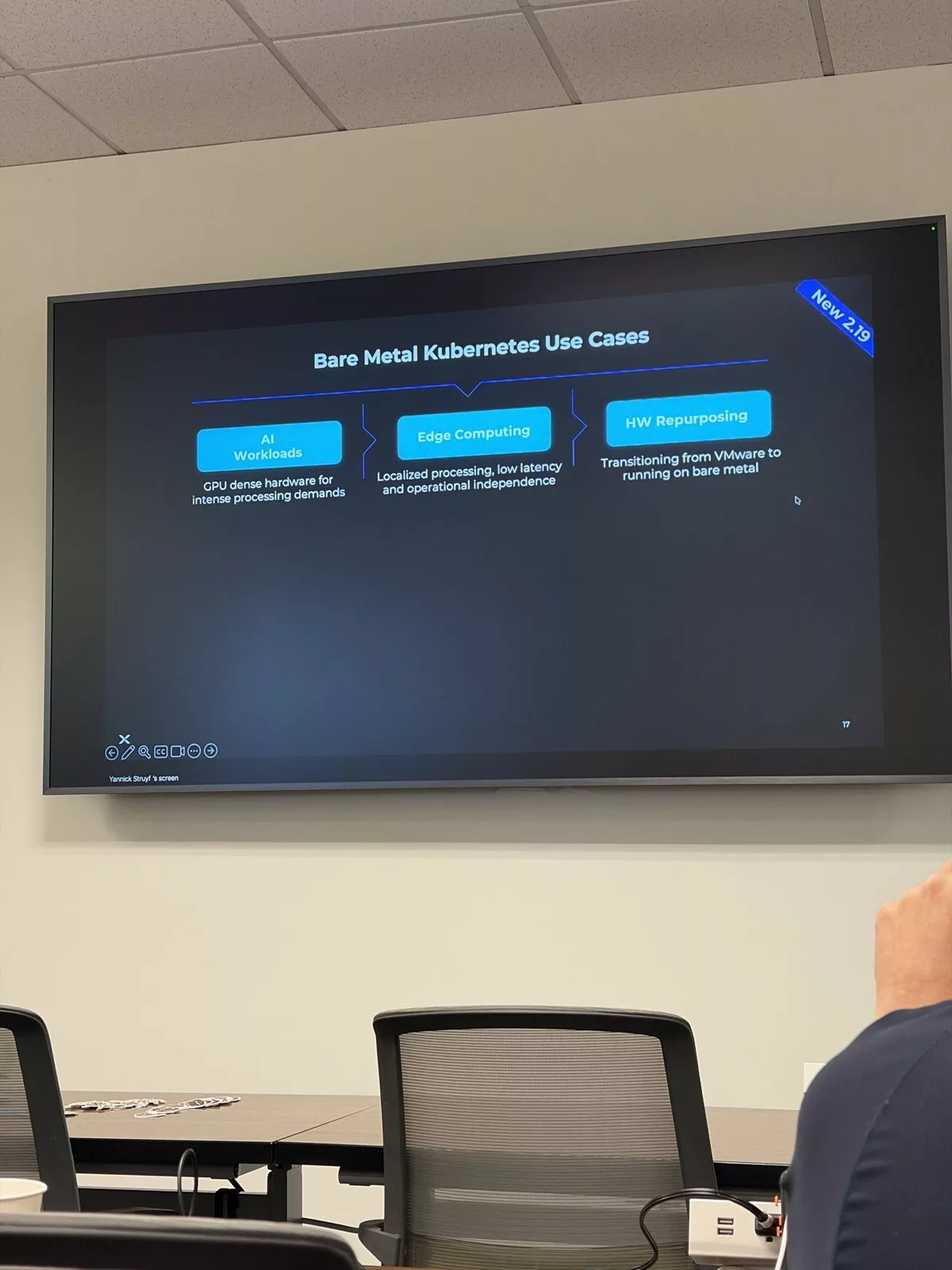
And a big one: NKP Metal, Kubernetes on bare metal. Think of AI workloads on GPU-dense hardware or edge computing with local processing and low latency. Or repurposing hardware when you move away from VMware. Bare metal usually brings a lot of operational work. Manual OS provisioning and custom tooling on day 0. Patching OS and drivers at fleet scale on day 2. And separate infrastructure silos for the platform team.
NKP Metal brings the declarative lifecycle management of NKP to physical hardware. The stack is validated hardware (Dell PowerEdge, HPE ProLiant and more), Nutanix Foundation Central with Ubuntu Pro, NKP, Nutanix CSI and Nutanix Data Services for Kubernetes. On day 0 Foundation Central discovers the nodes and images them with a hardened Ubuntu OS and the nodes register themselves with the NKP management cluster. Then you create the cluster from the NKP UI, CLI or API with standard Cluster API constructs. Bare-metal Kubernetes in hours instead of days.
Day 2 on bare metal gets the same treatment. One-click, in-place upgrades of the OS and Kubernetes across the whole bare-metal fleet (connected or air-gapped). Scaling node pools out or in without third-party scripts. And the NKP observability stack spots a failing bare-metal node right away.
There are two ways to build it. A full bare-metal workload cluster is for the strictest performance and latency needs, with the management cluster on Nutanix and storage from AOS or Nutanix Unified Storage through iSCSI-attached Nutanix Volumes. Or a mixed workload cluster with the control plane on VMs for high availability and bare-metal workers for GPUs and high-speed NICs. That one is ideal for AI/ML training because you just add bare-metal node pools to the virtualized environment you already have. And the NKP AI Catalog now also covers the AMD GPU Operator.
Upgrades got a lot of love too, to bring the Nutanix one-click model to Kubernetes. Behind it is the new UpgradePlan API, so an administrator upgrades a complete fleet with one Upgrade button. One action upgrades the Kubernetes version, the Cluster API infrastructure, the fleet manager and all 25+ platform applications. You can upgrade one or more workload clusters without upgrading NKP or the management cluster first. Before anything changes preflight checks validate Kubernetes versions, CRD compatibility and resource health and the UI shows clear warnings so you don’t step on a landmine halfway. Afterwards post-flight checks show the exact result.
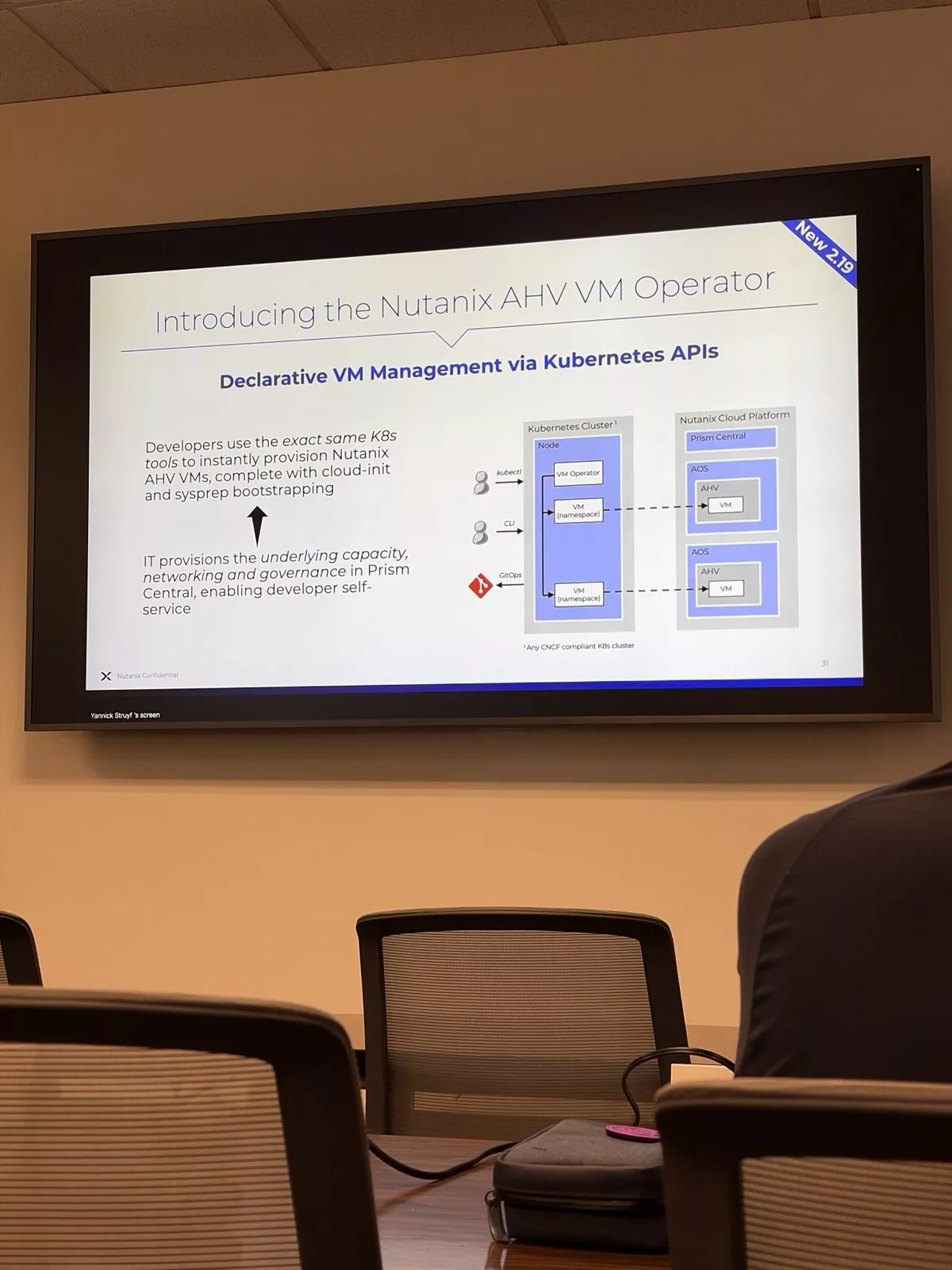
Then the Nutanix AHV VM Operator: declarative VM management through Kubernetes APIs. Developers use the tools they already know (kubectl, the CLI or GitOps) to create AHV VMs including cloud-init and sysprep from any CNCF compliant Kubernetes cluster. IT takes care of the capacity, networking and governance in Prism Central, so developers get self-service.
And a lot more in 2.19. Kubernetes 1.36, RHEL 9.8 and Rocky Linux 9.8, an NKP UI on the v4 APIs and the Headlamp Kubernetes dashboard. On the AI side the NKP MCP Server is now enabled by default (Pro license, not in the air-gapped bundles). AI Navigator covers more NKP resources and catalog applications get more substitution variables. The rest is in the release notes on the Nutanix portal.
Yannick also showed what is coming next, but that part is under NDA. What I can say: there are some really cool things on the way. Stay tuned!
10:13 PDT
Monday 26 October – Sonali Mishra on NKP and AI
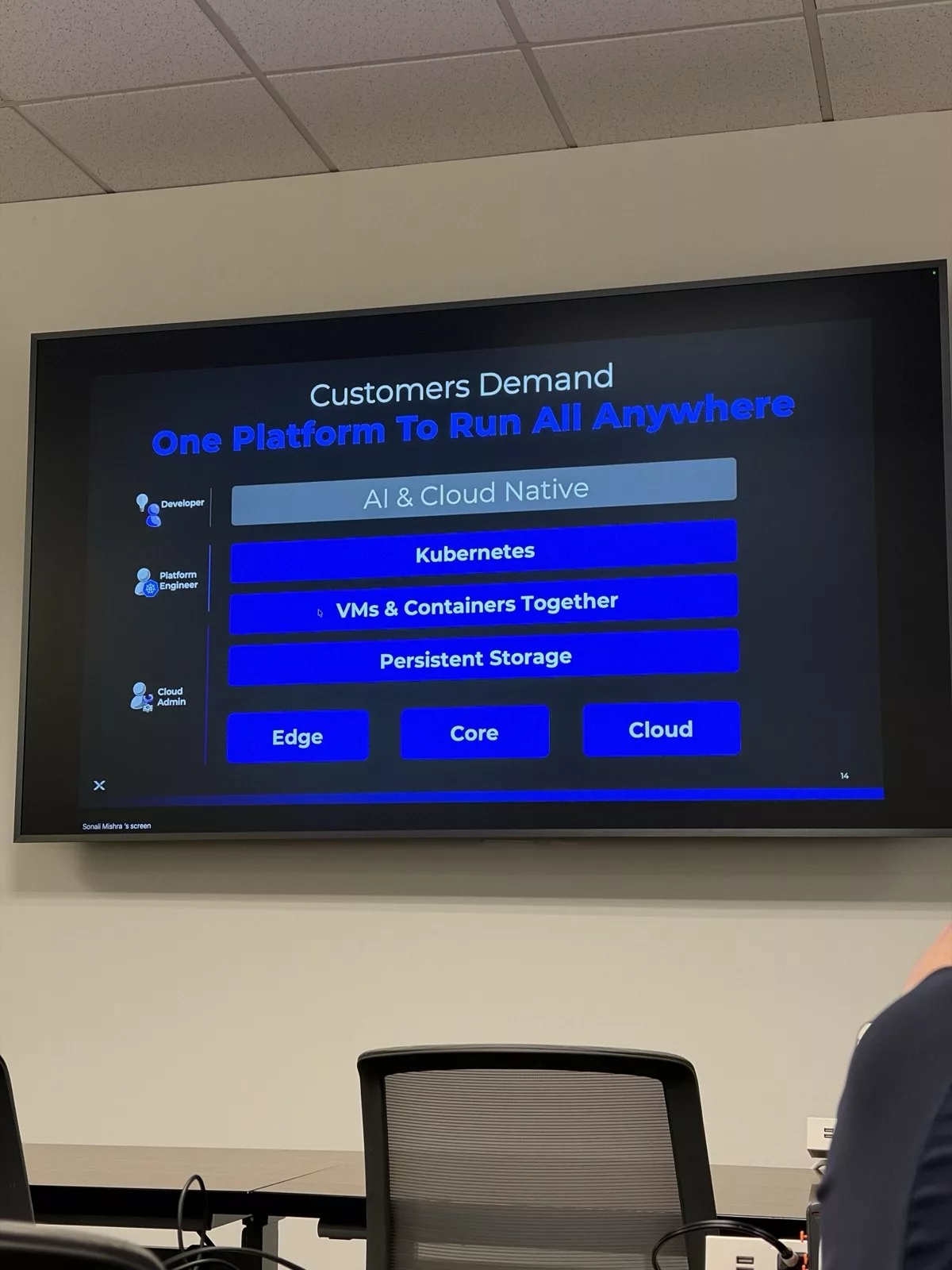
Next up was Sonali Mishra, Principal Product Manager for NKP (the Nutanix Kubernetes Platform). Her starting point: customers want one platform to run everything, anywhere. VMs and containers together on persistent storage and Kubernetes on top for AI and cloud native apps. And all of that on the edge, in the core and in the cloud.
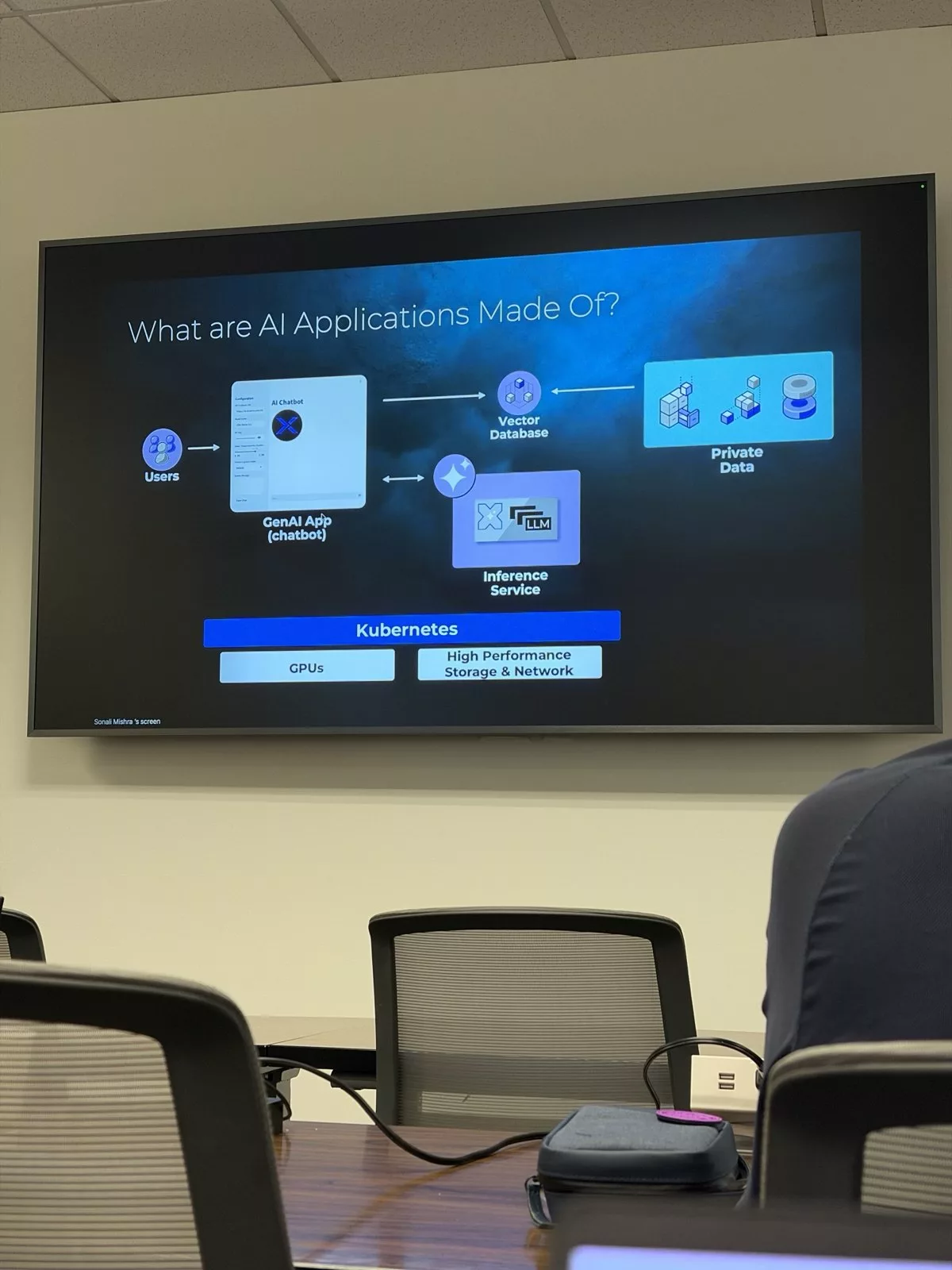
From there she showed what an AI application is made of. A GenAI app, a vector database filled with your own data and an inference service with the model. And underneath it all Kubernetes with GPUs and fast storage and networking. That is where NKP comes in.
Sonali calls it the NKP AI Factory. NKP is certified in the CNCF Kubernetes AI Conformance program, so AI workloads stay portable and the foundation is taken care of in the public cloud, on-premises and on the edge. Remember the first tip of the day? This is why. With the NKP AI Catalog you deploy curated and validated AI applications to one or more NKP clusters with a single click. NKP handles versions and dependencies and app federation keeps every cluster in the state you declared, air-gapped sites included.
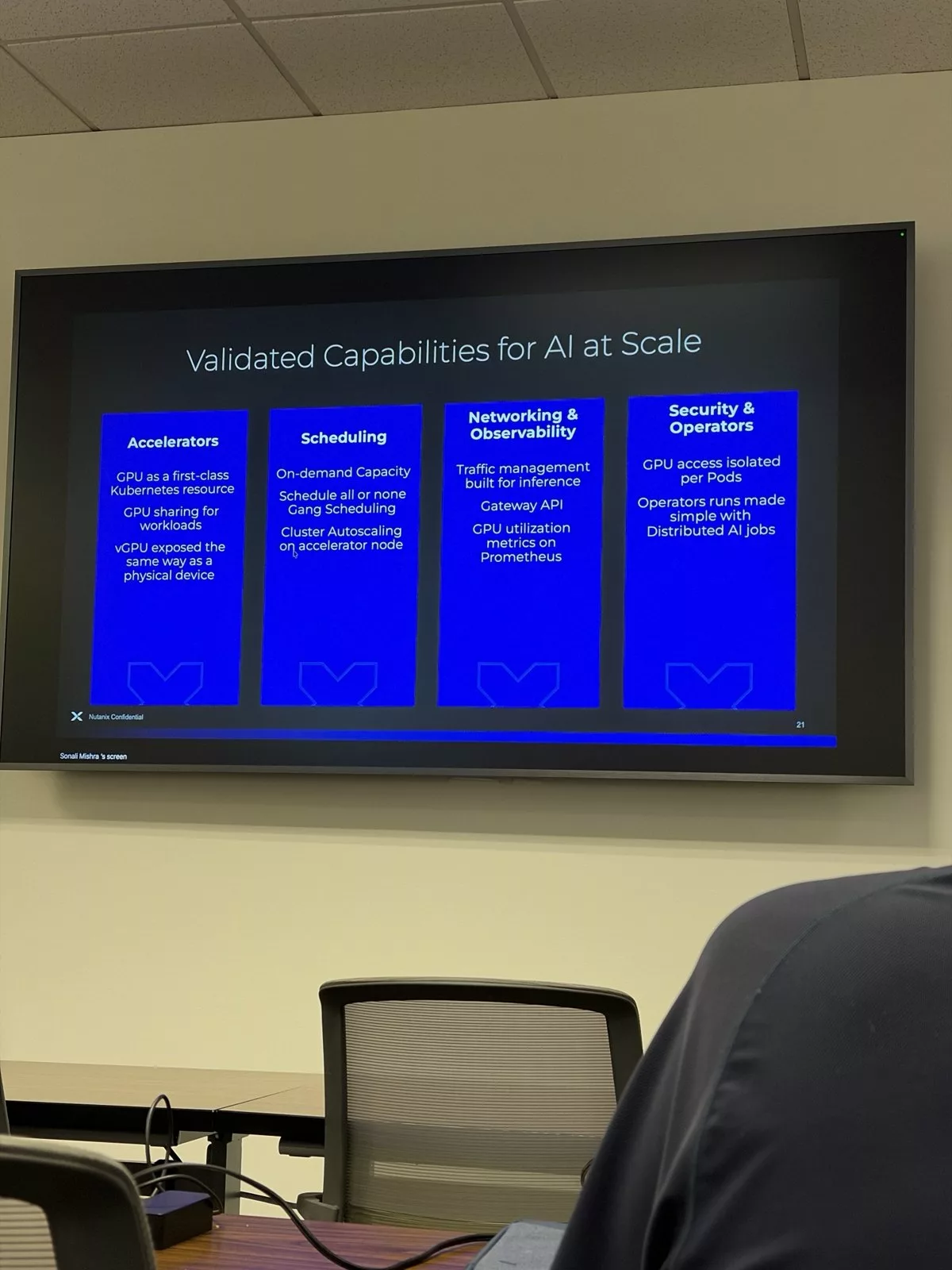
Under the hood the GPU is a first-class Kubernetes resource. GPUs can be shared between workloads and a vGPU shows up the same way as a physical card. Gang scheduling (all or nothing), autoscaling of GPU nodes, traffic management for inference with the Gateway API and GPU metrics in Prometheus are all validated.
And the stack comes out of the box. GPU operators for NVIDIA and AMD. KAI Scheduler, Kueue and Slurm for scheduling. Envoy Gateway, KServe and Nutanix Enterprise AI for inference. Kubeflow and Jupyter for model development. And Milvus, the Nutanix MCP Server and AI Navigator for data and agents.
Choice of GPU is a big one. NKP is now qualified on the AMD Instinct MI350 series, with the AMD GPU Operator in the catalog next to the NVIDIA one. For NVIDIA you get GPU passthrough, virtual GPU and Multi-Instance GPU (MIG). Same install path and same lifecycle and upgrades. And you pick the GPU per workload.
NKP also gets a built-in AI assistant: NKP AI Navigator. Ask it about features and how-to’s. Or troubleshoot interactively with step-by-step workflows, based on knowledge from real-world Kubernetes deployments.
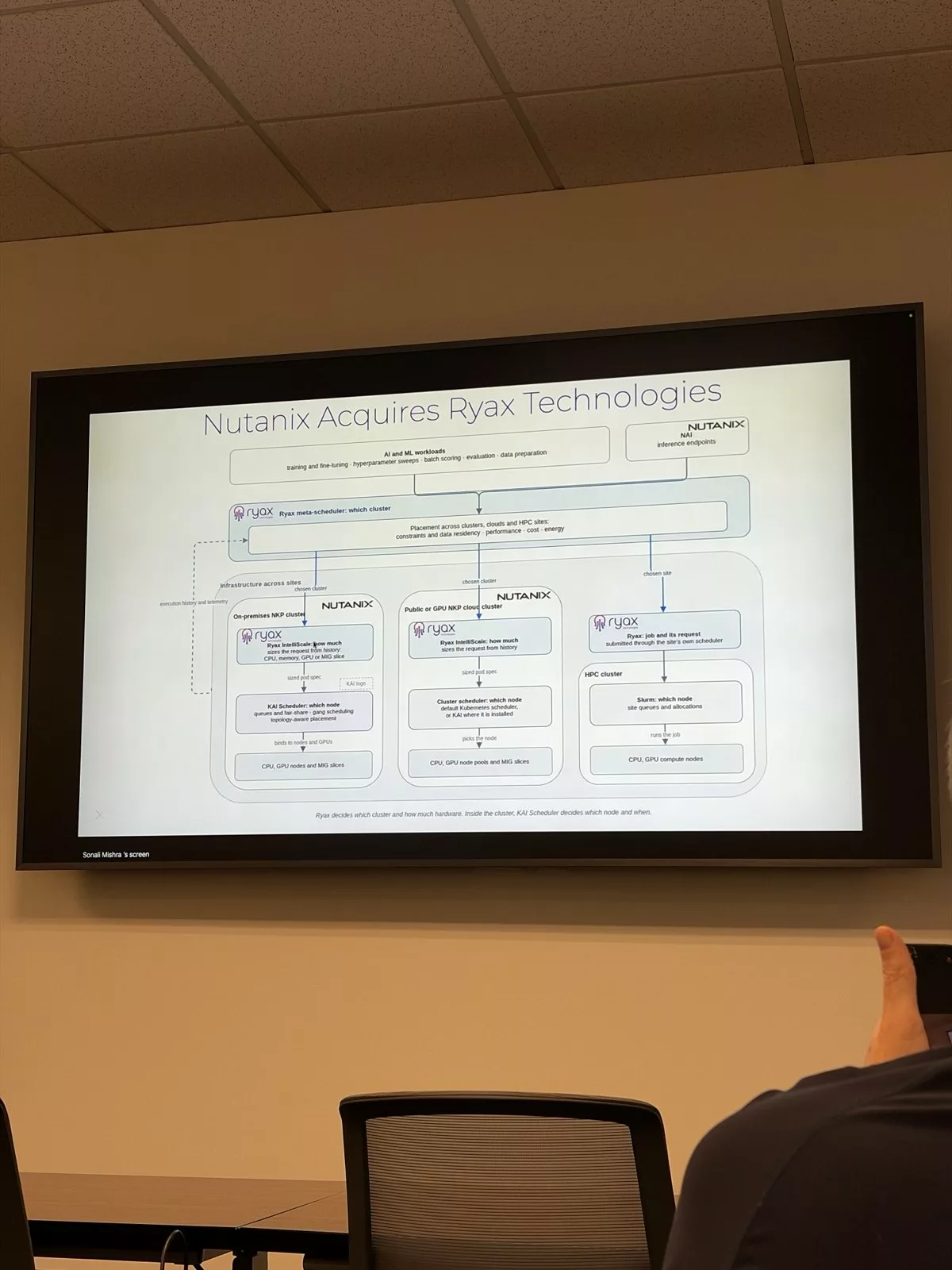
Last topic was the acquisition of Ryax Technologies, a French company that builds AI compute orchestration. The Ryax meta-scheduler decides on which cluster, cloud or HPC site a job runs based on constraints, data residency, performance, cost and energy. Ryax IntelliScale decides how much hardware a job gets based on history: CPU, memory, a GPU or a MIG slice. Inside the cluster KAI Scheduler (or Slurm on an HPC cluster) then decides which node and when. Nutanix plans to build Ryax into NKP and Nutanix Enterprise AI.
09:32 PDT
Monday 26 October – Thomas Cornely on product management
First session of the day was Thomas Cornely who runs product management at Nutanix. He told us how the PM team started and who does what in the team today and about the talent that works at Nutanix.
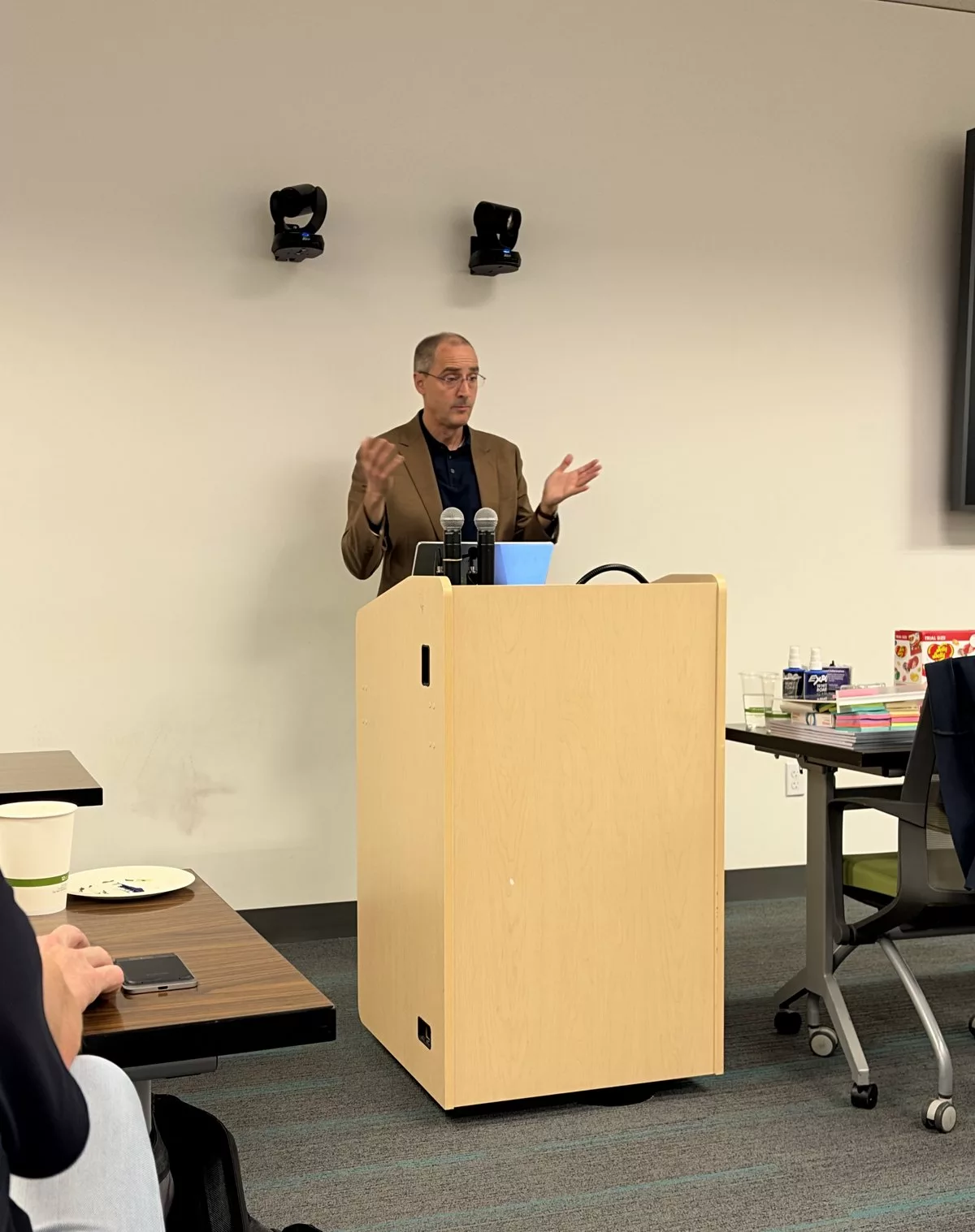
He also took us through how the portfolio grew into what it is now, all the way to AI and NKP. Then the fun part: a discussion about where we see Nutanix in ten years. And about external storage.
08:40 PDT
Monday 26 October – First tip of the day
Get to know Kubernetes. A good place to start is the Kubernetes project page at the CNCF.
Want to make it official? Go for the Kubernetes and Cloud Native Associate (KCNA) certification of the Linux Foundation. To get ready, KCNA Prep is a free study app with notes, flashcards and practice exams.
08:39 PDT
Monday 26 October – Welcome
And we’re off. Angelo Luciani opens with a warm welcome for everybody and walks us through the agenda of the next two days.
08:38 PDT
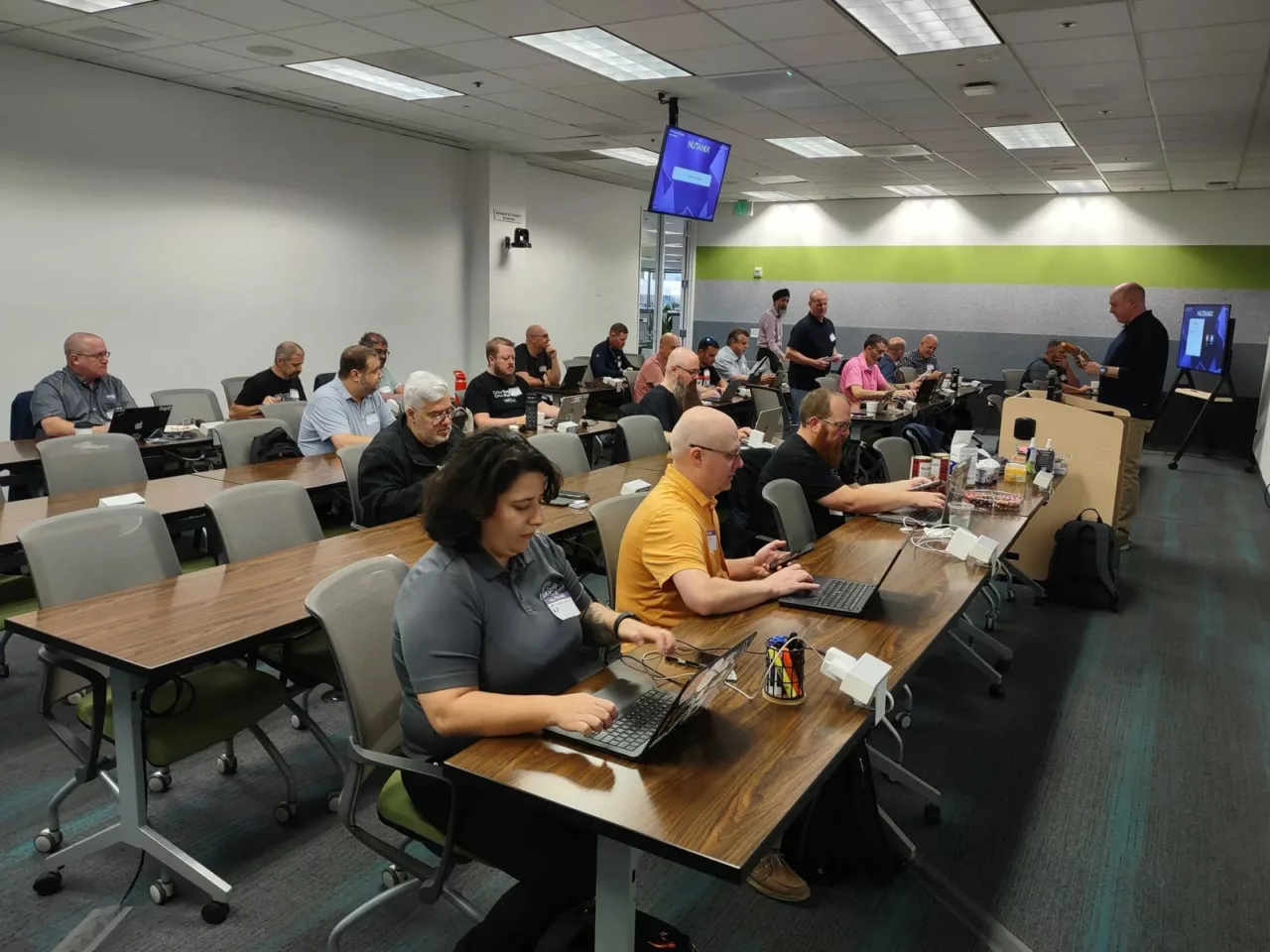
Monday 26 October – Laptops open
Everybody to their seats. Laptops open, coffee within reach, ready for the first session.
08:32 PDT
Monday 26 October – Here we go
Day one of Tech Connect. First the mandatory group photo at the Nutanix sign at 1740 Technology Drive, then inside for the first sessions.
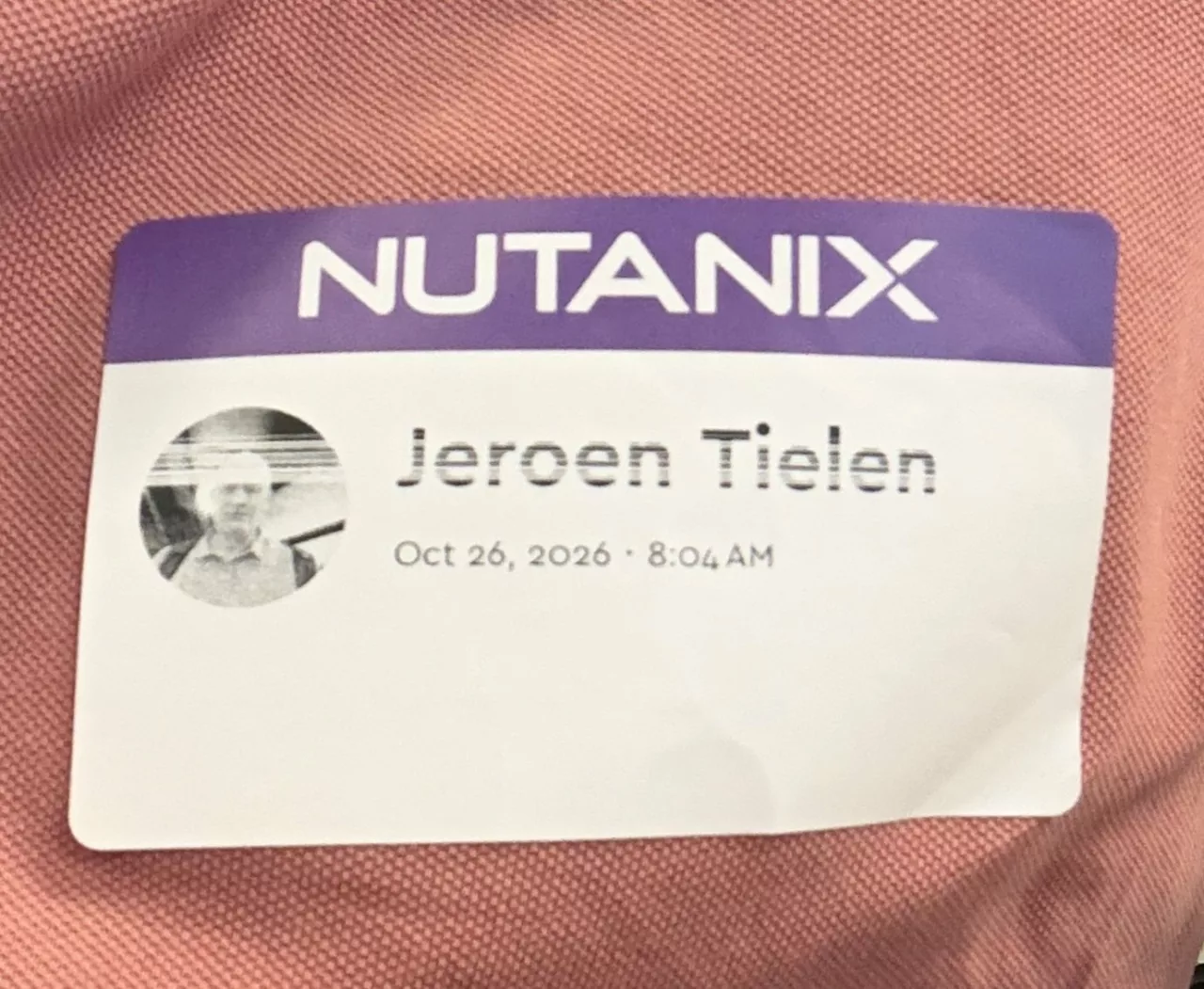
Checked in at 8:04, and the name badge proves it.
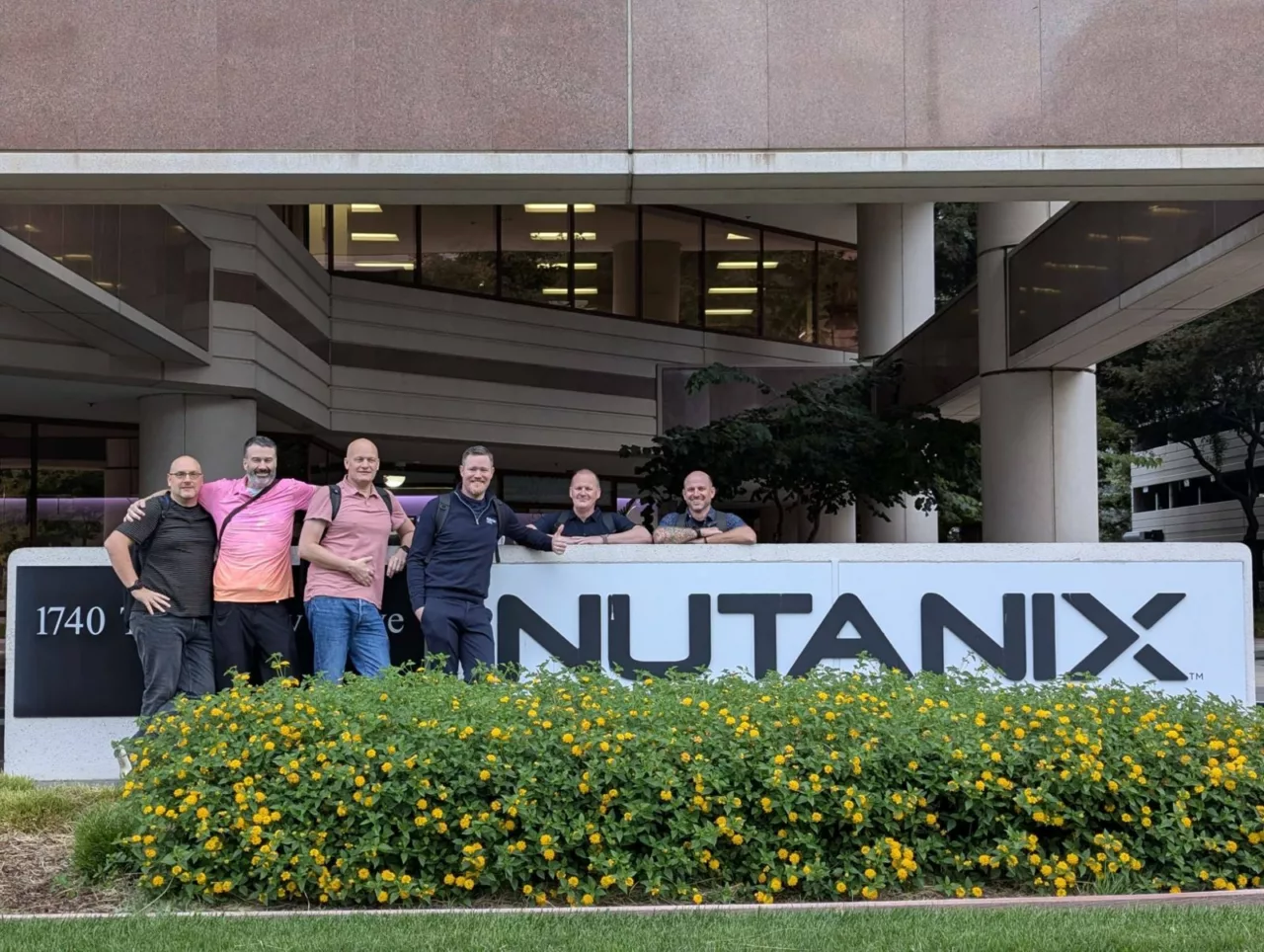
And of course a photo with the big Nutanix X inside.
Monday 26 October Tech Connect day 1
20:32 PDT
Sunday 25 October – Miniboss
The evening before the big day we had drinks with all the NTCs at Miniboss in San Jose. An arcade bar full of pinball machines and this week also Halloween decorations. For the first time the whole group is together.


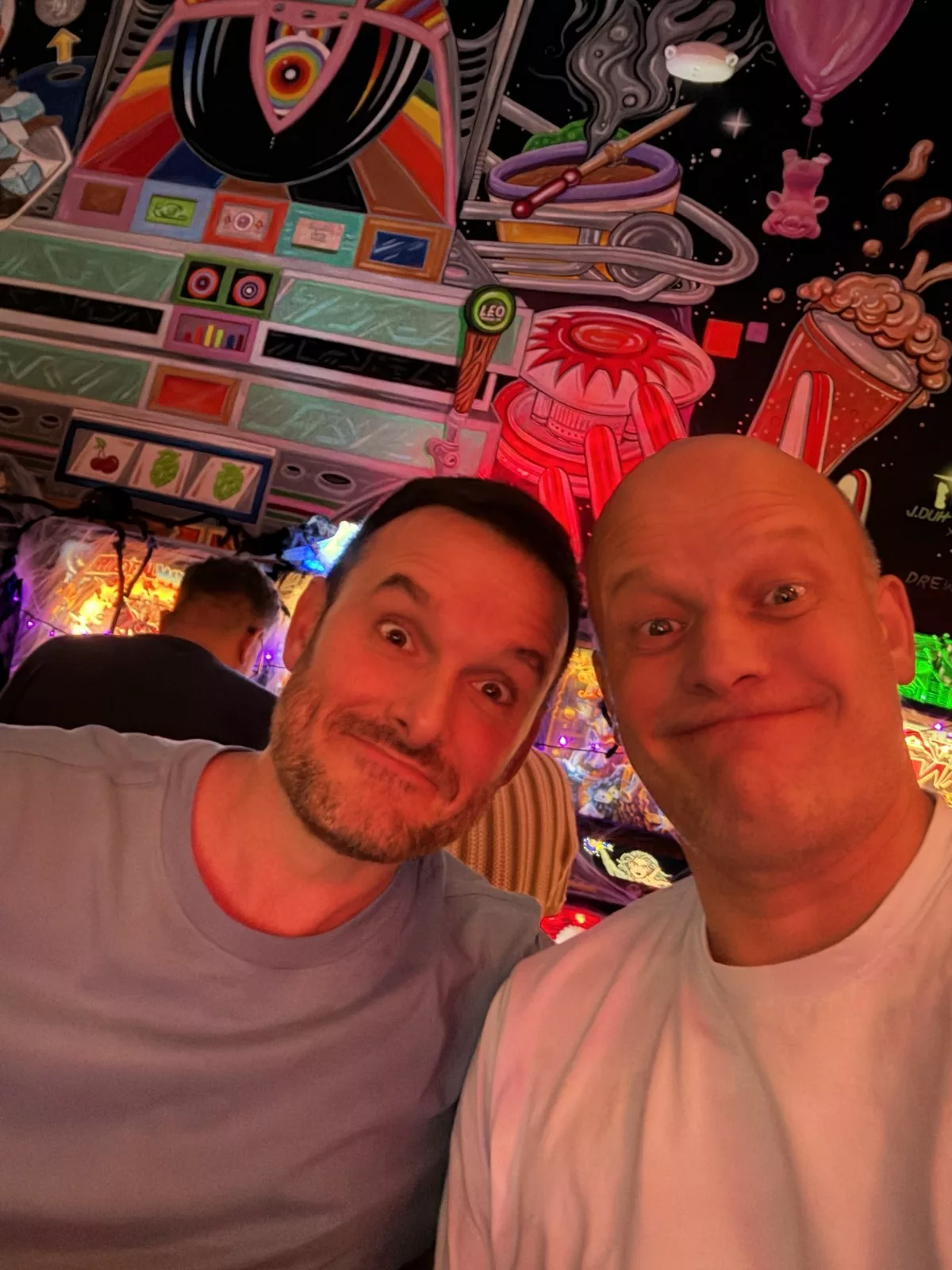
Tomorrow morning Tech Connect starts at Nutanix HQ. Time for bed.
15:34 PDT
Sunday 25 October – Computer History Museum
In the afternoon Marc, Bart, Bradley, Todd, Patrick and I went to the Computer History Museum in Mountain View. A group of IT people in a museum full of old hardware means one sentence you hear a lot: I used to have one of those 😉
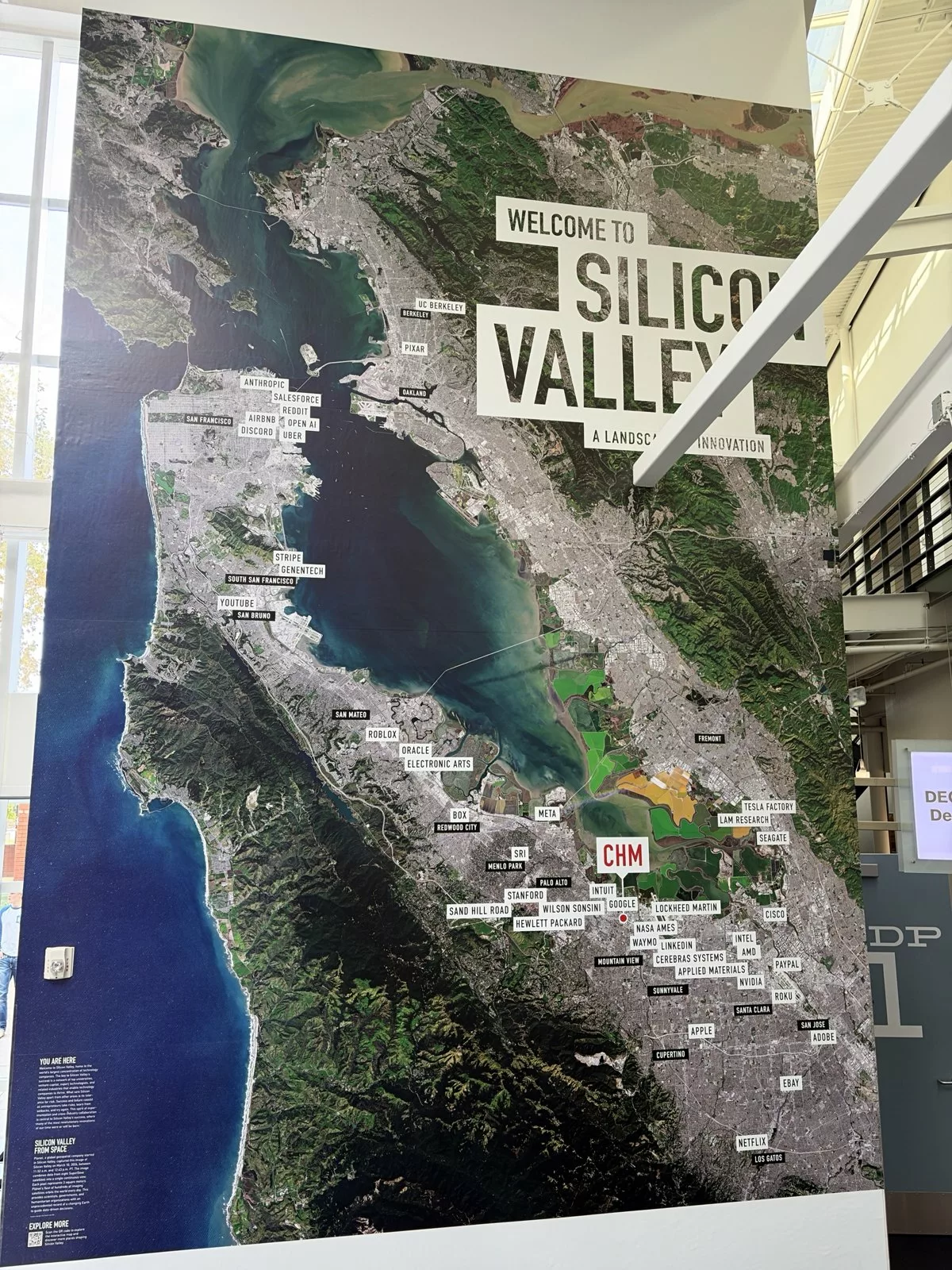
The big map in the hall puts it in perspective. Almost every tech company you know is within a short drive of here, from Apple and Google to Netflix and Intel.
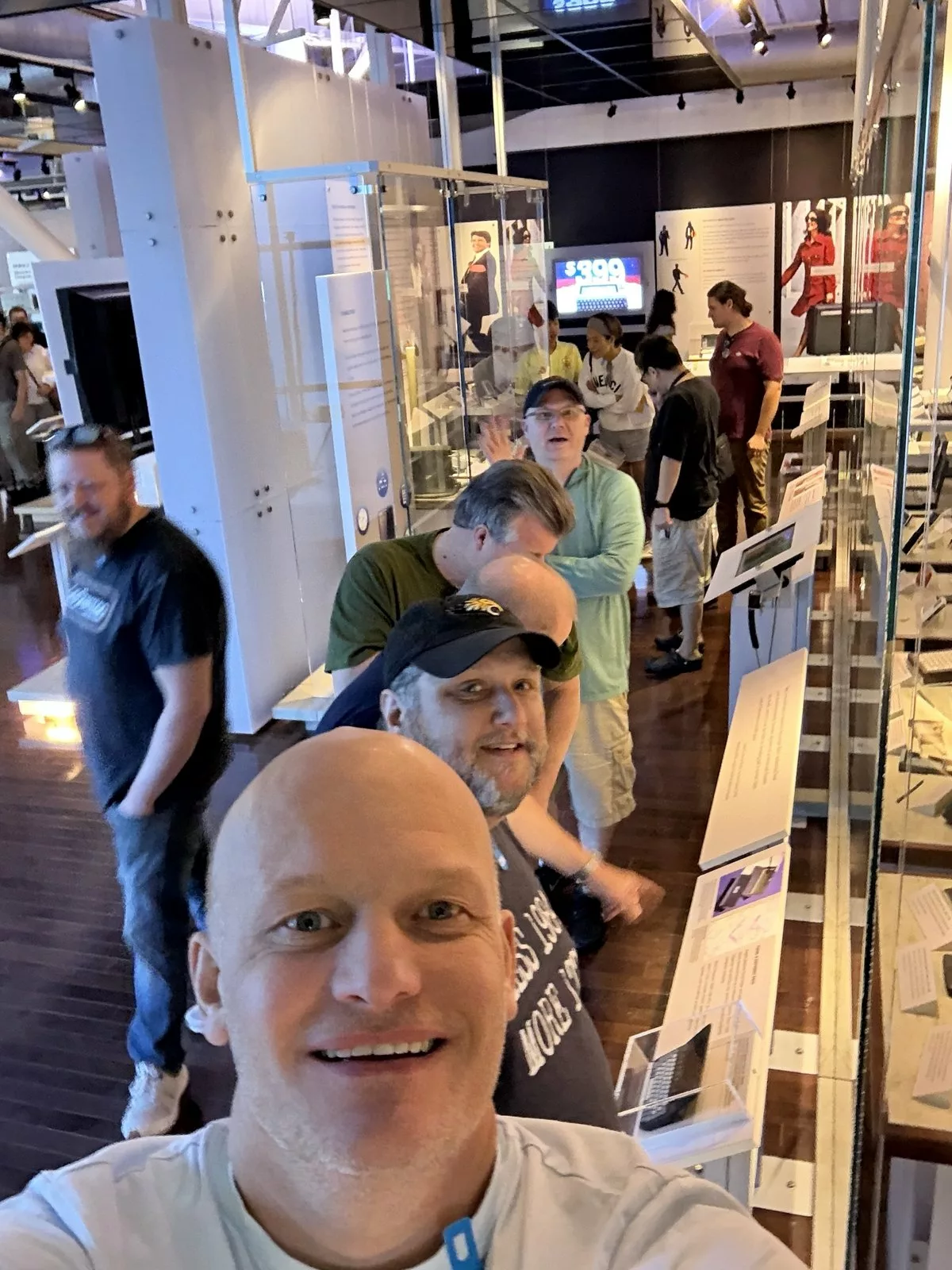
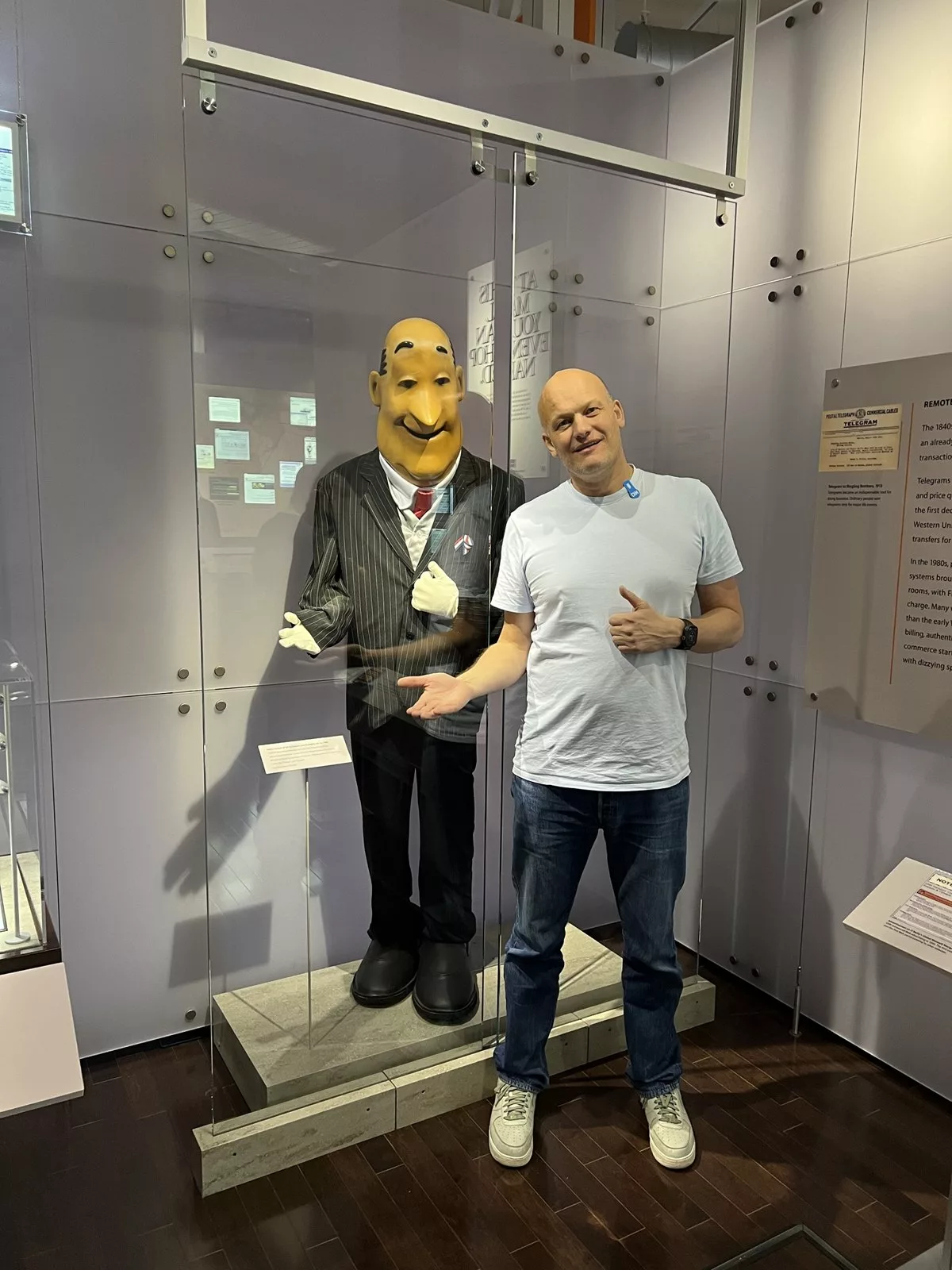
And I finally met Jeeves in person, the butler from Ask Jeeves. Long before we all started to google things, you asked him.
Nineteen years of phones in one picture. The very first iPhone from 2007 and in my hand the new iPhone Duo.

10:58 PDT
Sunday 25 October – Cliffs, witches and pumpkins
Jet lag has one upside: you’re up early. So this morning Bart, Patrick and I went sightseeing along the coast south of San Francisco. Steep cliffs, small beaches and the Pacific in the sun.
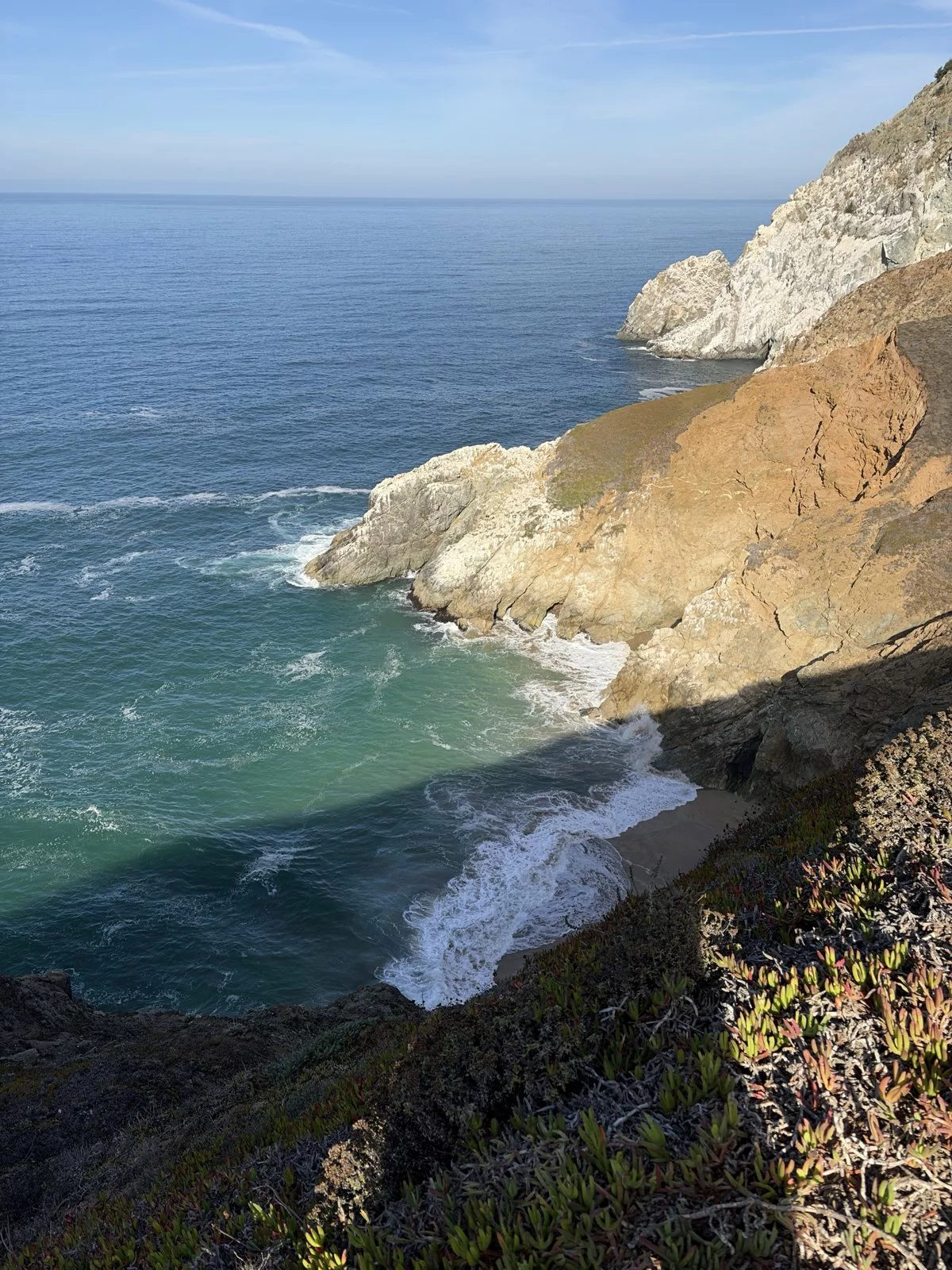
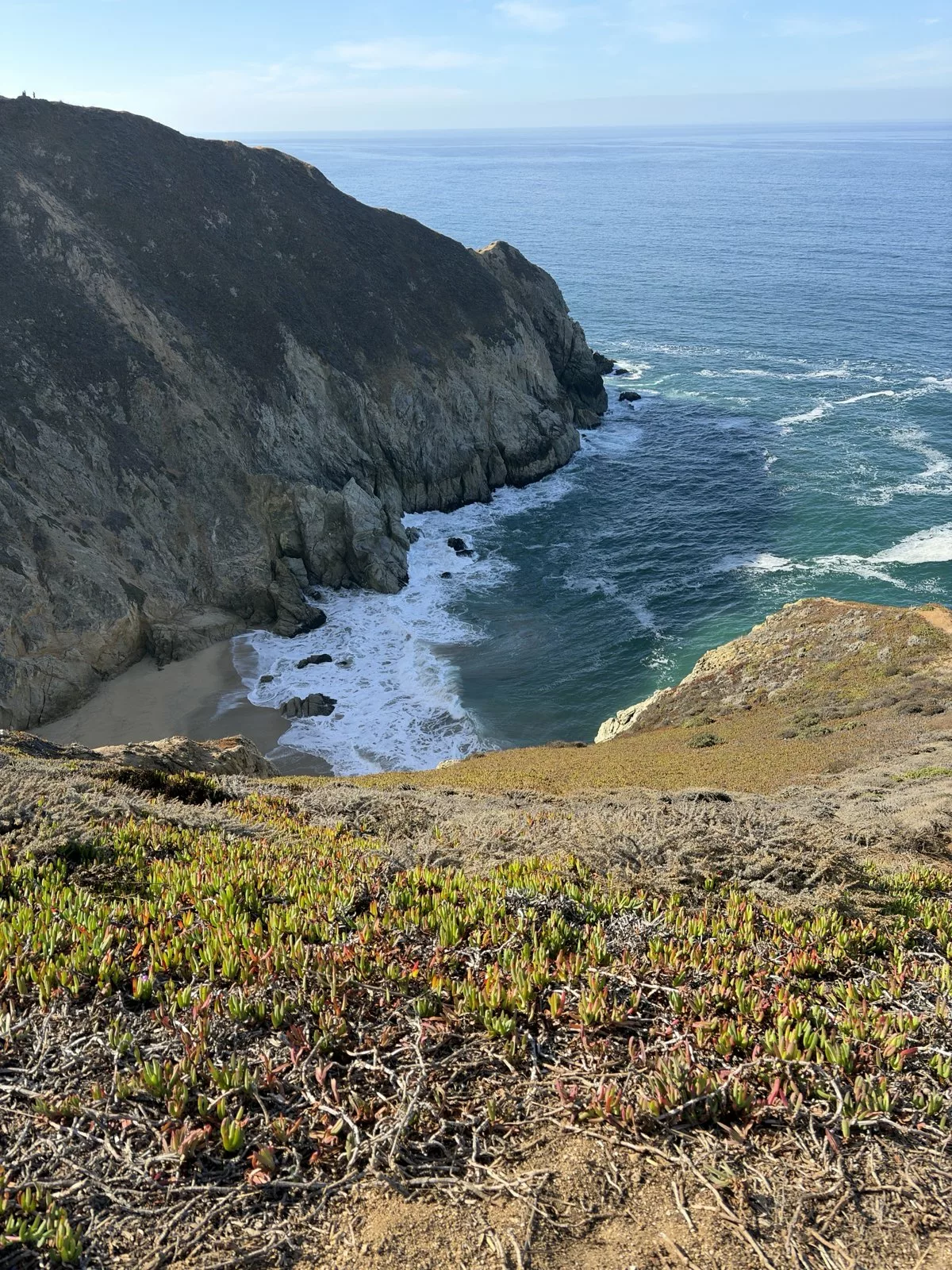
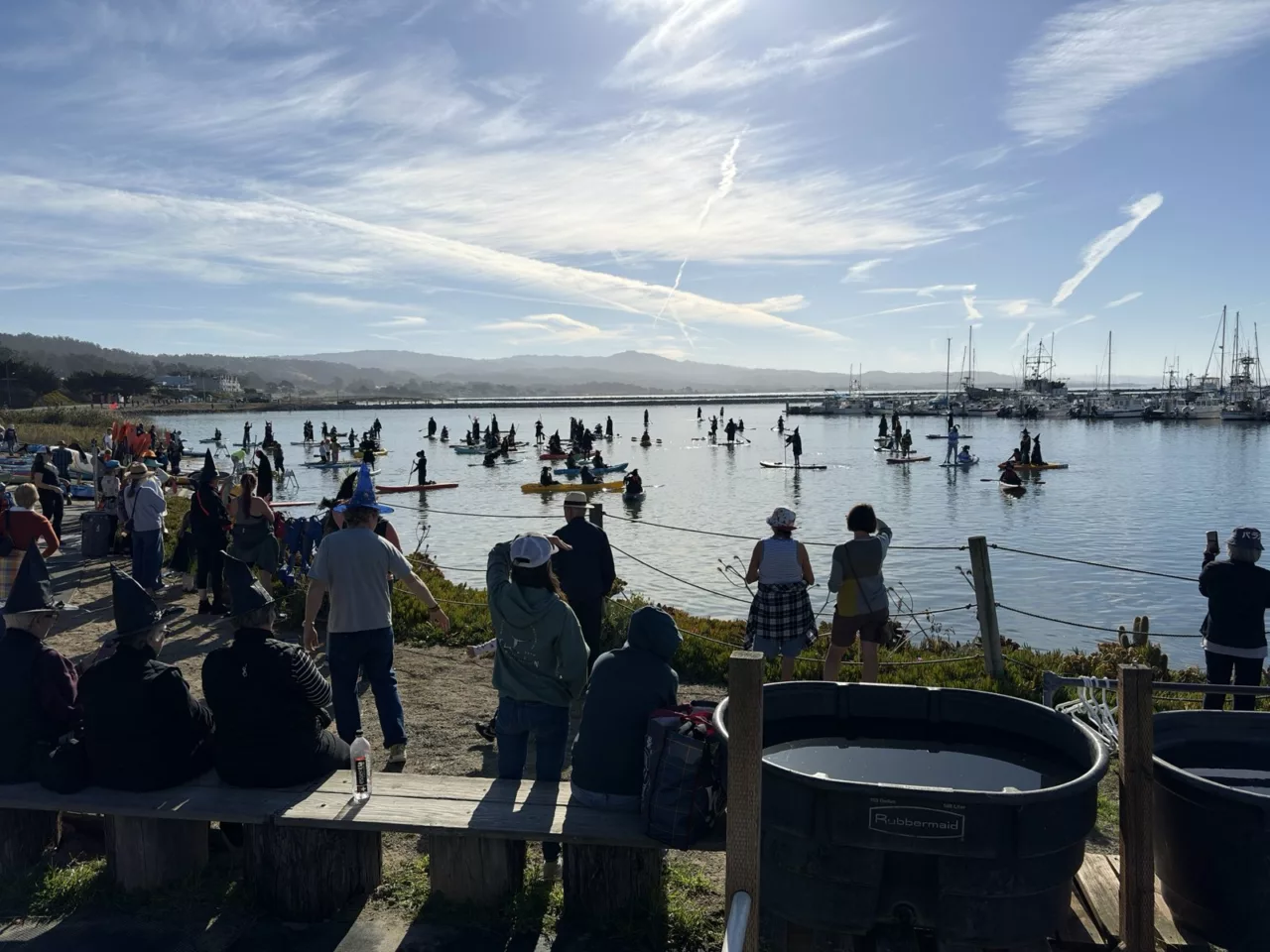
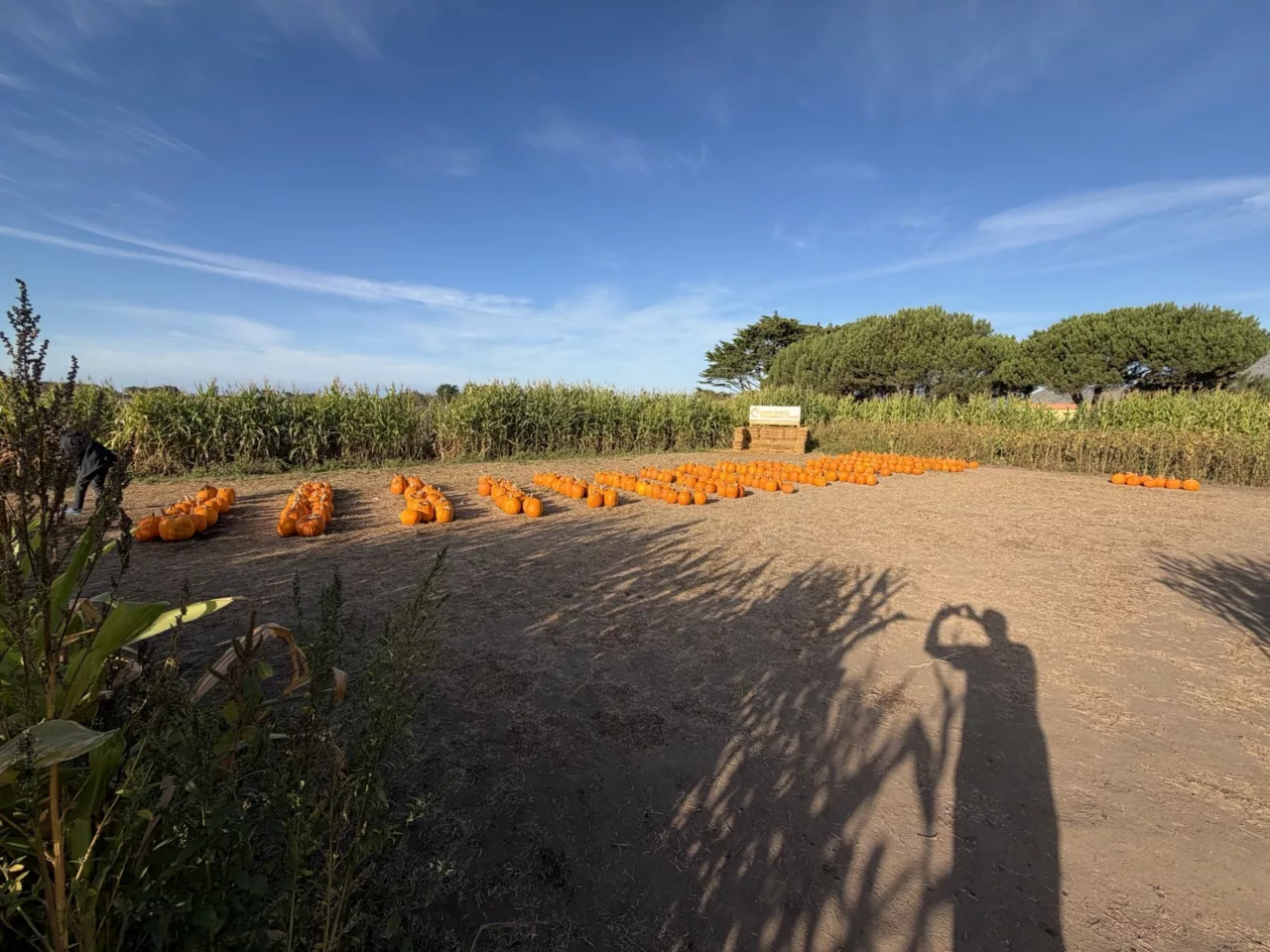
Near Half Moon Bay we found a harbor full of witches on paddle boards and kayaks. Halloween is taken seriously here. And of course a pumpkin farm, with corn higher than we are.
02:30 PDT
Sunday 25 October – Five out of five after all
Jet lag woke me up in the middle of the night, just in time to follow the trip of Jonas and Julien in our Slack channel. In Frankfurt they got stuck in a long queue at passport control with boarding closing in 18 minutes. Their message: we won’t make it. The next flight looked full, so it started to look like they would go home.
A few minutes later: they made it. One sprint through the airport (Jonas says it has been a long time since he ran that fast) and they were on board. They land in San Francisco this afternoon, so all five of us will be at Tech Connect after all. Happy face, back to sleep.
Sunday 25 October Exploring the Bay Area
13:54 PDT
Saturday 24 October – Landed
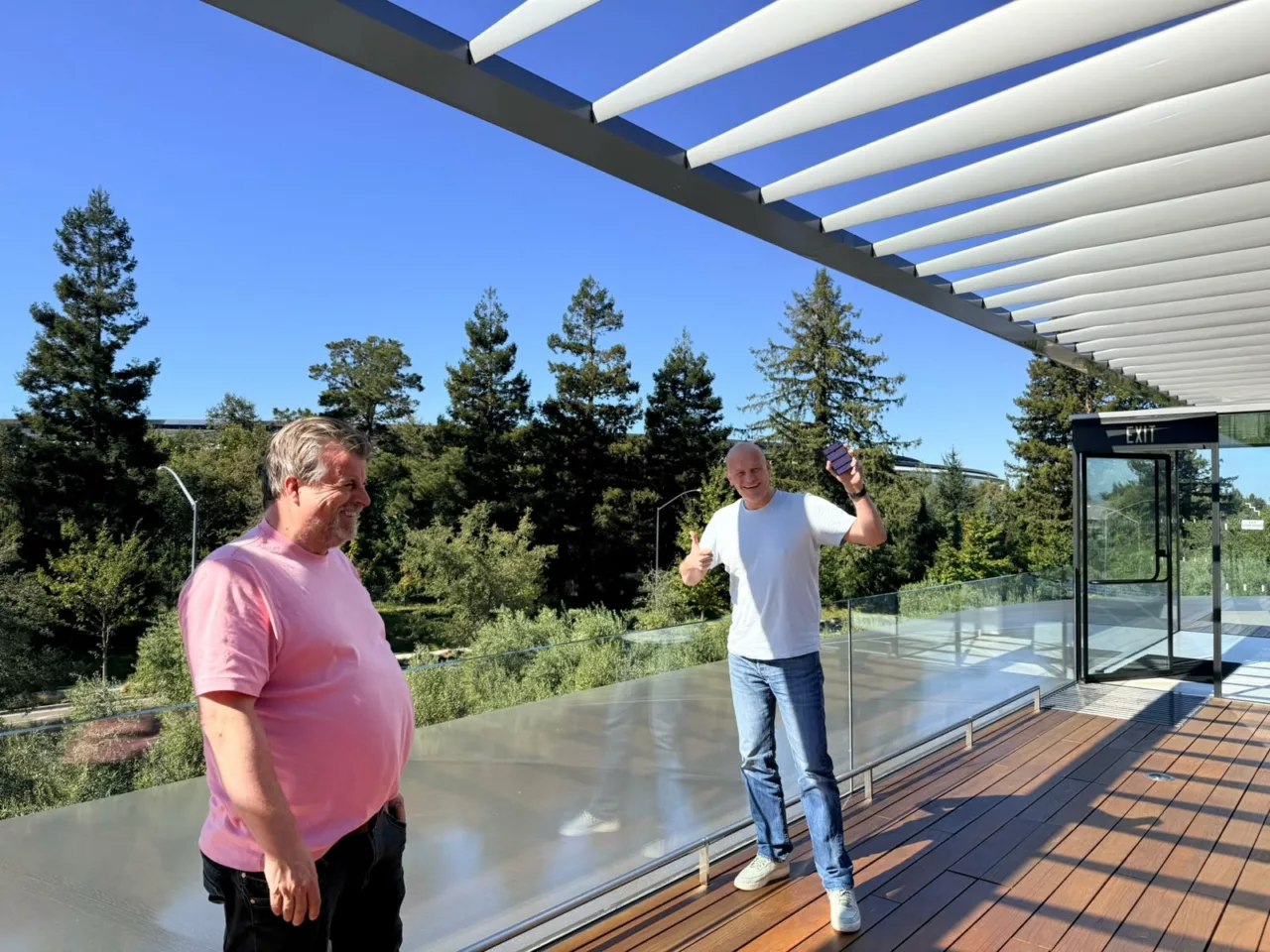
We landed in San Francisco, without Jonas and Julien unfortunately. First stop before San Jose was a quick trip to the Apple headquarters: Apple Park in Cupertino.
11:39 CEST
Saturday 24 October – Three out of five
The storm over Europe got the better of our travel group. Jonas and Julien missed their connecting flights to Amsterdam from Sweden and France, so they are not on KL605 with us. Only Patrick, Bart and I made it on board.
Good news: Jonas and Julien are rebooked via Frankfurt and land in San Francisco on Sunday afternoon. Well in time for Tech Connect. But first they get an extra night in Amsterdam.
Saturday 24 October Travel day
09:11 CEST
Friday 23 October – One more day
Last day at home before the trip. Do you have a question for the Nutanix product teams? Leave a comment below and I’ll take it with me to San Jose.
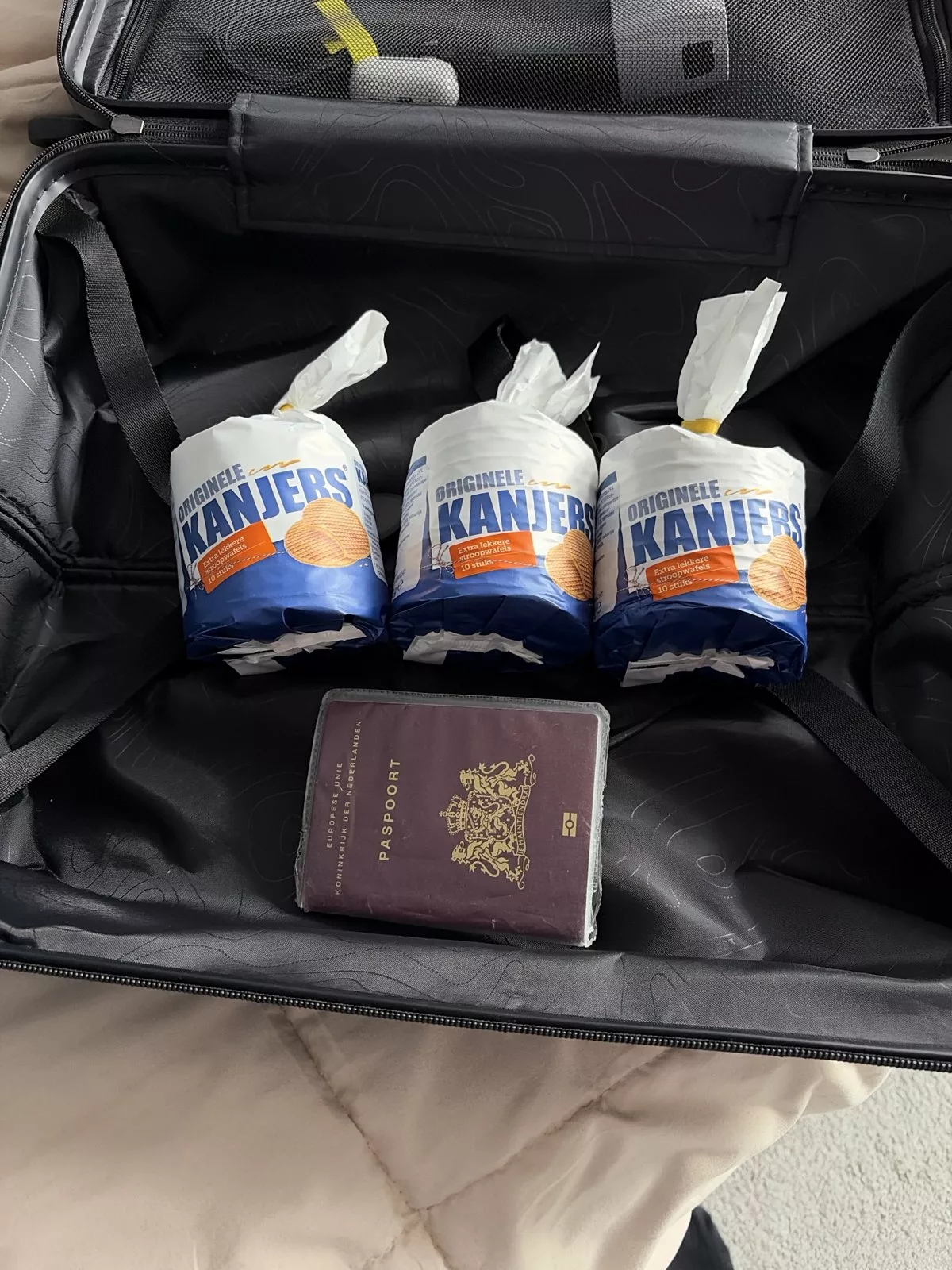
Packing has started with the essentials: my passport and thirty stroopwafels. Priorities.
Getting there: tomorrow it is KLM KL605 from Amsterdam to San Francisco with Patrick Damen, Bart Donders, Julien Dumur and Jonas Högman. Eleven hours with five NTCs in one plane. So plenty of time for Nutanix discussions. (Spoiler: the storm had other plans, see Saturday.)
Friday 23 October Packing
What is Tech Connect?
Tech Connect is an invite-only event for Nutanix Technology Champions at Nutanix HQ, 1740 Technology Drive in San Jose, California. The 2026 edition is on Monday 26 and Tuesday 27 October. About 28 NTCs from 7 countries got an invitation to spend two days with the people who design and build the Nutanix platform: product management, engineering and the executive team.
It is not a conference where you sit and listen. The sessions are interactive, so we get to ask questions, give feedback and argue about features. From what the other NTCs have shared the agenda covers AOS and AHV, NKP, AI, security and the roadmap. Part of it is under NDA. Everything I’m allowed to share is in the updates above.
A big thank you to Angelo Luciani and his team for organizing it.
Follow along
On LinkedIn and X look for #TechConnect2026, #NutanixNTC and #NTCTC. Other NTCs are writing about Tech Connect too:
- NTC Tech Connect – Travel Nightmare – Deploying SP Central – Part 2 by Jonas Högman
- Nutanix Technology Champions Tech Connect Day 1 by Patrick Damen
- The wait is over: Nutanix Tech Connect is about to begin by Bart Donders
- Heading to Nutanix HQ in San Jose: Behind the Scenes of NTC Tech Connect by Julien Dumur
- NTC Tech Connect 2026 here we go – Deploying SP Central by Jonas Högman
- Headed to Nutanix Tech Connect 2026 by Mike Dent
- Nutanix Tech Connect by Bart Donders
- Just 6 Days to Go! NTC Tech Connect 2026 Is Almost Here! by John Hein
- Tech Connect 2026, 1 week to go by Kim Mount
- Nutanix Tech Connect 2026: my exclusive invitation to the heart of Nutanix HQ by Julien Dumur
- 2026 NTC Tech Connect @ Nutanix HQ by Raj Patel
- Tech Connect 2026 is go! by Kim Mount
Want to read more from the Nutanix Technology Champions? The NTC Blogroll shows the latest posts of all NTC bloggers.
Live blog in numbers
Discover more from Jeroen Tielen
Subscribe to get the latest posts sent to your email.

What happens if a resolved issue comes back?
Perpustakaan