Ever wondering which virtual machines are using snapshots and how much space they are taking?
Of course you use my superduper powershell script to clean them up: link 😉
But in Prism Central we can easily create an overview with the latest status on the snapshots. Login to Prism Central and go to the VM dashboard.
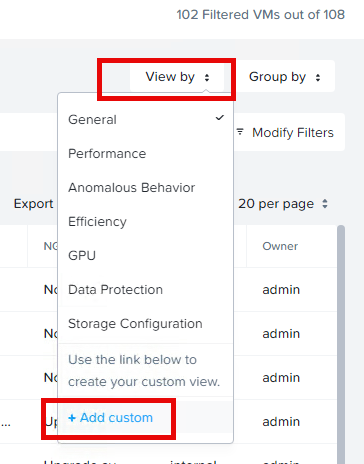
Click on: View by and select + Add custom
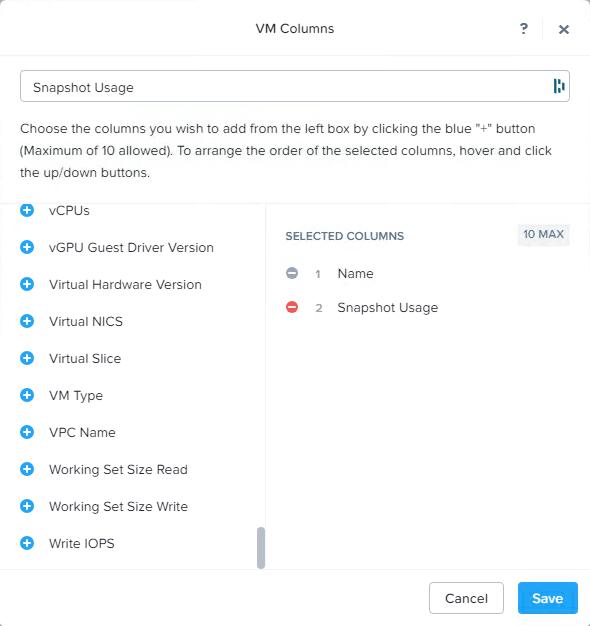
Now create the following view: (add more columns to your needs)
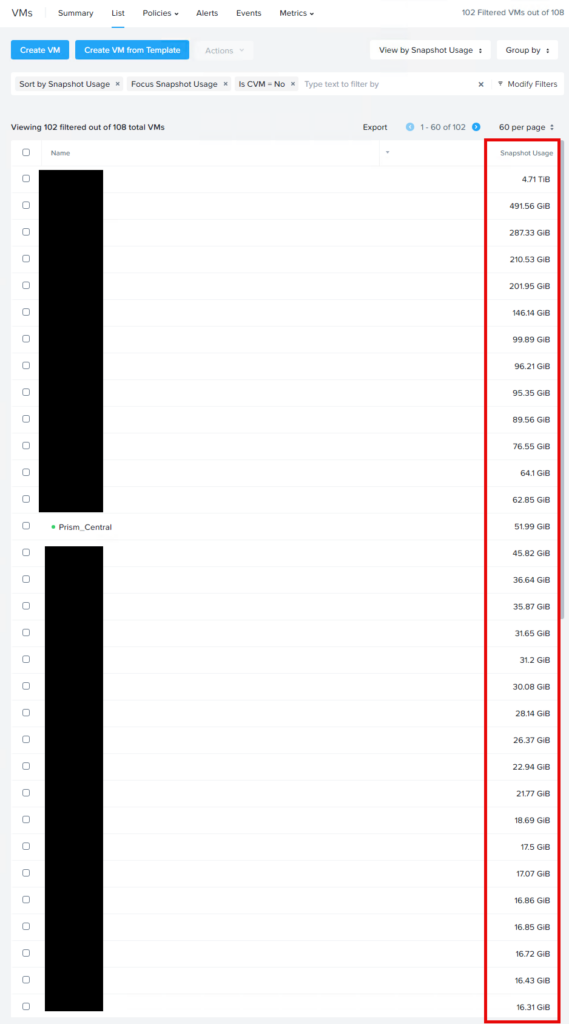
Select your newly created view (Prism Central will do this automatically) and sort on Snapshot Usage to get the largest on top:
Discover more from Jeroen Tielen
Subscribe to get the latest posts sent to your email.