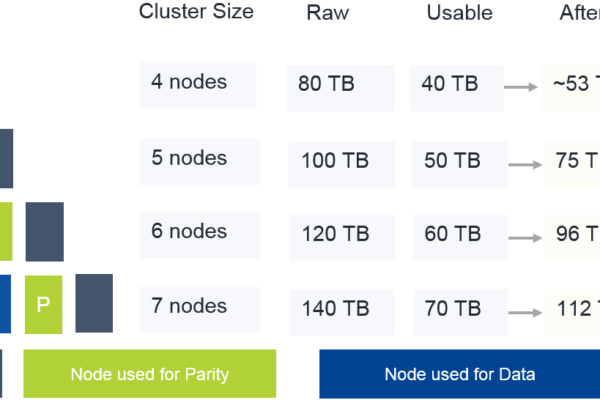
Erasure Coding in a 4-node Nutanix cluster provided a 25% data reduction in the author’s lab by efficiently shrinking ‘write-cold’ data using storage optimization. Testing with virtual machines.
-={ The Nutanix and EUC GURU }=-
Erasure Coding in a 4-node Nutanix cluster provided a 25% data reduction in the author’s lab by efficiently shrinking ‘write-cold’ data using storage optimization. Testing with virtual machines.
The post describes setting up Replication Factor 2 on a single-node cluster running Community Edition. After installing CE on a VM with specific disk configurations, a new cluster is created with the desired redundancy factor. The post concludes with a positive impression of the results in Prism Element.
The post provides a list of script commands for easier virtual machine management, focusing on filtering and executing commands for different VM tasks. It includes commands for powering off, shutting down, turning on VMs, managing vGPU profiles, deleting VMs, and listing VM attributes. Additionally, it covers starting curator scans and…
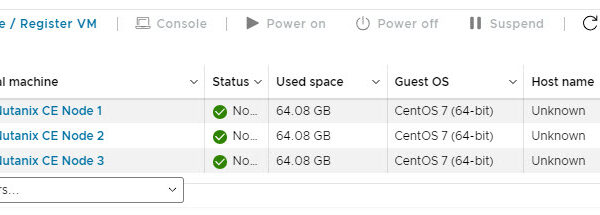
This blog post explains how to install a three-node Nutanix cluster nested in VMware ESXi/vSphere. Requirements include IP addresses, memory, CPUs, and storage. Detailed steps on creating virtual machines, installing Nutanix CE, and checking cluster status are provided. Final instructions cover accessing and configuring the cluster. For a 1-node cluster,…
This blogpost offers a guide on upgrading your Nutanix community edition cluster to the latest versions.
Blogpost is updated for CE2.1 This little blogpost will explain how-to change the CVM memory size in Nutanix Community Edition. I assume you are here because you got an error similar to this: As you can see the CVM has to much memory assigned and can’t start on the node.…
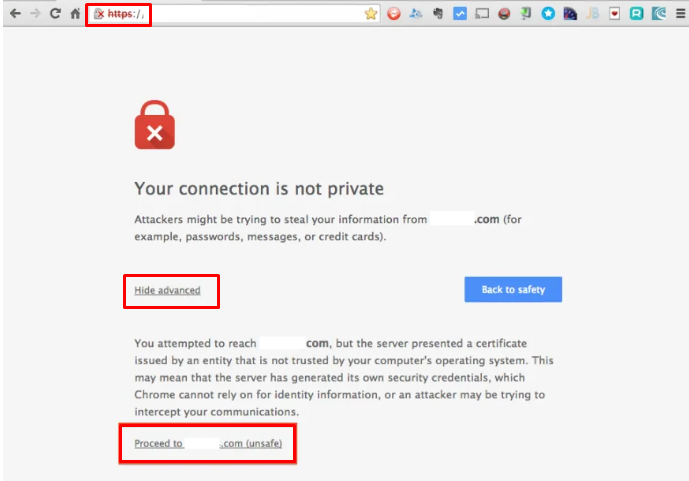
UPDATE FEBRUARI 2024 Looks like Microsoft Edge has blocked/removed this workaround. It is still working in Google Chrome. I getting emails, calls, teams, slack etc etc etc about that they cant access Prism anymore. I even had an email from someone to their internal management saying Nutanix is bad because…
I had the opportunity the play with 2 Nutanix clusters on OVHcloud. In this blogpost I will explain how to set it up and how to do a migration from your on-premises environment to Nutanix on OVHcloud (Migrate to the cloud).
Here’s a powershell script to generate a Let’s Encrypt certificate and upload that certificate to your Nutanix cluster and/or Prism Central. I want my clusters to be available via: The tielenconsultancy.nl domain is avaiable on the internet and internal. The clusters aren’t available via the internet offcourse 😉 So this…
In this blog post I will show you how to change a Nutanix Files standard share to a distributed share. The differences between these types of shares is explaned here: https://portal.nutanix.com/page/documents/kbs/details?targetId=kA00e000000LMXuCAO In my scenario I have configured FSLogix profiles on the standard share \\Files\FSlogix. This share holds arround 240GiB of…
I’m running my Nutanix CE lab on dedicated hardware, but you can also install it virtual in VMware Workstation (for example). In this blog I will explain how to do this. Before we continue there are some requirements: Make clear if you want a 1 node or 3 node cluster;…
Microsoft released a new version of FSLogix (Build 2.9.8361.52326) which has the following in the release notes: Feature: Added the ability to compact the user’s container during the sign-out phase. More info can be read in the Release Notes Now when this all is in place and working, the events…
Begin typing your search term above and press enter to search. Press ESC to cancel.